Mobile Apps for Time Tracking & Payroll
Mobile Time Clock AppAI‑Powered Time Tracking
Track hours on iOS and Android, automate payroll, and keep teams in sync. A mobile-first time clock built for modern work.
- Clock in/out from mobile, web, or desktop — instantly synced
- Payroll‑ready timesheets, automatically
- Real‑time dashboards and reporting
- • Setup within 5 minutes
- • No credit card required
- • 14-day full trial


Mobile Time Clock
Effortless Time Tracking on the Go
Our mobile app time clock solution brings powerful time tracking capabilities to your fingertips. Designed for both employees and managers, it simplifies attendance management wherever you are.
Real-time Clock In/Out
Employees can easily clock in and out with just a tap, recording accurate timestamps.
GPS Location Tracking
Verify employee locations at clock in/out times to ensure accuracy and prevent time theft.
Team Management
Managers can view team schedules, approve time off requests, and manage shifts on-the-go.
Detailed Reports
Access comprehensive time tracking reports and analytics directly from your mobile device.
Notifications
Receive instant alerts for overtime, missed clock-ins, or other important time tracking events.
Secure Data
All data is encrypted and securely stored, ensuring your employee information remains protected.
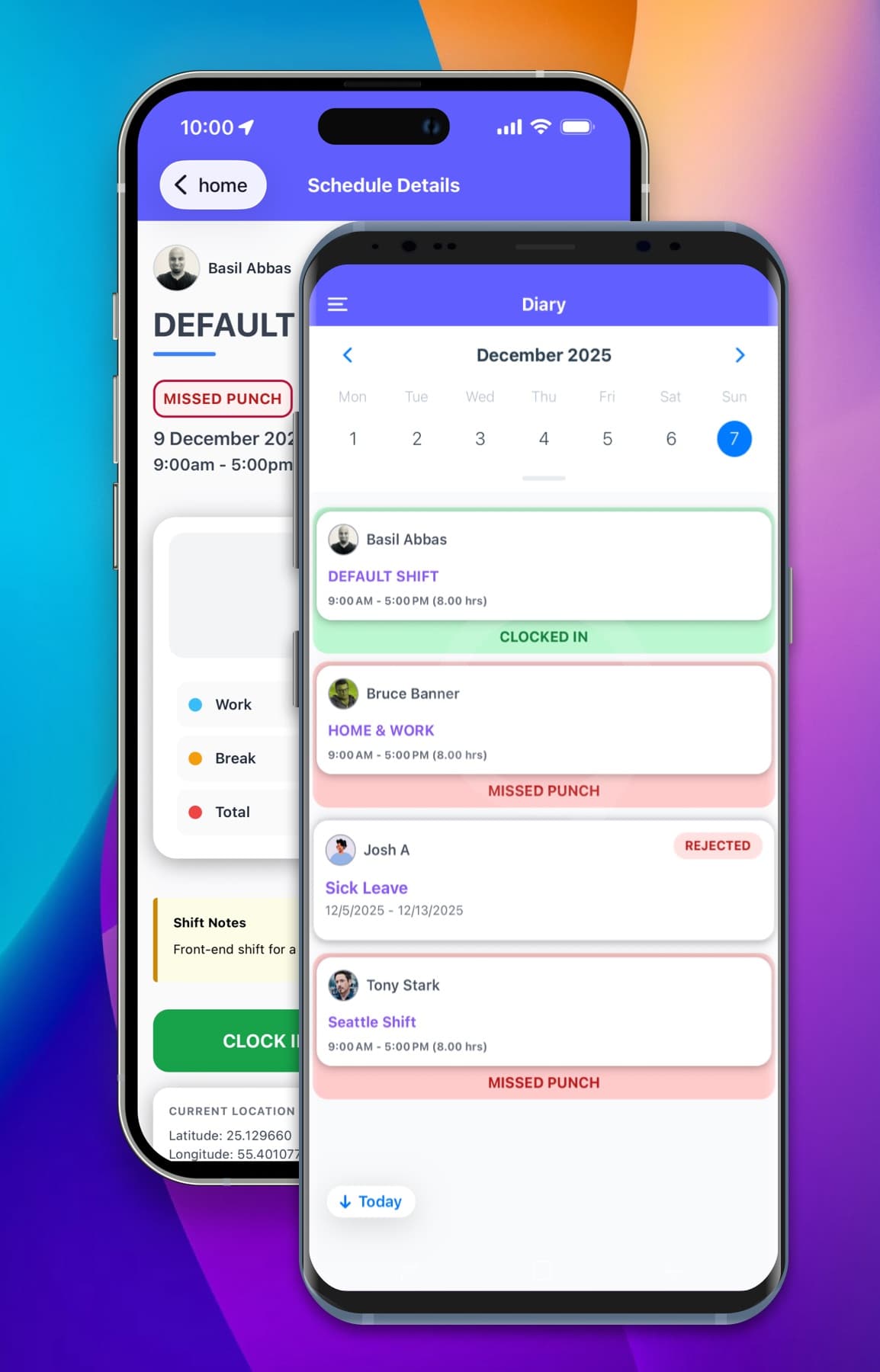
Get the ClockIt Mobile Apps
Download our mobile app now and experience effortless time management.


Clock in clock out with ease from any device into your shift
Our mobile time clock apps for iOS and Android make it simple for employees to clock in and out from their smartphones, tablets, or other mobile devices. With GPS location tracking and geofencing, teams can log their hours accurately no matter where they are.
Universal scheduling view
View all employee shifts in one place with our intuitive scheduling dashboard.
Clock in clock out for your team
Permissions based clock in and out functionality for employees directly from the app.
Real-time updates
Instantly notify employees of schedule changes via email or mobile notifications.
Time-off management
Allow employees to request time off and manage approvals seamlessly within the app.
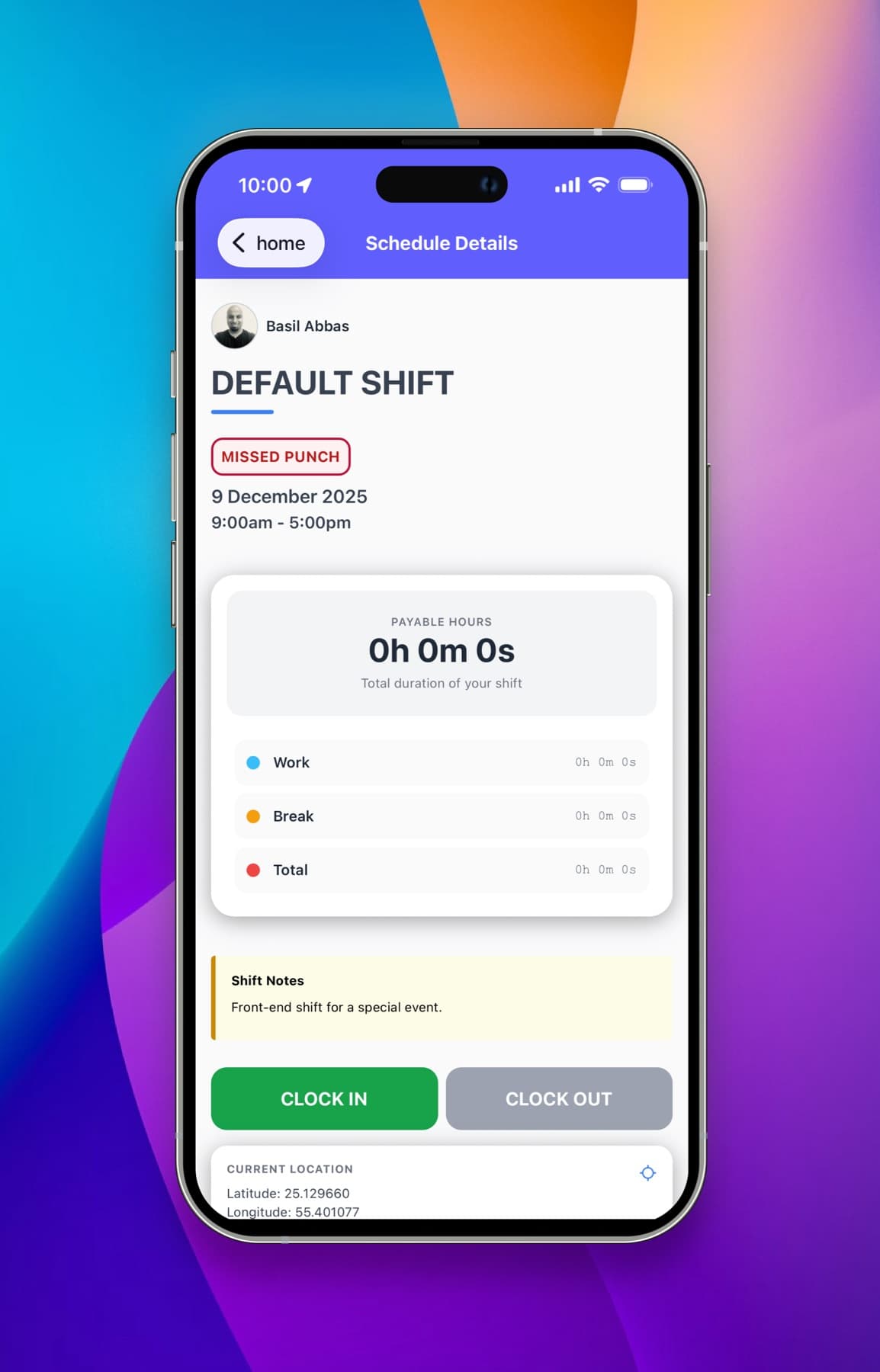
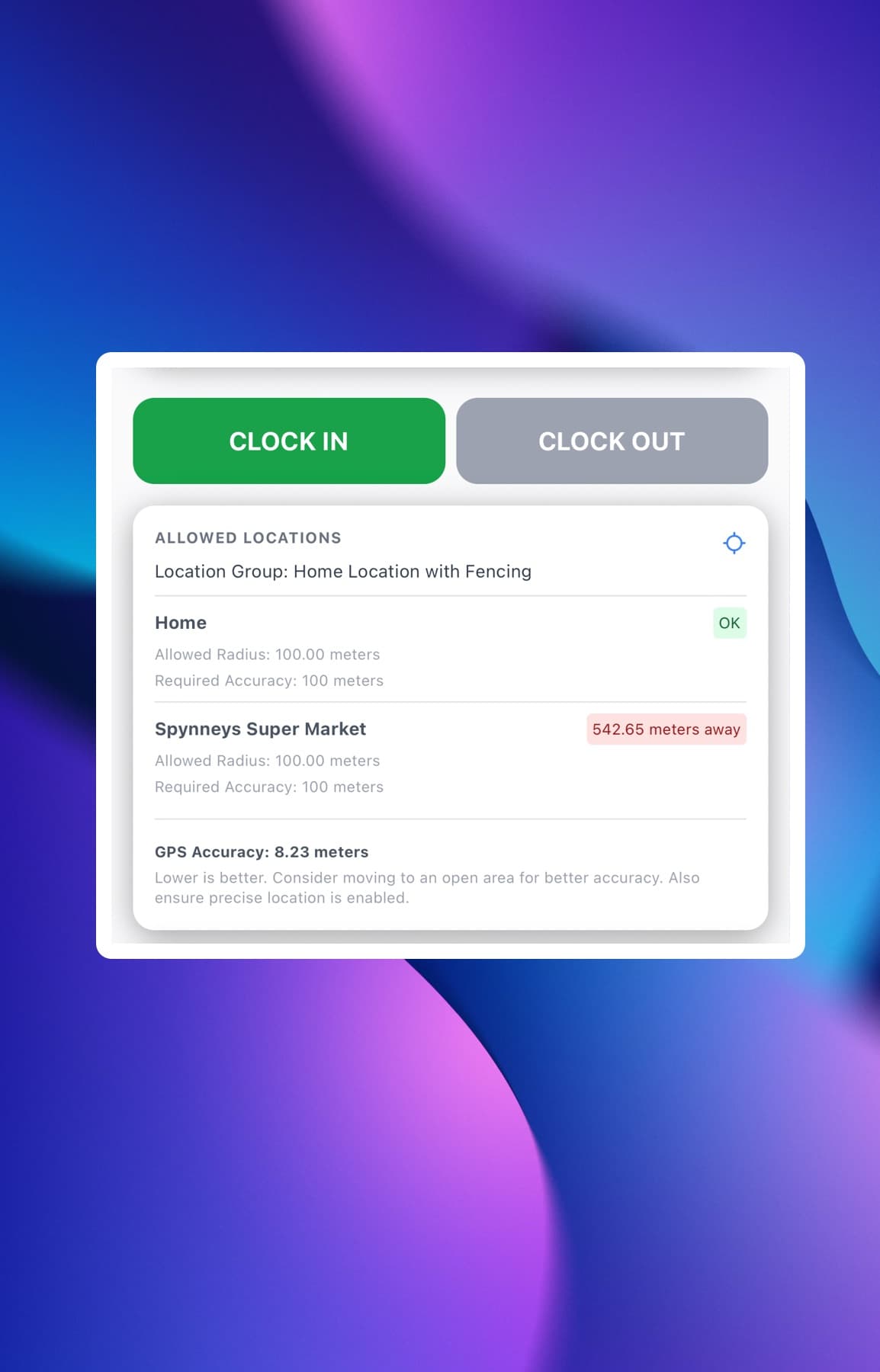
Capture location and ensure accurate time tracking with geofencing
Our mobile time clock apps leverage GPS technology to capture employee locations at clock in and out times. With geofencing capabilities, you can set virtual boundaries around job sites to ensure employees are clocking in from the right locations, reducing time theft and improving accuracy.
One or more job site geofences
Set up geofences for multiple job sites to ensure employees clock in and out from designated locations.
Geofence radius settings
Adjust the radius of geofences to define the precise area where employees can clock in and out.
Leaving Notifications
Receive alerts when employees leave a geofenced area during their shift.
Easily see allowed locations
View all designated geofenced areas where employees are permitted to clock in and out.
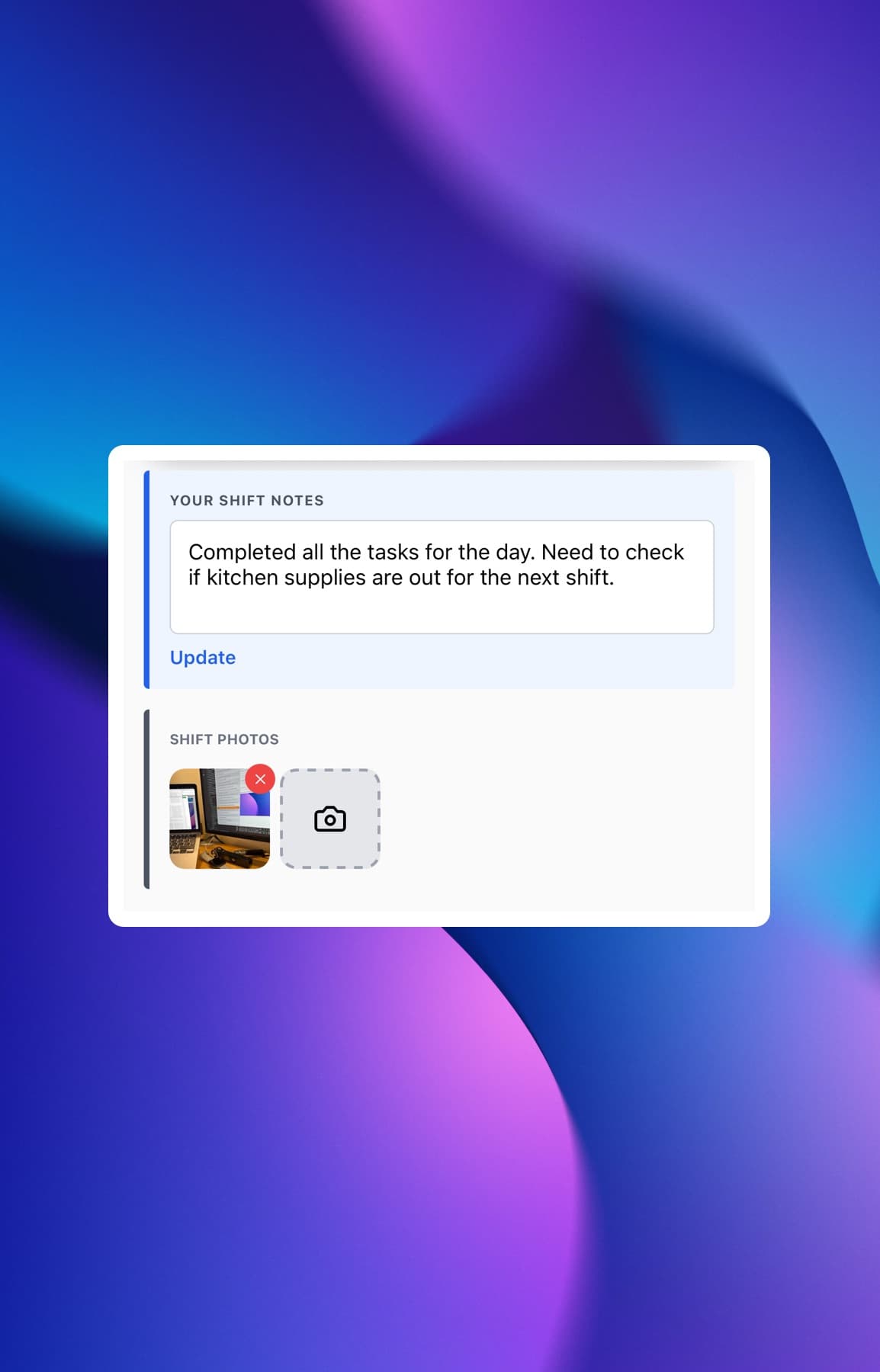
Add more data to your shifts to improve accountability
Our mobile time clock apps allow employees to add shift notes, photos, and TODOs when clocking in and out. This additional context helps improve accountability, provides clarity on work performed, and enhances communication between employees and managers.
Shift Notes
Add shift notes to provide context on tasks performed during a shift.
Photos
Attach photos to shifts for visual documentation and verification.
TODOs
Create and manage TODO lists for tasks to be completed during a shift.
Easily manage breaks and lunch periods within shifts
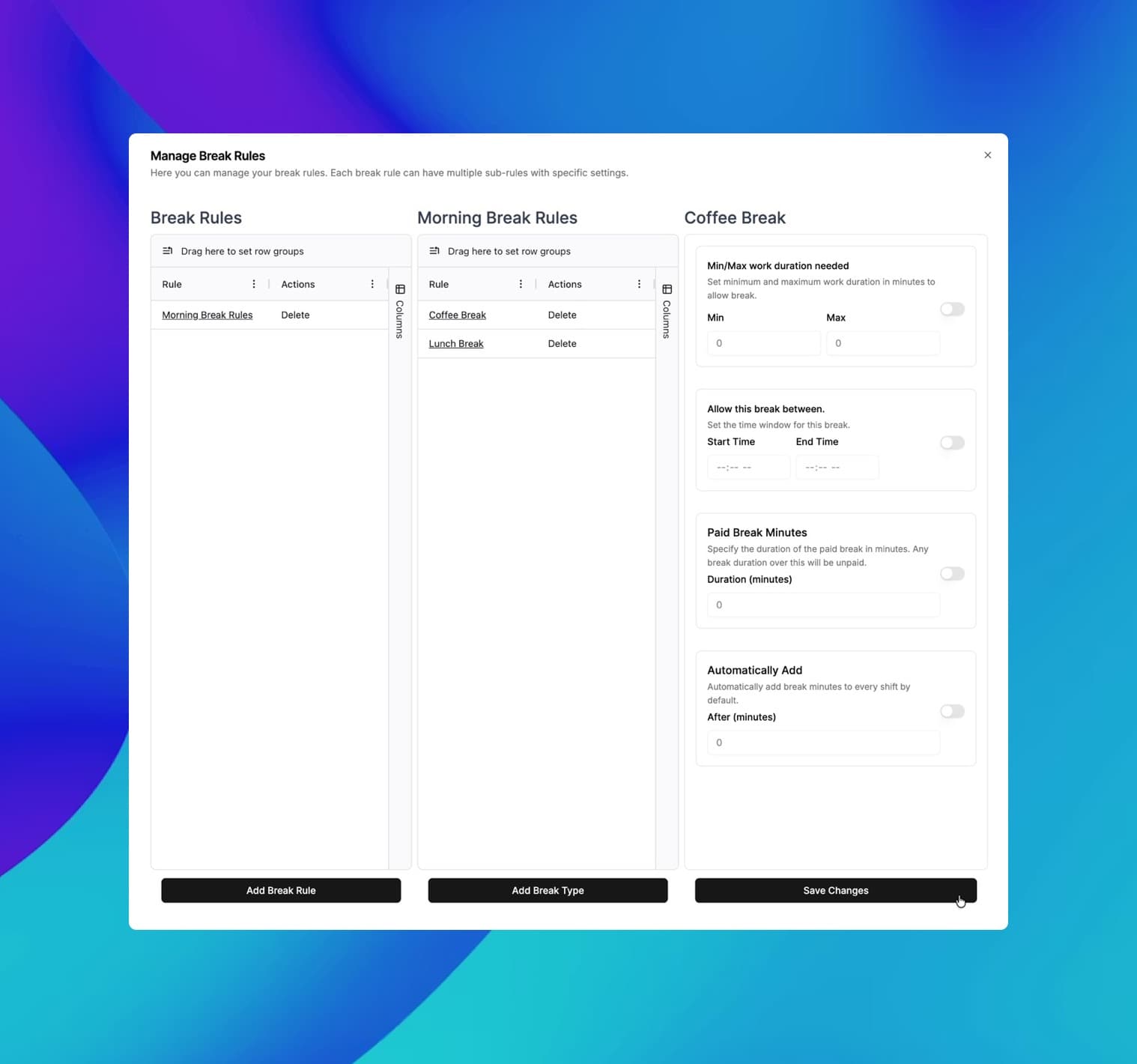
Track employee breaks and lunch periods directly from the mobile time clock app. Our solution allows employees to clock in and out for breaks, ensuring compliance with labor laws and providing accurate records for payroll processing.
ClockIt supports multiple break types
Create and manage different break types such as paid breaks, unpaid breaks, and lunch periods.
Break Rules
Set rules for break durations and timings to ensure compliance with company policies and labor laws.
Break Notifications
Receive alerts when employees take breaks or exceed break durations.
Reporting and Analytics
View detailed reports and analytics on break usage, durations, and compliance to optimize workforce management.
The mobile app time clock has revolutionized how we manage our remote team. It's intuitive, accurate, and has saved us countless hours in payroll processing. The GPS feature ensures accountability without being intrusive. It's a game-changer for businesses with a mobile workforce.
Frequently asked questions
Have a different question and can't find the answer you're looking for? Reach out to our support team by sending us an email and we'll get back to you as soon as we can.
Our GPS location tracking is highly accurate, typically within a range of 10-50 meters or lower depending on the device and environmental factors. We use a combination of GPS, Wi-Fi, and cellular tower triangulation to ensure the best possible accuracy.
We take data security very seriously. All data is encrypted both in transit and at rest using industry-standard encryption protocols. We also employ strict access controls and regular security audits to ensure your data remains protected.
Yes, our app supports geofencing. Managers or admins can set up virtual boundaries, and the app will only allow clock-ins when employees are within these designated areas.
The mobile app is included in all our plans.
Employee locations are only recorded at the moment of clock-in and clock-out. We do not continuously track locations to respect employee privacy unless background tracking is explicitly enabled by the organization for specific use cases.
Our app is optimized for minimal battery consumption. GPS is only active during clock-in and clock-out events, not continuously, to preserve battery life. Even our background tracking mode is designed to be as efficient as possible, and is only used when explicitly enabled.
Yes, push notifications can be configured to remind employees of upcoming shifts or if they forget to clock in/out.
Clock in clock out app use cases.
Discover how our time tracking apps can streamline your workflow and improve productivity.
Clock In Clock Out App for Teams
Free mobile, web, and kiosk time clock with GPS geofencing, photo/Face ID, reminders, and payroll-ready timesheets.
App for Time Clock that just works
Mobile, web, and kiosk clock-ins with GPS, Face ID, reminders, and payroll-ready timesheets.
Time clock applications for every team
Choose mobile, web, or kiosk—GPS, Face ID, reminders, and fast payroll exports included.
Time clock software app for employees
Accurate clock‑ins with GPS, Face ID, reminders, and one‑click payroll exports.
App to clock in and out—fast and accurate
Let employees clock in from mobile, web, or a shared kiosk with GPS and Face ID.
Punch clock app for modern teams
Replace paper punch cards with an accurate, secure, and free time clock app.