Free PTO Accrual Calculator — Calculate Paid Time Off
An accrued PTO calculator that projects an employee's paid time off balance across the year from any accrual schedule — weekly, bi-weekly, monthly or annual.
Outside the US? Use the annual leave calculator for statutory holiday entitlement and pro-rata calculations.
Loading chart...
How to calculate paid time off
There are two ways to calculate paid time off, and which one you use depends on how the policy is written.
- Per pay period. Divide the annual PTO allowance by the number of pay periods in the year. 15 days on a bi-weekly schedule is 15 ÷ 26 = 0.58 days accrued each pay period, or 4.62 hours if you track PTO in hours.
- Per hour worked. Divide the annual allowance in hours by the annual hours worked. 120 hours of PTO over 2,080 hours is an accrual rate of 0.0577 — roughly one hour of PTO for every 17 hours on the clock. This is the method to use for hourly and part-time staff, because it pro-rates itself.
The accrued PTO calculator above runs the first method and projects the balance forward across the year, including any starting balance and time already booked. What it produces is the earned figure: the accruing PTO calculation stops at what the employee has banked to date, which is not always the same as what they are allowed to take today.
Accrued PTO vs available PTO
Accrued PTO is everything earned so far. Available PTO is the part of it an employee can actually book, and the two diverge whenever a policy adds a waiting period for new hires, caps the balance, or allows time to be taken before it is earned. If your policy does any of those, calculate the accrual first and then apply the rule — in that order, or the cap silently eats accruals that should have carried over.
Frequently Asked Questions about PTO Accruals
What is PTO accrual?
PTO accrual refers to the process of employees earning paid time off over time based on hours worked, pay periods, or other company policies, rather than receiving it all at once.
How is PTO accrual calculated?
PTO accrual is typically calculated by dividing the total annual PTO allowance by the number of pay periods in a year (e.g., 26 for bi-weekly, 12 for monthly). This calculator automates that process for you.
How do I calculate paid time off?
Divide the annual PTO allowance by the number of pay periods to get the amount accrued each period — 15 days over 26 bi-weekly periods is 0.58 days, or 4.62 hours, per period. For hourly and part-time employees, calculate paid time off per hour worked instead: 120 PTO hours divided by 2,080 annual hours gives an accrual rate of 0.0577 hours of PTO per hour on the clock, which pro-rates itself as hours vary.
Does PTO accrue on overtime hours?
It depends on company policy and local labor laws. Generally, PTO accrual is based on standard hours worked or a set amount per pay period, but some policies may include overtime hours in the calculation.
What happens to accrued PTO at the end of the year?
This depends on the company's carryover policy. Some companies allow a certain amount of accrued PTO to roll over to the next year, while others have a 'use it or lose it' policy.
Can I cash out my accrued PTO?
Some employers allow cashing out unused accrued PTO, either at the end of the year or upon termination of employment. Policies vary by company and jurisdiction.
What is the difference between accrued and available PTO?
Accrued PTO is the total amount of time off an employee has earned to date. Available PTO is the portion of accrued PTO that the employee can currently use, which may be subject to waiting periods or approval.
Track time off and accruals on autopilot.
Employees request time off in seconds, balances stay accurate, and approvals happen in a tap — no spreadsheets, no manual math.
Multiple time-off types
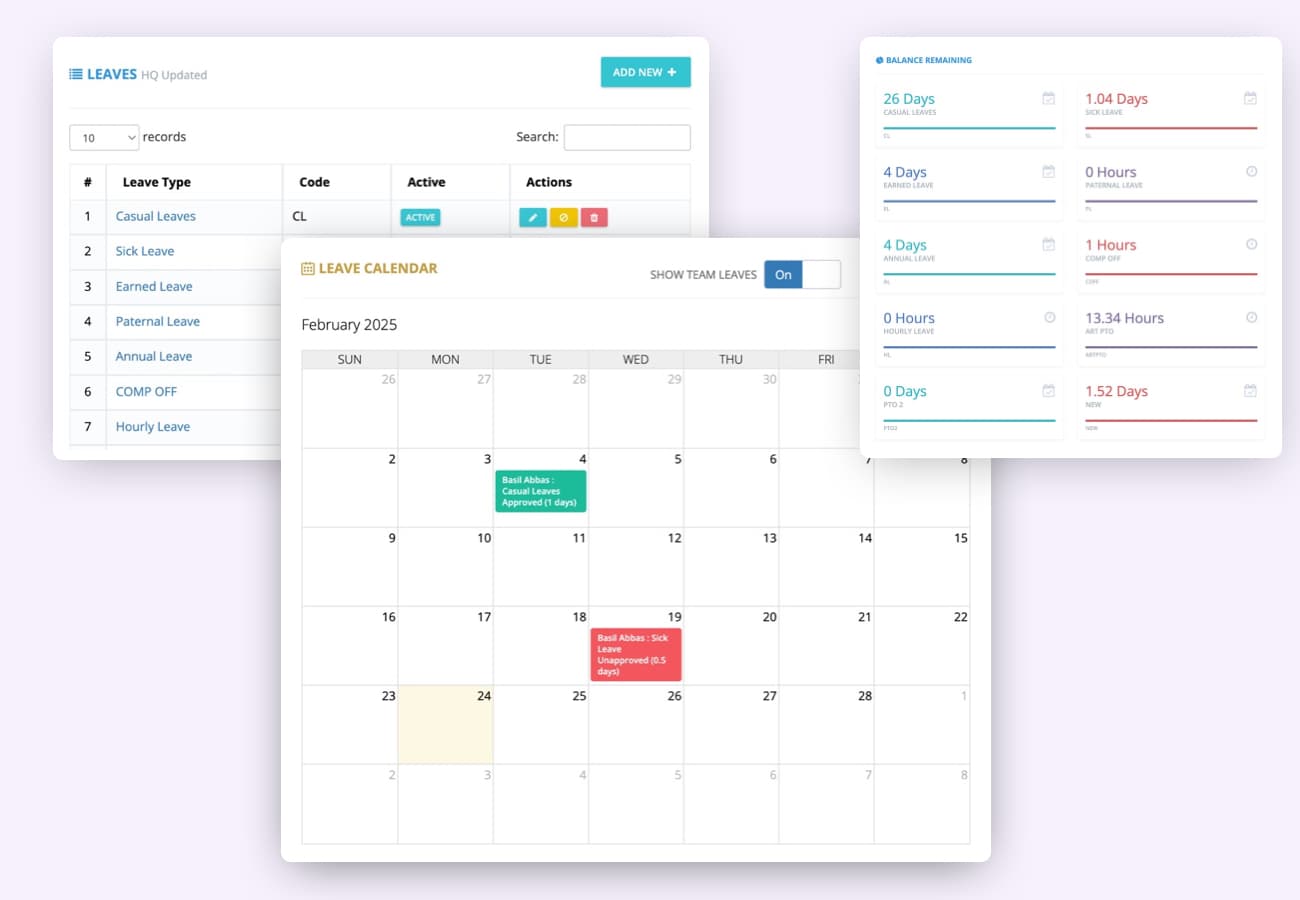
Manage vacation, sick leave, personal days and custom leave types in one place. Employees request time off, view balances, and get real-time updates. Managers set custom rules, automate approvals, and get reports on usage.
- Custom leave types
- Real-time balances
- One-tap approvals
- Automated accruals
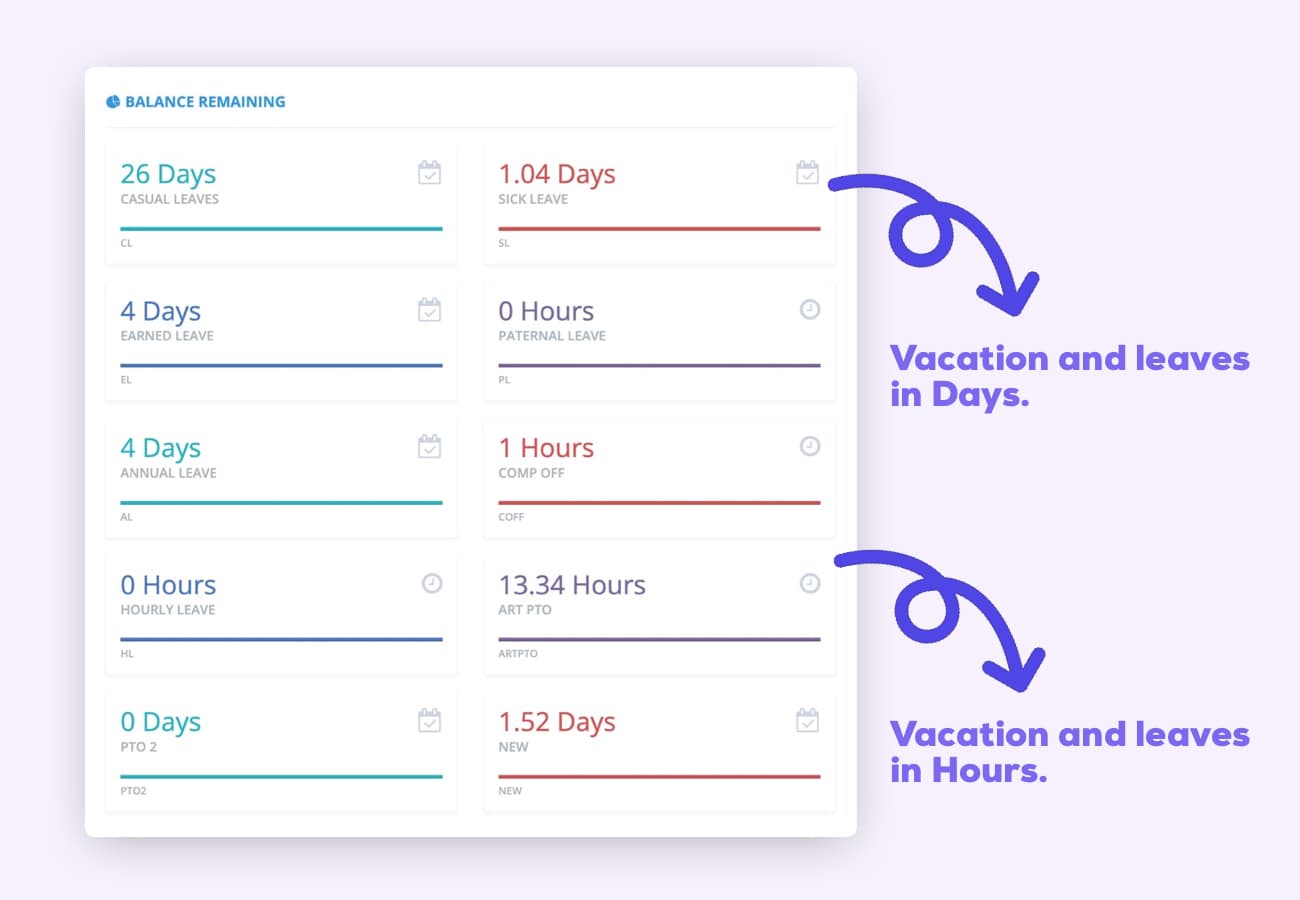
Days or hours
Track time off in days or hours — whichever fits your policies.
Automated accruals
Accrue by tenure, hours worked, anniversary — weekly, 2-weeks, monthly or yearly.
- Tenure rules
- Carry forward
- Probations
- Anniversary
Time off notifications
Employees and managers get instant updates on requests and approvals.
Vacation dashboard
See who's off, who's sick, and who's remote across the whole company.


“The mobile app time clock has revolutionized how we manage our remote team. It's intuitive, accurate, and has saved us countless hours in payroll processing. The GPS feature ensures accountability without being intrusive. It's a game-changer for businesses with a mobile workforce.”
“As a small business owner, I was skeptical about implementing a new time tracking system. But this mobile app has exceeded all my expectations. It's user-friendly, reliable, and the reporting features have given me invaluable insights into our productivity.”
“The integration capabilities of this mobile time clock app are outstanding. It seamlessly connects with our existing HR and payroll systems, creating a streamlined workflow that has significantly reduced errors and improved our overall efficiency.”
“What we love most is the real-time data and reports, which provide clear insights into employee attendance and payroll expenses. Plus, the ease of use means less administrative burden, allowing our HR team to focus on more strategic initiatives. If you’re looking for a reliable payroll solution that enhances efficiency and accuracy, clockit.io is the perfect choice! Highly recommended!”
“ClockIt.io cut our timesheet corrections by more than half. Exports line up perfectly with payroll and the GPS clock-ins keep our field crews honest without creating friction.”
“Geofencing and kiosk mode at each site solved our late punches. Managers love the late alerts and I love closing payroll on Friday in minutes.”
“ClockIt’s overtime rules and approvals gave us immediate savings. Clear audit trails and clean timesheets mean finance isn’t chasing people anymore.”
“We schedule across multiple locations and roles. ClockIt.io handles PTO, availability, and publishes updates to everyone’s phones instantly—no more group chats.”
“Our trainers swap shifts right in the app and confirm attendance. Attendance and payroll line up perfectly—ClockIt just works.”
“Setup was fast and the support team was outstanding. We rolled out ClockIt to 120 staff in a week and adoption was near 100% on day one.”
“The reports in ClockIt.io make our monthly reviews painless. We finally have visibility into attendance trends and actual hours by department.”
“Time‑off requests, approvals, and balances are all in one place. Doctors see who’s off at a glance and we avoid coverage gaps.”
“For crews on the move, ClockIt’s GPS punch-ins and site-based rules keep things accurate. It’s the reliability we were missing before.”
“We tried three tools before ClockIt.io. This is the first one our team actually likes using—and it saves my admin two hours every payroll run.”
“Implementing ClockIt's biometric kiosks eliminated buddy punching overnight. The facial recognition is instant and works perfectly even in our warehouse environment. It's the most secure time tracking decision we've made.”
More free tools and templates
Online Time Clock for Employees
Punch in and out in the browser — breaks deducted, no sign-up.
Attendance Sheet Template
Daily, weekly, monthly and yearly attendance grids with auto totals.
Employee Vacation Tracker
Log leave as date ranges — entitlement, taken and remaining calculate themselves.
Employee Absence Tracker
Occasions, days lost, absence rate and Bradford Factor per employee.
PTO Tracking Template
Track vacation, sick and personal leave balances per employee.
Timesheet Template
Weekly, biweekly, monthly and project timesheets for payroll.
Work Schedule Templates
Weekly, bi-weekly, monthly and shift schedules for your team.
Clock In / Clock Out Sheet
Printable sign-in log for recording start and finish times.
Time Off Request Form
A simple leave request form your team can fill in and submit.
Annual Leave Calculator
Work out statutory leave entitlement, pro-rata and part-year.
Out of Office Message Templates
25 copy-and-paste auto-replies for vacation, sick leave and handovers.