Time to Decimal Calculator: Convert Hours and Minutes to Decimal Hours
Instantly convert time to decimal hours and back. Choose rounding rules (0.1h, 6-minute, 15-minute, and more) commonly used on timesheets and payroll — or use the full minutes decimal conversion chart below.
Hours & Minutes to Decimal Hours
Enter hours, minutes, and seconds to convert to decimal hours used in payroll and timesheets.
Minutes and seconds are clamped between 0 and 59.
Decimal Hours to Hours & Minutes
Convert decimal time (e.g., 7.75) to hours, minutes, and seconds.
Examples: 7.5 = 7:30, 7.75 = 7:45, 7.1 ≈ 7:06
Quick minute → decimal conversions
Common conversions you’ll see on timesheets and payroll exports.
How to convert time to decimal
To convert time to decimal hours, divide the minutes by 60 and add them to the hours. The full formula is hours + (minutes ÷ 60) + (seconds ÷ 3600). That single division is the whole of minute to hour conversion — 60 is the only number involved.
- 30 minutes = 0.5 hours (30 ÷ 60)
- 15 minutes = 0.25 hours (15 ÷ 60)
- 6 minutes ≈ 0.1 hours (6 ÷ 60)
- 7 hours 45 minutes = 7.75 hours (45 ÷ 60 = 0.75)
To convert hours to decimal the other way — a shift entered as 7:45 rather than as separate fields — split it at the colon first, then divide the right-hand side by 60. The hours part never changes.
The reason it matters is that a timesheet reading 7:45 is seven hours and forty-five minutes, but a payroll system reading 7.45 will pay seven hours and twenty-seven minutes. The two look almost identical and differ by 18 minutes a day. Running the minutes decimal conversion before the hours reach payroll is what stops that error.
Minutes decimal conversion chart
Every minute from 1 to 60, converted to decimal hours and rounded to two decimal places — the format payroll systems and spreadsheets expect. Use it as a lookup when you would rather not run the minute to hour conversion yourself.
| Minutes | Decimal |
|---|---|
| 1 | 0.02 |
| 2 | 0.03 |
| 3 | 0.05 |
| 4 | 0.07 |
| 5 | 0.08 |
| 6 | 0.10 |
| 7 | 0.12 |
| 8 | 0.13 |
| 9 | 0.15 |
| 10 | 0.17 |
| 11 | 0.18 |
| 12 | 0.20 |
| 13 | 0.22 |
| 14 | 0.23 |
| 15 | 0.25 |
| 16 | 0.27 |
| 17 | 0.28 |
| 18 | 0.30 |
| 19 | 0.32 |
| 20 | 0.33 |
| Minutes | Decimal |
|---|---|
| 21 | 0.35 |
| 22 | 0.37 |
| 23 | 0.38 |
| 24 | 0.40 |
| 25 | 0.42 |
| 26 | 0.43 |
| 27 | 0.45 |
| 28 | 0.47 |
| 29 | 0.48 |
| 30 | 0.50 |
| 31 | 0.52 |
| 32 | 0.53 |
| 33 | 0.55 |
| 34 | 0.57 |
| 35 | 0.58 |
| 36 | 0.60 |
| 37 | 0.62 |
| 38 | 0.63 |
| 39 | 0.65 |
| 40 | 0.67 |
| Minutes | Decimal |
|---|---|
| 41 | 0.68 |
| 42 | 0.70 |
| 43 | 0.72 |
| 44 | 0.73 |
| 45 | 0.75 |
| 46 | 0.77 |
| 47 | 0.78 |
| 48 | 0.80 |
| 49 | 0.82 |
| 50 | 0.83 |
| 51 | 0.85 |
| 52 | 0.87 |
| 53 | 0.88 |
| 54 | 0.90 |
| 55 | 0.92 |
| 56 | 0.93 |
| 57 | 0.95 |
| 58 | 0.97 |
| 59 | 0.98 |
| 60 | 1.00 |
Decimal hours to minutes chart
Reading a decimal timesheet and need the minutes back? These are the values that come up most often.
| Decimal hours | Hours and minutes |
|---|---|
| 0.10 | 6 minutes |
| 0.20 | 12 minutes |
| 0.25 | 15 minutes |
| 0.30 | 18 minutes |
| 0.40 | 24 minutes |
| 0.50 | 30 minutes |
| 0.60 | 36 minutes |
| 0.70 | 42 minutes |
| 0.75 | 45 minutes |
| 0.80 | 48 minutes |
| 0.90 | 54 minutes |
| 1.00 | 60 minutes (1 hour) |
Common rounding rules
Companies often round to keep time entry consistent. Popular methods include: 0.1h decimals, nearest minute, and 5, 6, 7.5, 10, 15, or 30-minute increments.
- 6-minute rounding: 1/10 of an hour (0.1h)
- 7.5-minute rounding: 1/8 of an hour (0.125h)
- 15-minute rounding: quarter-hour (0.25h)
Why use a time decimal calculator?
Payroll systems and spreadsheets expect decimal hours. This free tool helps you convert quickly and accurately—no manual math or rounding mistakes.
It also runs the time conversion to decimal in both directions. If you are reading a decimal timesheet and need the minutes back — 0.35 hours is 21 minutes, not 35 — the converter and the decimal hours to minutes chart above handle that too.
Run payroll reports in minutes, not days.
Save your reports as segments, customise them to fit your business, and export to Excel, CSV or paste straight into payroll. No more spreadsheets.
Corrections and adjustments
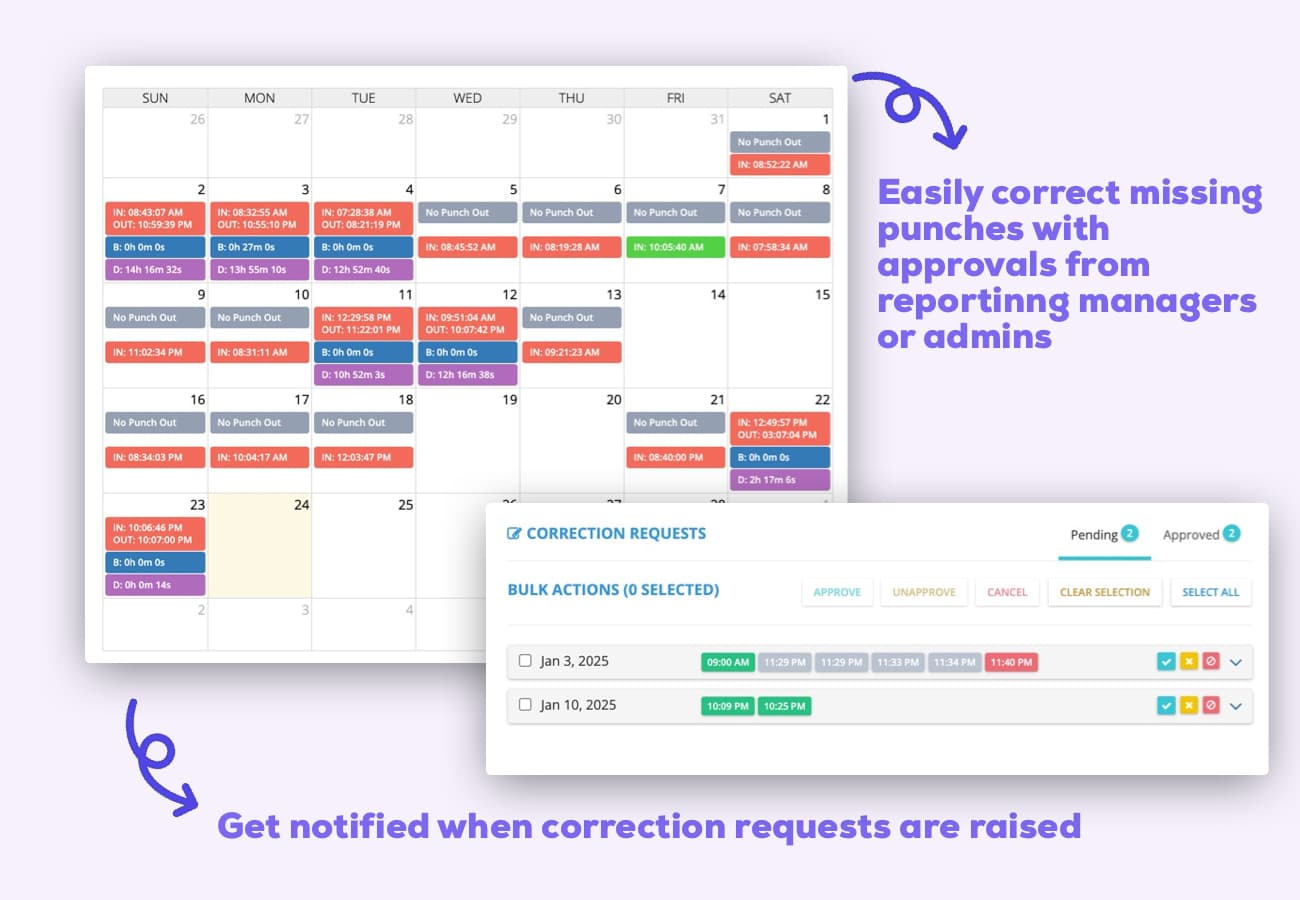
Correct time entries with a few clicks. Add, edit or delete entries for any employee, attach notes for context, and route corrections through approval. Everyone gets instant notifications when entries change.
- Bulk edits
- Notes & audit trail
- Approval workflow
Overtime tracking
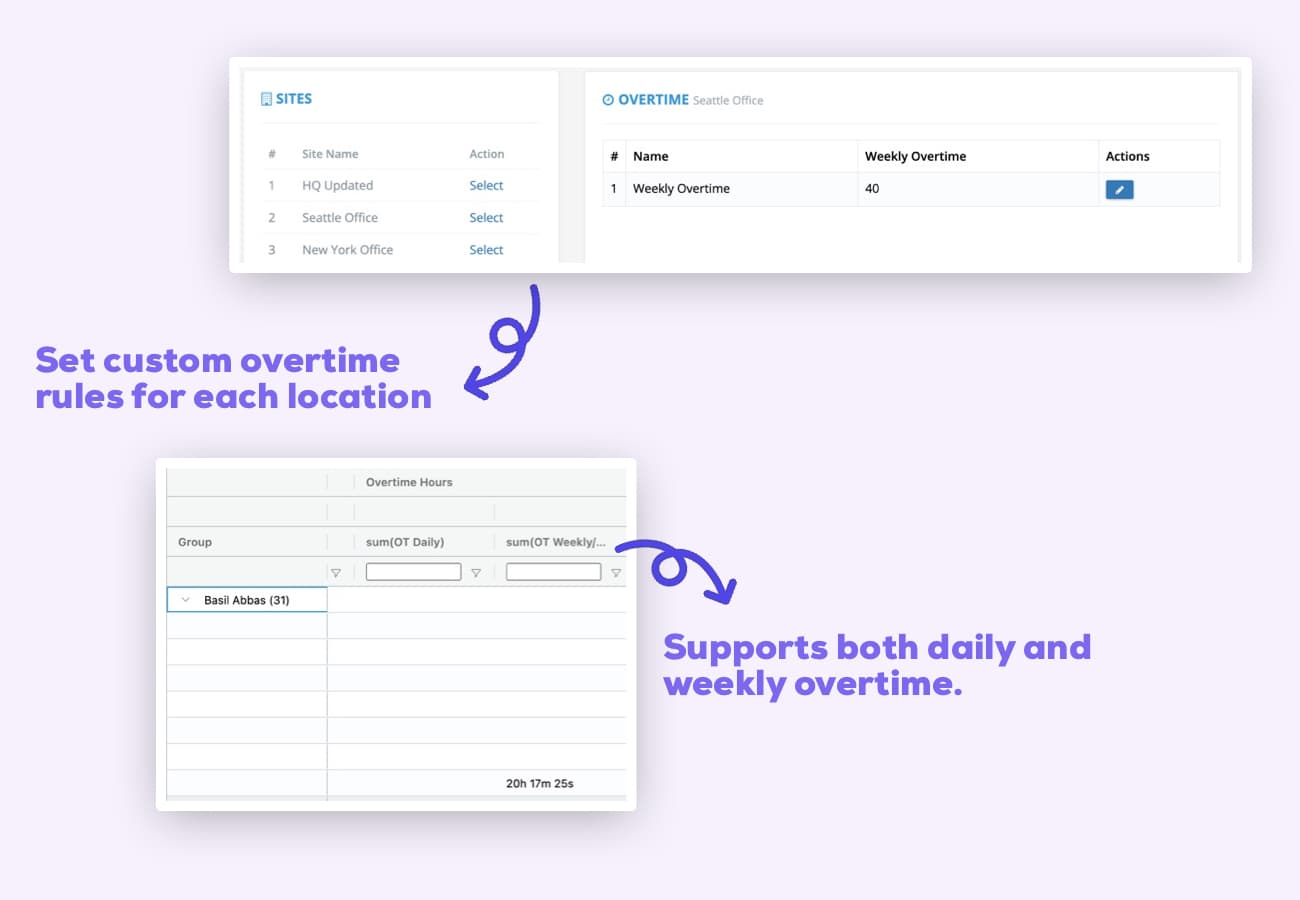
Custom OT rules with real-time alerts before employees cross the line.
- Weekly Overtime
- Daily Overtime
Flexible payroll dates
Weekly, bi-weekly, monthly, yearly or fully custom — your call.
- Set payroll dates
- Define custom payroll periods
- Run reports by date range
Custom reports
One-click reports for late, early, missing punches, PTO and more.
- Saved segments
- Pivot tables
- Powerful filters
CSV & Excel export
Export to your payroll or accounting tool — or just copy and paste.
- One-click export
- Export to CSV
- Export to Excel
Hours to Minutes Conversion FAQs
Frequently asked questions
Have a different question and can't find the answer you're looking for? Reach out to our support team by sending us an email and we'll get back to you as soon as we can.
Use the hours to minutes conversion formula: minutes = hours × 60. Example: 2 hours × 60 = 120 minutes.
Formula: minutes = hours × 60. For hour:minute (HH:MM), total minutes = (HH × 60) + MM.
1.5 hours × 60 = 90 minutes.
(2 × 60) + 30 = 120 + 30 = 150 minutes.
Multiply hours (hr) by 60. Example: 0.75 hr × 60 = 45 min.
No. 'hr' (singular) and 'hrs' (plural) both convert using the same rule: minutes = hours × 60.
Sum all hours, convert fractional hours to minutes (hours × 60), add minutes, then apply any rounding rules required by payroll.
Split hours and minutes. Total minutes = (hours × 60) + minutes. Example: 7:45 → (7 × 60) + 45 = 465 minutes.
An hours minutes converter changes hours to minutes and back. Enter hours (or HH:MM) and it returns total minutes instantly.
If hours are in A2, minutes = A2*60. If time is HH:MM in A2 (as time), use =HOUR(A2)*60 + MINUTE(A2).
Replace h with ×60. Example: (3.2 h) → 3.2 × 60 = 192 min.
Total minutes = (hours × 60) + minutes + (seconds ÷ 60). Example: 1:10:30 → 60 + 10 + 0.5 = 70.5 minutes.
Hour‑minute conversion translates between time units using 1 hour = 60 minutes so calculations are consistent.
First convert to minutes (hours × 60), then to decimal hours by dividing by 60 if needed. Example: 1:30 → 90 min → 1.5 h.
Yes. Divide minutes by 60 to get hours. Example: 135 minutes ÷ 60 = 2.25 hours (2 hours 15 minutes).
0.1 hours × 60 = 6 minutes. Common in 6‑minute rounding for timesheets.
7.5 × 60 = 450 minutes.
Convert to minutes, then round to your rule (nearest 1, 5, 6, 7.5, 10, 15, or 30 minutes) before converting back if needed.