


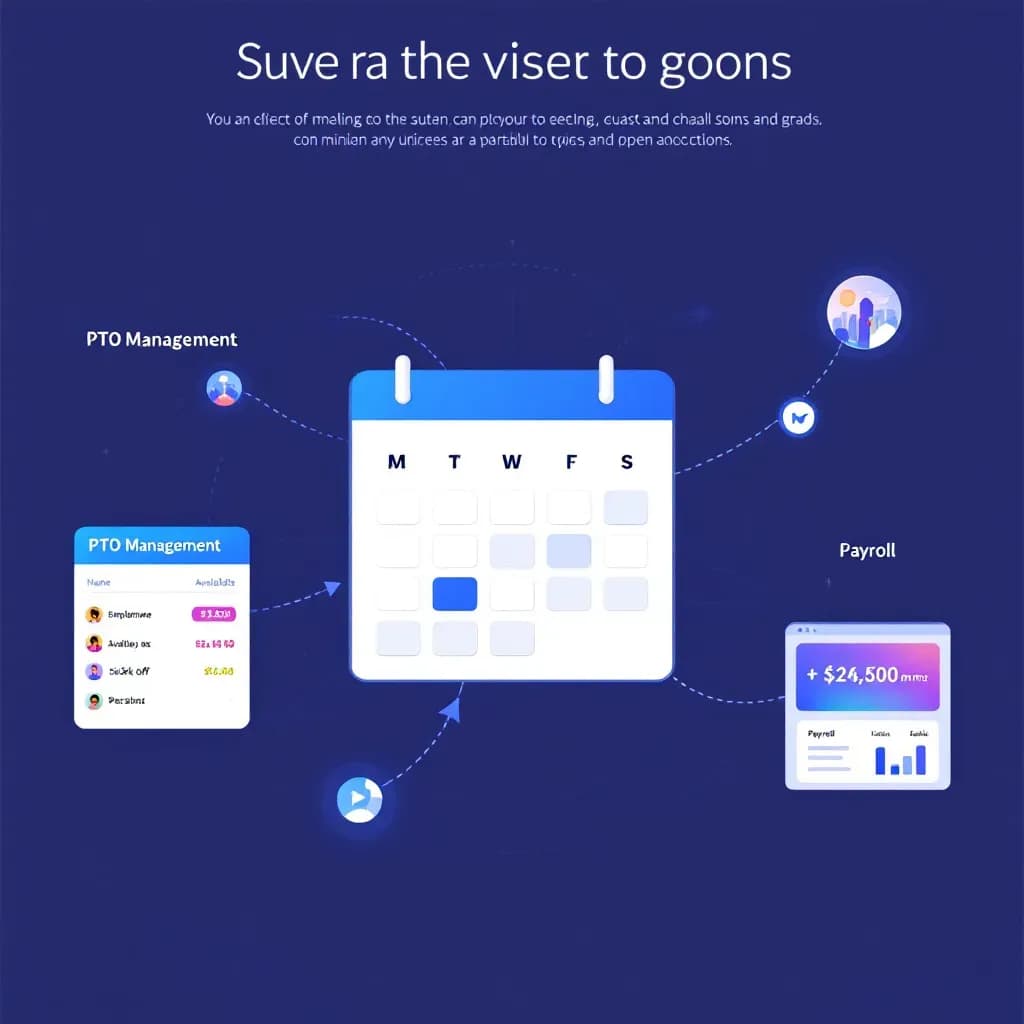
Maximize Efficiency: The Benefits of Integrating Scheduling, PTO & Payroll
Learn how integrating scheduling with PTO and payroll simplifies operations and boosts efficiency in HR management.
Visual drag-and-drop staff scheduling software that prevents conflicts, manages availability, and notifies your team automatically — with time tracking built into the same app, so you can see the schedule against the hours people actually worked.
An employee scheduling app in the US, a staff rota app in the UK, a rostering app in Australia — same software, and there is a free plan.
Employee scheduling should be simple and efficient. ClockIt provides visual tools that prevent conflicts, optimize coverage, and give your team the flexibility they need while saving you hours every week.
Create and modify employee schedules with an intuitive drag-and-drop interface that makes scheduling fast and simple.
Our intelligent system alerts you to uncovered shifts and scheduling conflicts before they become problems.
Employees can set their availability preferences, making it easy to create schedules that work for everyone.
Notify employees automatically about new schedules, shift changes, and reminders via email, SMS, or app notifications.
Eliminate double-booking errors with built-in conflict detection that prevents scheduling mistakes.
Handle time-off requests digitally and automatically incorporate approved requests into your scheduling process.
Employees can view their schedules, swap shifts, and request changes from anywhere using our mobile app.
Save time by creating reusable schedule templates for typical work weeks or recurring events.
Manage shifts, time off, and availability with an intuitive drag-and-drop interface that keeps everyone on the same page.
Centralized scheduling
View and manage all employee schedules in one easy-to-use calendar interface.
Drag-and-drop shifts
Easily create, edit, and assign shifts with a simple drag-and-drop feature.
Real-time updates
Instantly notify employees of schedule changes via email or mobile notifications.
Time-off management
Allow employees to request time off and manage approvals seamlessly within the scheduler.
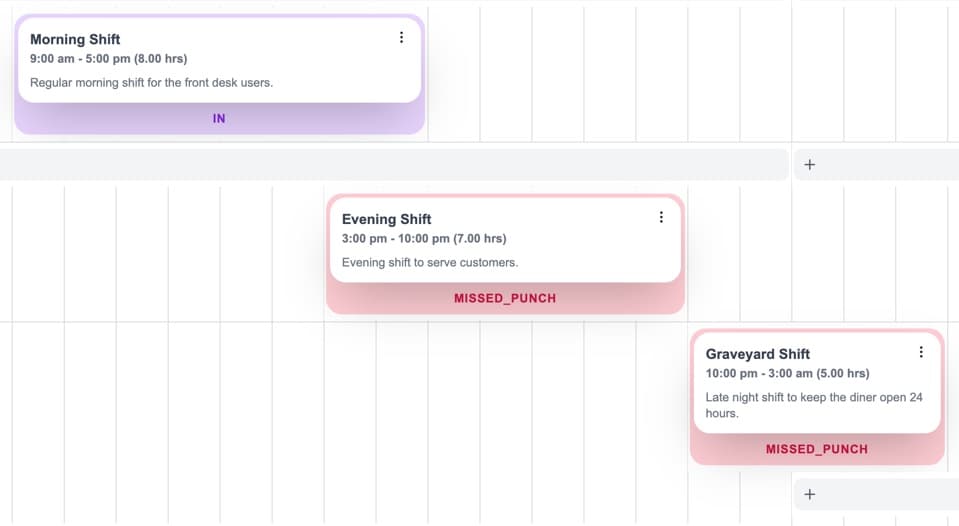
Manage shifts, time off, and availability with an intuitive drag-and-drop interface that keeps everyone on the same page.
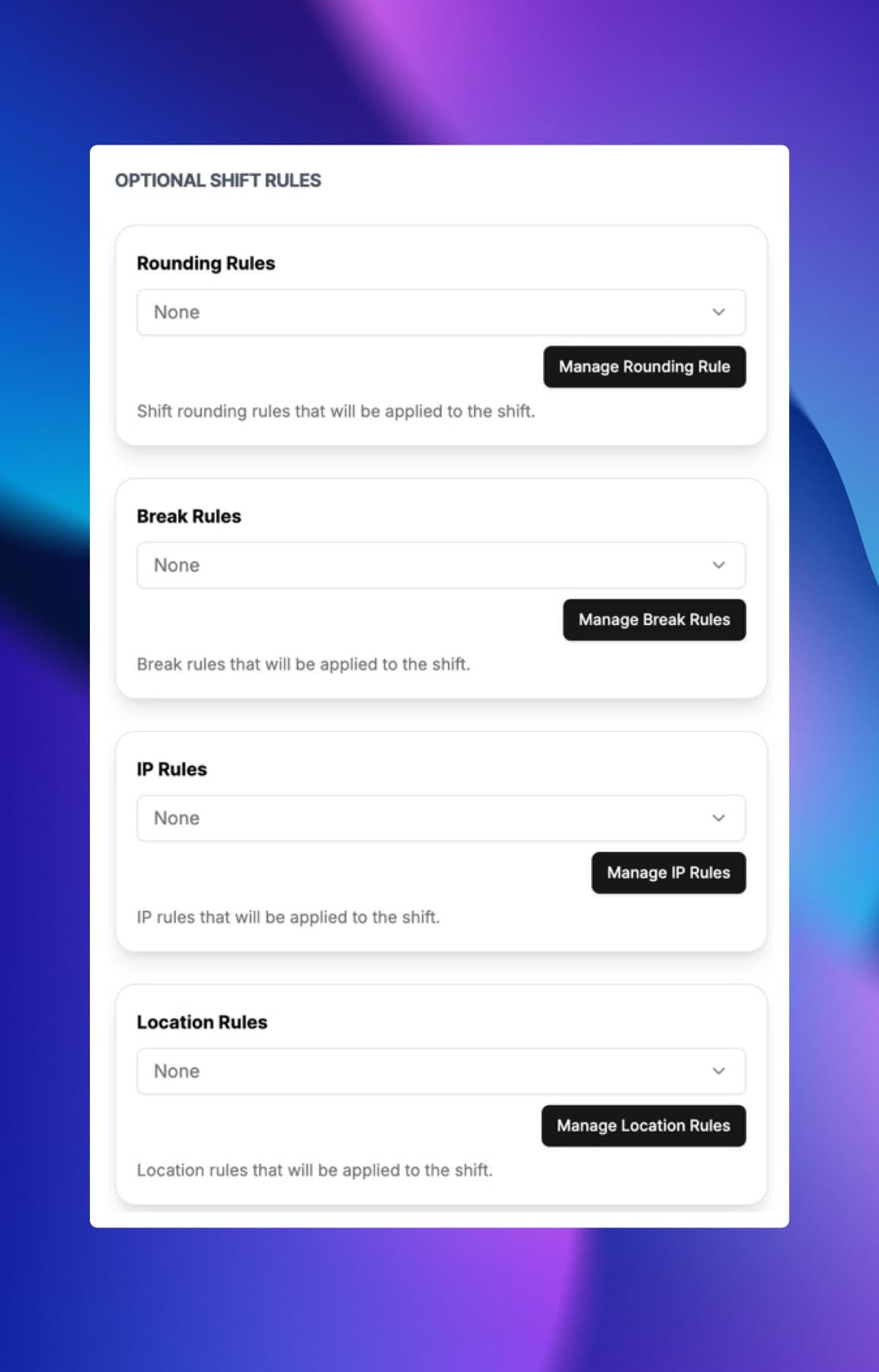
Rounding Rules
Automatically round clock-ins and clock-outs to the nearest interval to simplify payroll processing and ensure consistency.
Shift Breaks
Automatically enforce break policies by scheduling mandatory breaks during shifts to ensure compliance with labor laws.
IP Restrictions
Restrict clock-ins to specific IP addresses or locations to prevent time fraud and ensure compliance.
Location & Geofence Controls
Restrict clock-ins to specific locations using geofencing technology to ensure employees are on-site when clocking in or out.
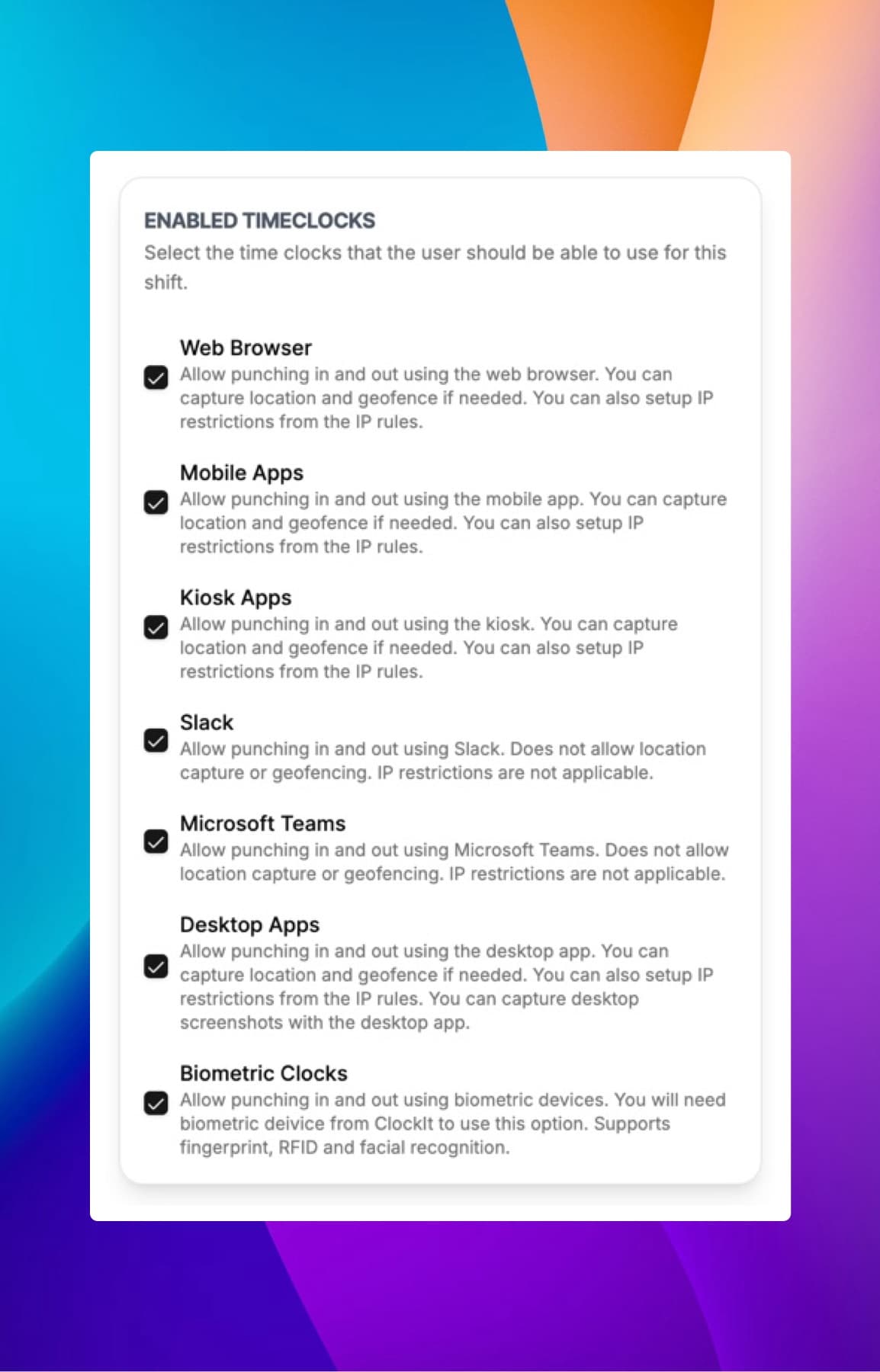
Each shift can be assigned a different time clock method to best suit the work environment and employee needs.
Web Clock
Use any web browser to clock in and out with our intuitive web clock interface.
Mobile App
Use our mobile app to clock in and out on the go, with GPS tracking to verify location.
Kiosk Mode
Use kiosk mode to allow multiple employees to clock in and out from a shared device, with IP restrictions for added security.
Slack & Microsoft Teams
Clock in and out directly from Slack or Microsoft Teams for seamless integration with your communication tools.
Biometric Clocks
Use biometric technology such as fingerprint or facial recognition to ensure secure and accurate clock-ins.
Desktop App
Use our desktop app to clock in and out with additional features and offline capabilities.
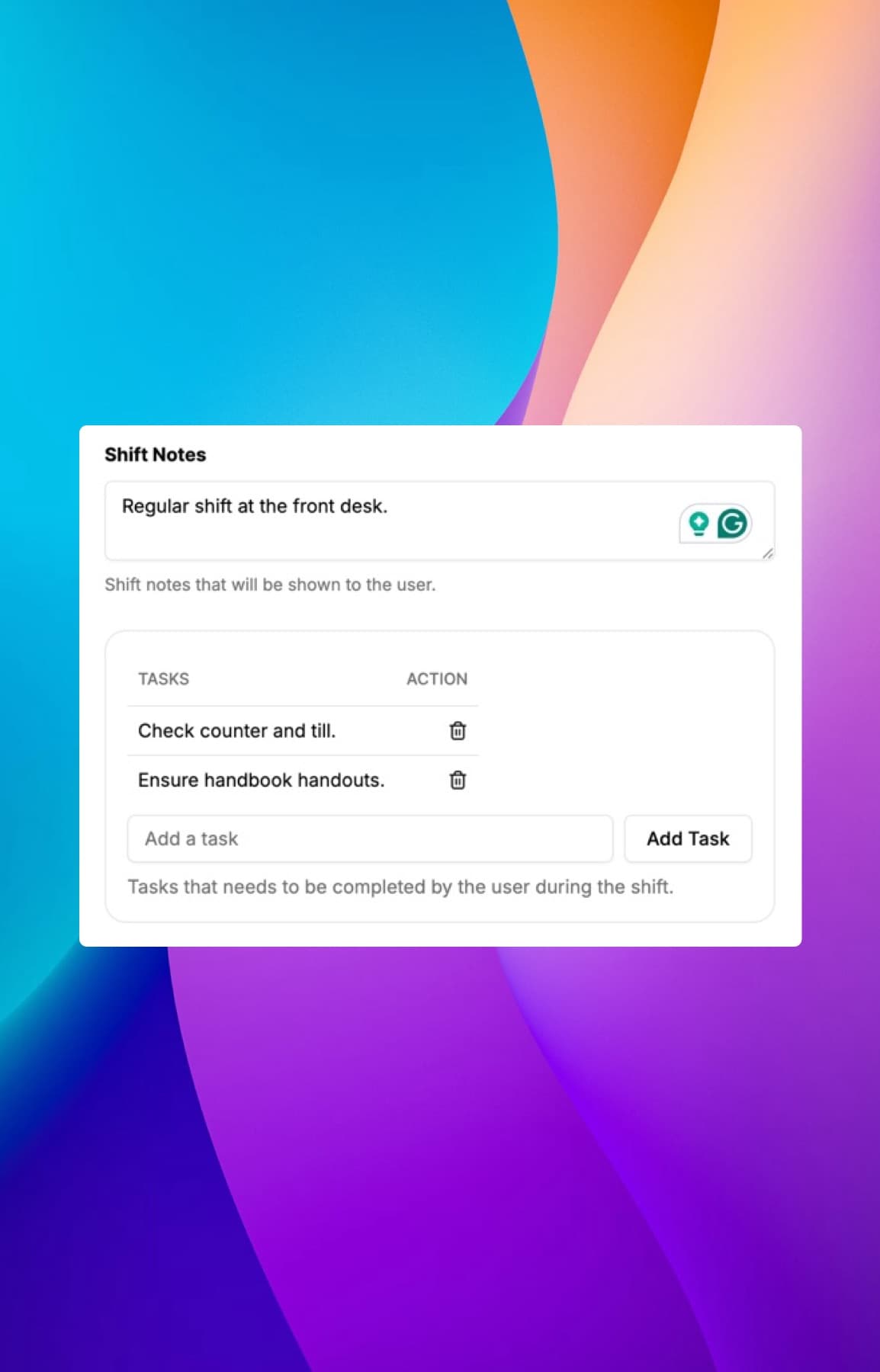
Set shift specific tasks and notes that employees can view and check off as they complete them during their shift.
Shift Notes
Add important notes or instructions to specific shifts that employees can view when they clock in.
Employee Notes
Allow employees to add and manage their own notes related to their shifts or tasks.
Todo Lists
Allow employees to create and manage their own task lists to stay organized and productive during their shifts.
Photos & Attachments
Allow employees to add photos and attachments related to their shifts or tasks for better documentation and communication.
See your teams schedules, shift notes, and receive notifications all from the ClockIt mobile app.
Easy Schedule Access
Add important notes or instructions to specific shifts that employees can view when they clock in.
Notifications
Get notified of upcoming shifts, schedule changes, and important updates directly on your mobile device.
Admins, Managers, Employees
Access shift schedules and notifications tailored to your role, whether you're an admin, manager, or employee.
Vacations & Time Off
Manage vacation requests and time off directly from the mobile app, ensuring accurate scheduling and approvals.
Most teams end up running two tools: something to build the schedule and something else to record the hours. The schedule then lives in one place and reality lives in another, and the only time anyone compares them is when payroll looks wrong.
ClockIt is employee scheduling and time tracking software in a single system, which means the comparison happens automatically. You publish a shift for 09:00–17:00, your employee clocks in at 09:14 and leaves at 17:52, and the variance shows up in the same report rather than in a spreadsheet somebody has to build. That is where unplanned overtime is usually hiding — not in the shifts you scheduled, but in the difference between those and the ones that actually ran.
Nearly every employee scheduling app can drag a shift onto a calendar. The differences that matter show up in week three, not on the demo:
If you have searched for this software across markets you will have noticed the words change. In the UK and Ireland it is a staff rota and you want staff rota software. In Australia, New Zealand and South Africa it is a roster, and the search is for a rostering app or rostering software. In the US it is an employee schedule, and people look for an employee scheduling app or a work schedule app.
They describe the same job: deciding who works when, telling them, and finding out afterwards what really happened. ClockIt handles employee rostering and employee online scheduling under whichever name you use it, with dates, weeks and overtime rules that follow the market you operate in rather than the one the software was written in.
Shift scheduling is not one problem. Restaurant employee scheduling is dominated by covering unpredictable covers with part-time staff on split shifts. Retail runs on trading patterns and seasonal peaks. Healthcare has to guarantee qualified coverage on every shift, not merely a headcount. Construction and field teams need the schedule to reach people who are nowhere near an office.
What they share is that a missing person is expensive within the hour. That is the argument for staff shift scheduling software over a spreadsheet: not that the spreadsheet cannot hold the plan, but that it cannot tell anyone the plan changed.
ClockIt has a free plan, so scheduling software for small business does not have to begin with a purchase order. Start on the free plan, schedule a real week, and see whether the workforce scheduling app survives contact with your actual staff before you pay for anything. If you would rather not sign up at all yet, the free rota planner builds a week in your browser, and the free schedule and rota templates cover the common weekly and shift patterns in Excel and Google Sheets.
What we love most is the real-time data and reports, which provide clear insights into employee attendance and payroll expenses. Plus, the ease of use means less administrative burden, allowing our HR team to focus on more strategic initiatives. If you’re looking for a reliable payroll solution that enhances efficiency and accuracy, clockit.io is the perfect choice! Highly recommended!
Learn how integrating scheduling with PTO and payroll simplifies operations and boosts efficiency in HR management.
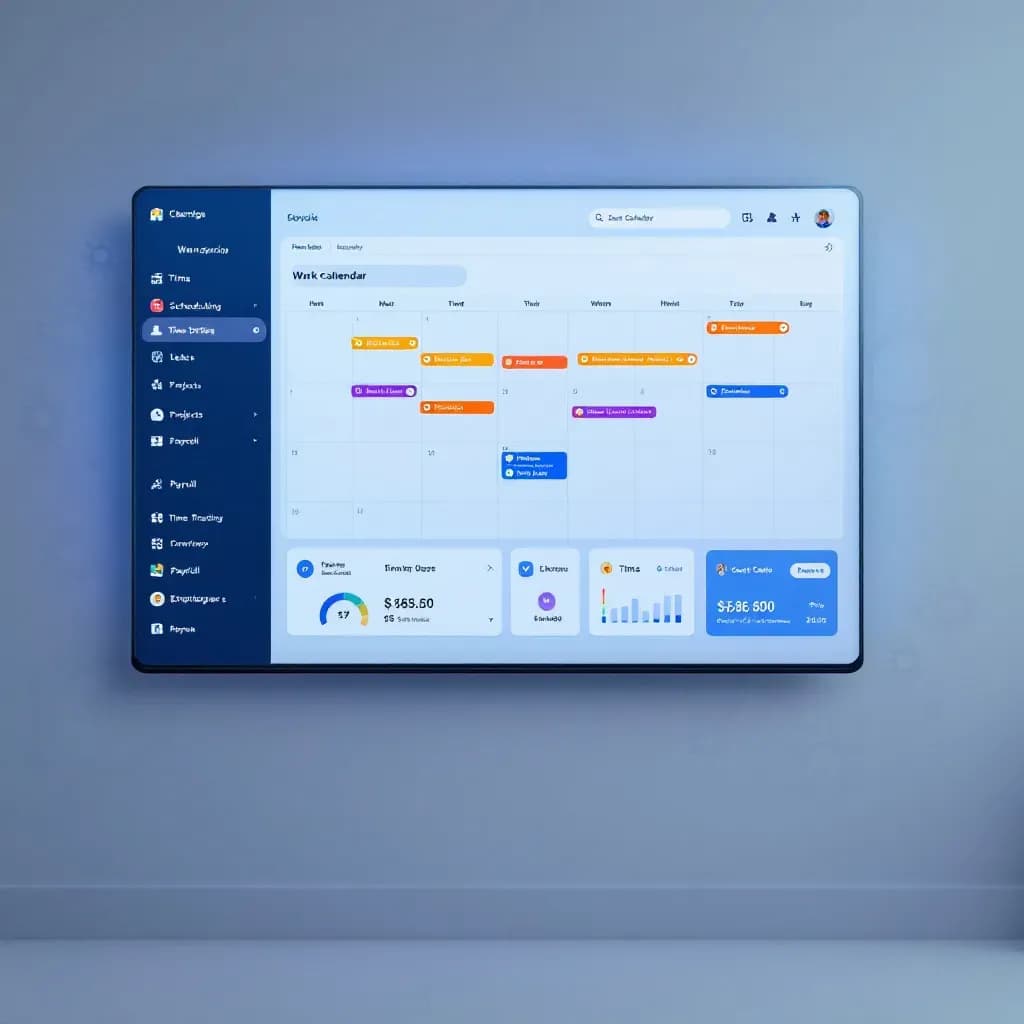
Learn how integrating scheduling, time tracking, and payroll can streamline your operations and enhance efficiency.

Discover how integrated scheduling tools enhance collaboration and efficiency for businesses of all sizes.
Have a different question and can't find the answer you're looking for? Reach out to our support team by sending us an email and we'll get back to you as soon as we can.
Use our intuitive scheduling interface to create shifts, assign employees, and set shift details like start/end times, breaks, and roles. Easily edit or duplicate shifts as needed.
Yes, employees can request shift swaps through the platform. Managers can review and approve or deny swap requests to ensure proper coverage.
Managers can make shift changes directly in the schedule. Employees receive automatic notifications of any changes via email or app alerts.
Yes, our system integrates with time tracking features to monitor shift attendance. Managers can view who clocked in/out for their assigned shifts.
Absolutely. You can create recurring shifts on a daily, weekly, or custom basis to streamline scheduling for regular patterns.
Our platform allows you to set up shift differentials for specific times (e.g., night shifts) and automatically calculates overtime based on your configured rules.
Yes, you can generate detailed reports on shift attendance, hours worked, and other key metrics to analyze performance and optimize scheduling.
Yes, you can set geographic boundaries for shifts and schedules to ensure employees are clocking in from approved locations, enhancing security and compliance.
Yes, you can configure multiple break rules per shift, including paid and unpaid breaks, with specific durations and timings to comply with labor regulations. You can also setup when these breaks can be taken after the shift has started.
Yes, employees can view their schedules, swap shifts, and request changes from anywhere using our mobile app.
Yes, you can create unassigned 'Open Shifts'. Eligible employees are notified and can request to pick them up via the mobile app, helping you fill gaps without making calls.
Employees can set their preferred working hours and unavailable days directly in the app. This availability is visible to managers while scheduling to prevent conflicts.
Yes, employees can sync their work schedules with external calendars like Google Calendar, Outlook, or Apple Calendar to keep their personal and work lives organized.
Absolutely. As you add shifts, the system calculates estimated labor costs in real-time based on employee wage rates, helping you stay within budget before publishing.
Yes, you can save entire weekly schedules as templates. If your roster is consistent, simply load a template, make minor adjustments, and publish in seconds.
Explore how our employee scheduling solutions can optimize your workforce management and enhance productivity.
Drag-and-drop schedules, availability, shift swaps, and instant notifications—fully integrated with ClockIt time tracking and payroll.
Drag-and-drop schedules, availability, shift swaps, and instant notifications—fully integrated with ClockIt time tracking and payroll.
Drag-and-drop schedules, availability, shift swaps, and instant notifications—fully integrated with ClockIt time tracking and payroll.
Drag-and-drop schedules, availability, shift swaps, and instant notifications—fully integrated with ClockIt time tracking and payroll.
Drag-and-drop schedules for attorneys, paralegals, and support staff—with availability, shift swaps, reminders, and payroll-ready time tracking.