Employee Time Tracking App for iOS and Android
Mobile Time Clock Appfor Employees and Managers
Employees clock in and out, take breaks and request time off from their phone. Managers see their team, fix missed punches and approve requests from theirs.
- One-tap clock in and out
- Breaks, photos and job codes
- Timesheets for every pay period
- • Setup within 5 minutes
- • No credit card required
- • 14-day full trial


Employee time clock app
Your whole time clock, on every employee's phone
ClockIt is more than a punch button. Shifts, breaks, timesheets, time off and corrections all sit in one time clock app, so your team doesn't need a desktop or a call to HR.
- Clock in and out
- One tap from the shift, with payable hours counting in real time.
- Multiple breaks
- Lunch, coffee and any other break you create, each with its own timer.
- Geofence and IP limits
- Optionally restrict clock-ins to set locations or IP addresses.
- Self, team and everyone
- Employees see their own time, managers their team, admins the company.
- Pay period timesheets
- Hours, breaks, missed punches and approved PTO for each pay period.
- Project and job codes
- A live timer for each project and job code, inside the shift.
- PTO and corrections
- Request and approve time off and timesheet fixes from a phone.
- Notifications
- Reminders, late arrivals, absences and approvals as mobile push alerts.
Get the ClockIt Mobile Apps
Download our mobile app now and experience effortless time management.


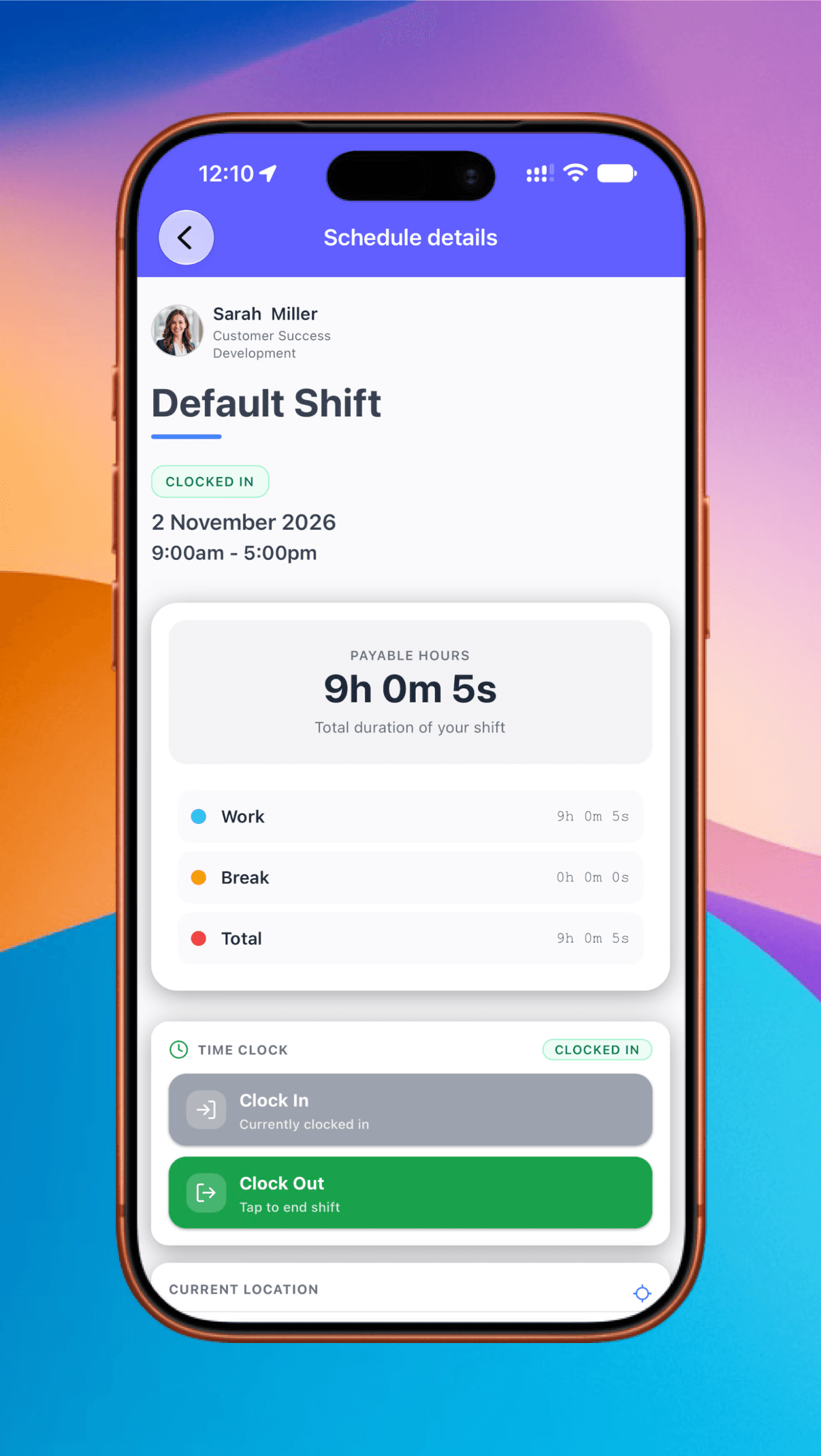
Clock in and out of the right shift with one tap
Employees open their shift, tap Clock In and start working. The app shows the shift, its status and payable hours as they build up, split into work and break time, so nobody has to guess what they'll be paid for.
One-tap punches
Clock In and Clock Out sit right on the shift.
Payable hours
Total shift time, counted live.
Work and break totals
See how the hours add up.
Live status
Clocked in or clocked out, at a glance.
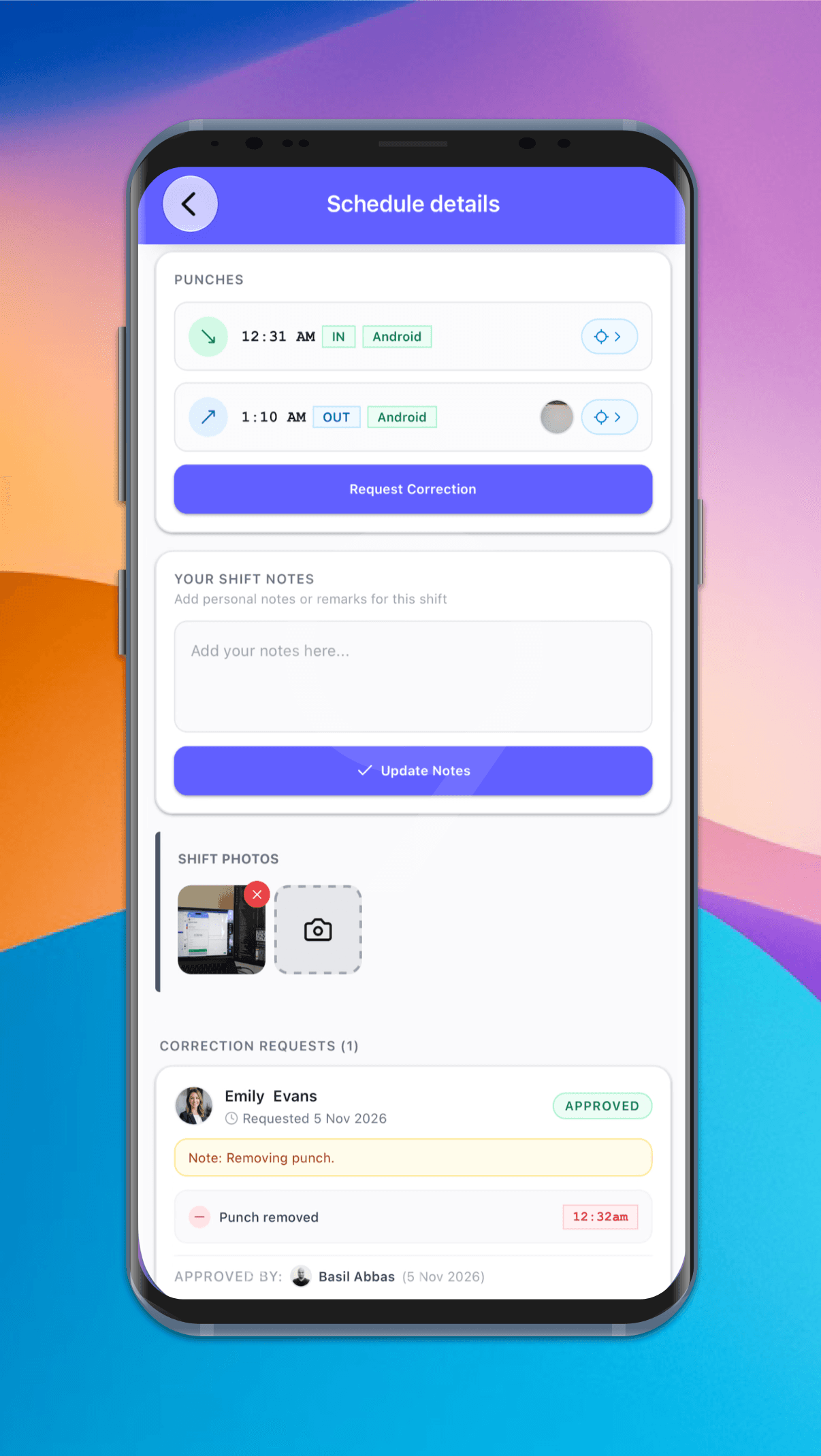
Every clock-in comes with proof of what happened
Each punch records its time, whether it was in or out, and the device it came from. Employees can add shift photos and notes, and if a punch is wrong they can request a correction right from the shift.
Punch record
Time, in or out, iOS or Android, and location.
Photos
On the punch, plus shift photos from the camera.
Shift notes
Context for the manager, saved with the shift.
Request Correction
See the request and who approved it.
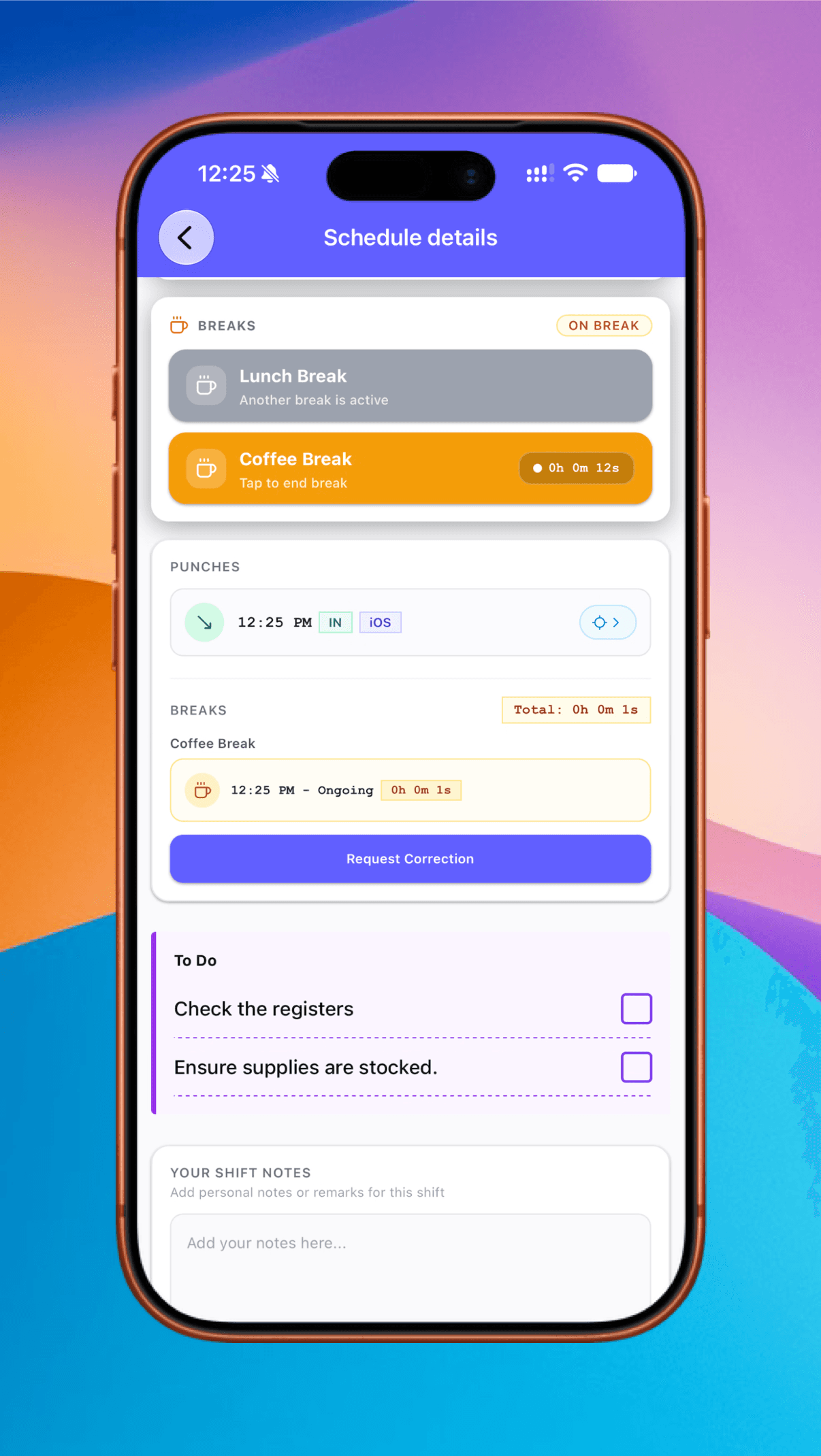
Track lunch, coffee and every other break
Create the breaks your team takes and they appear on the shift as buttons. Employees tap to start and tap to end, a timer runs while they're away, and every break is saved to the shift for payroll.
Multiple break types
Lunch, coffee or whatever you create.
Tap to start and end
With a live timer on the active break.
One at a time
Other breaks lock while one is running.
Saved to the shift
Each break's times, plus the shift total.
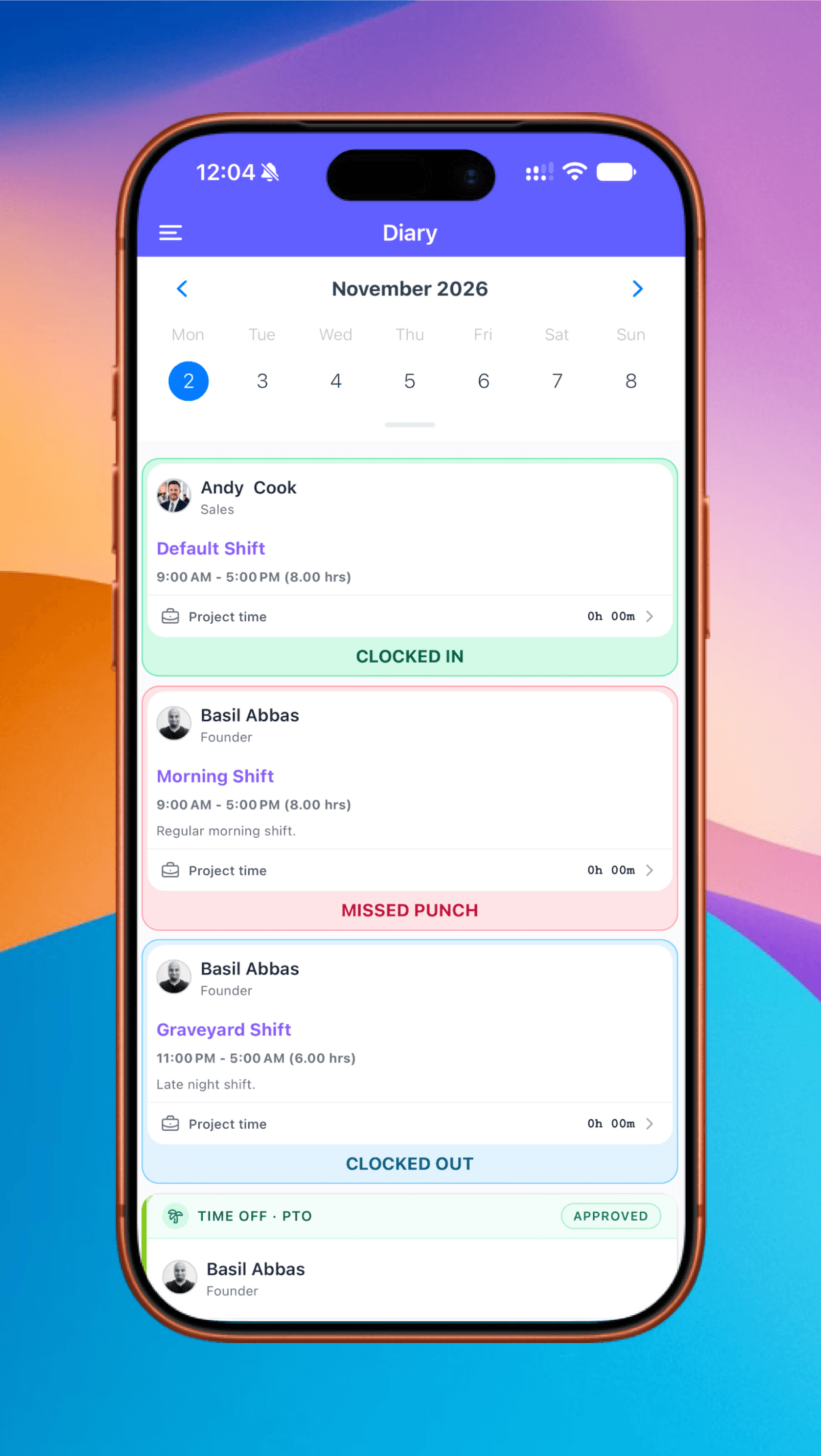
One app that shows each person what's theirs to see
Employees see their own shifts and time off. Managers see their team, including who is clocked in, who missed a punch and who is off. Admins can see everyone. The same app works for all three, and access follows their role.
Employees
Their own shifts, hours and time off.
Managers
Live status for the people on their team.
Admins
Everyone in the company, in one diary.
Color-coded status
Clocked in, clocked out, missed punch, PTO.
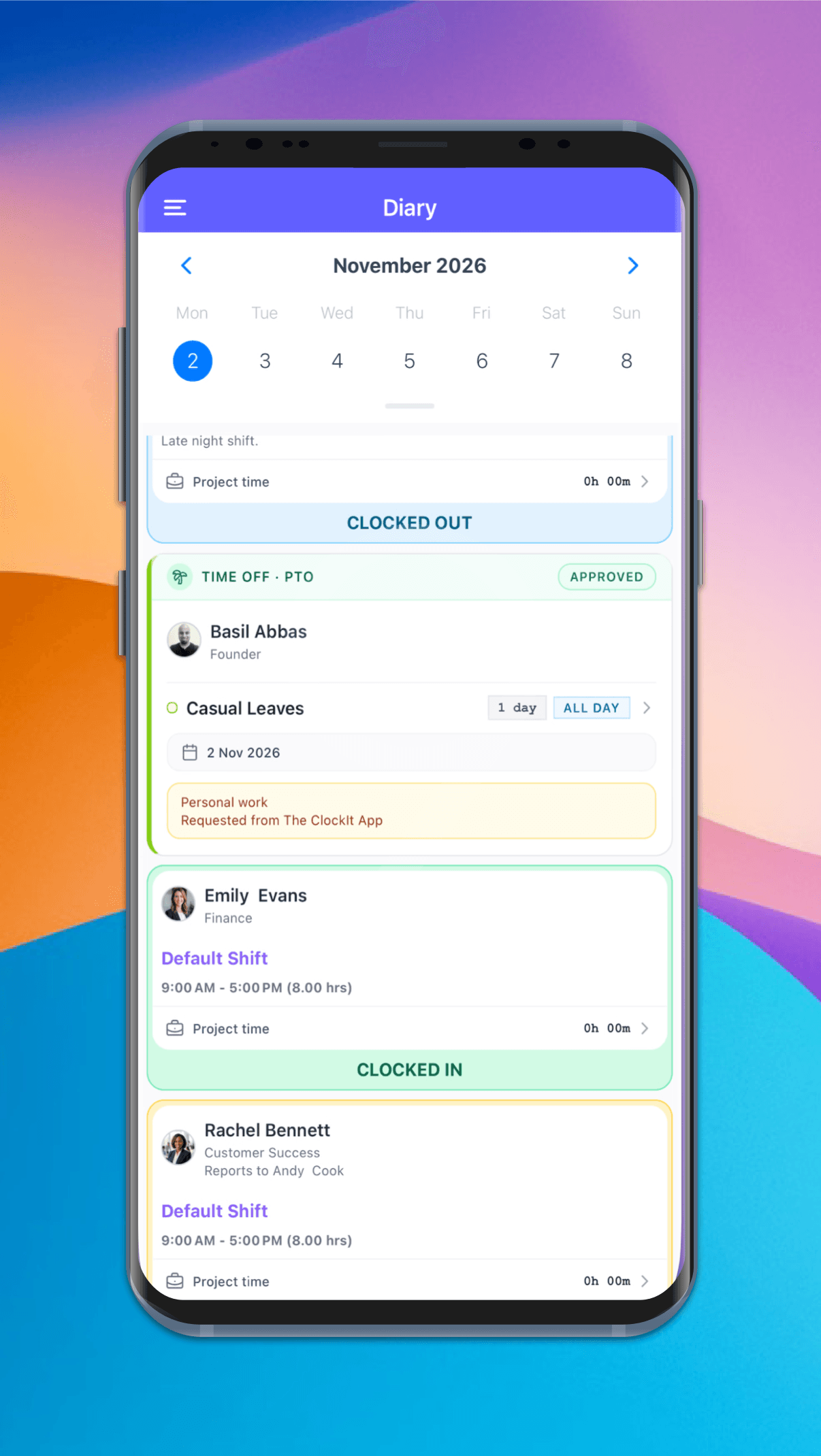
Timesheets for every pay period, in everyone's pocket
The timesheet summary shows total hours against scheduled hours for the pay period, with missed punches called out before payroll. Managers can switch between the employees they can view.
Pay period views
Current, last, this week or custom dates.
Hours vs. schedule
Hours worked against hours scheduled.
Missed punches flagged
Spot them while there's time to fix them.
Full breakdown
Completed shifts, breaks and approved PTO.
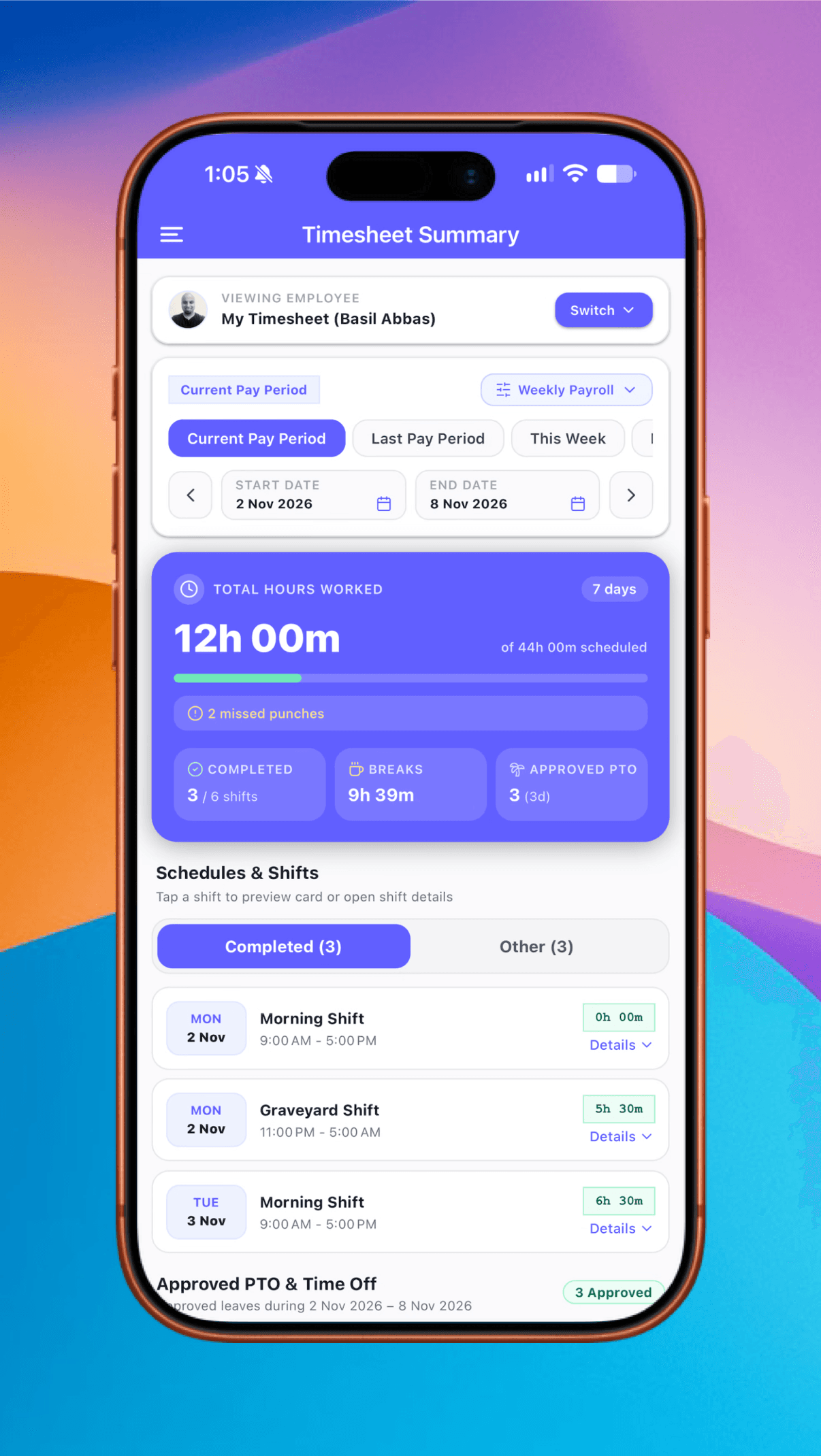
Know where your team clocks in, and when they leave
ClockIt records location at every clock-in and clock-out, with GPS accuracy down to about 5 meters depending on the device and signal. Add optional location rules, and an employee can only clock in from an allowed location or IP address. If they're out of range, the app says why.
Your radius and accuracy
Set both for each allowed location.
Background tracking
Continuous location tracking in the background.
Leave notifications
Get notified when an employee leaves.
Allowed IP addresses
Limit clock-ins to the networks you approve.
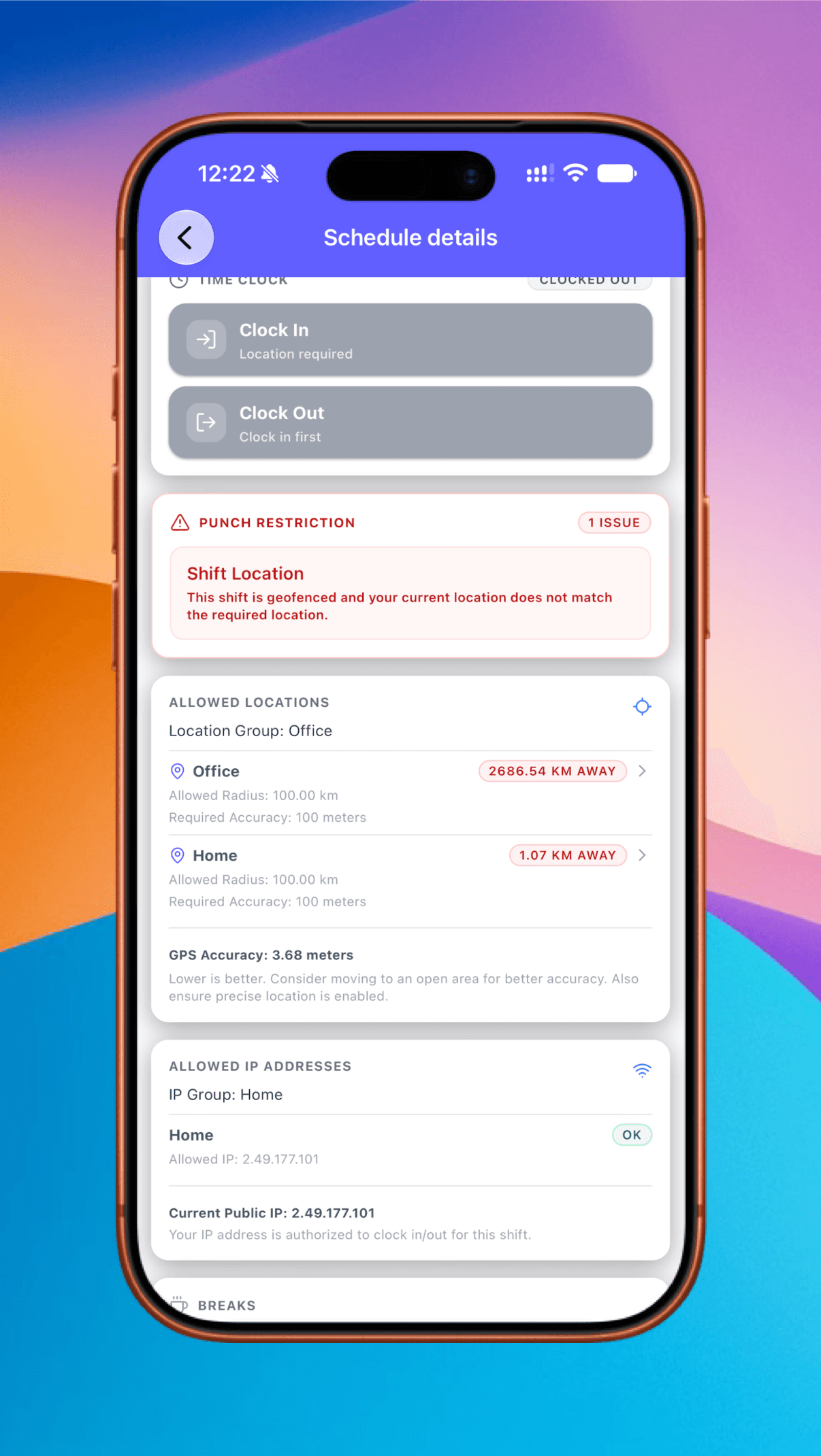
Track time to projects and job codes from the phone
Employees pick a project and job code, start the timer and add a description. Project time is logged inside the clocked-in shift, so job costing and payroll work from the same hours.
Live task timer
Start, save or stop the current task.
Projects and job codes
Choose both for every entry.
Billable or not
A toggle on each task.
Logged tasks
Entries with totals, or add time manually.
Reminders and alerts that reach the phone first
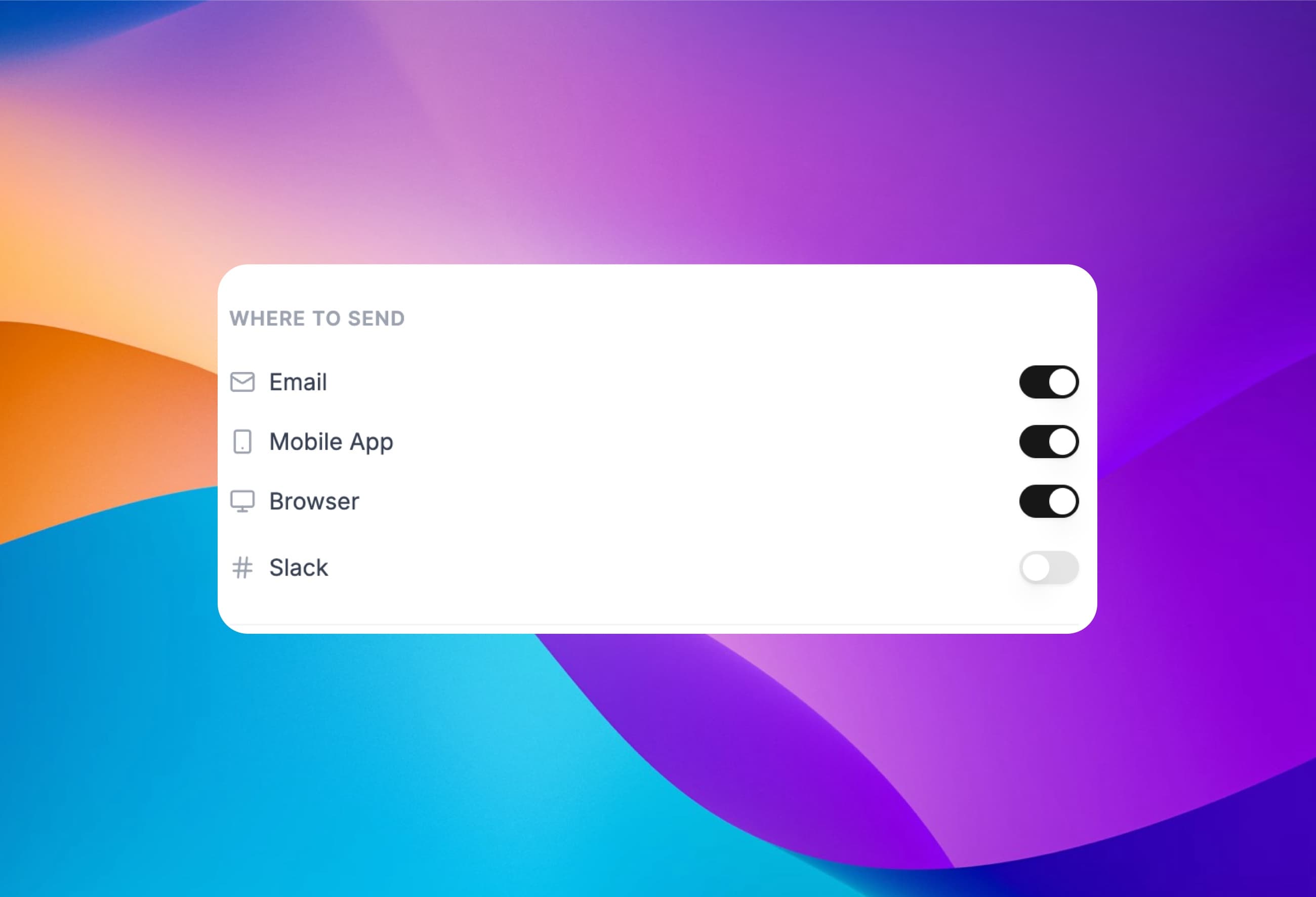
Employees get reminded before they forget to punch. Managers hear about late arrivals, absences and requests from their team. Choose from 35+ notifications and turn each channel on or off per notification.
Clock-in and out reminders
Minutes before and after the scheduled time.
Late, early and absent
Measured against each person's own schedule.
Requests and approvals
Time off and corrections, as they happen.
More than push
Email, browser, Slack, Teams and Google Chat.
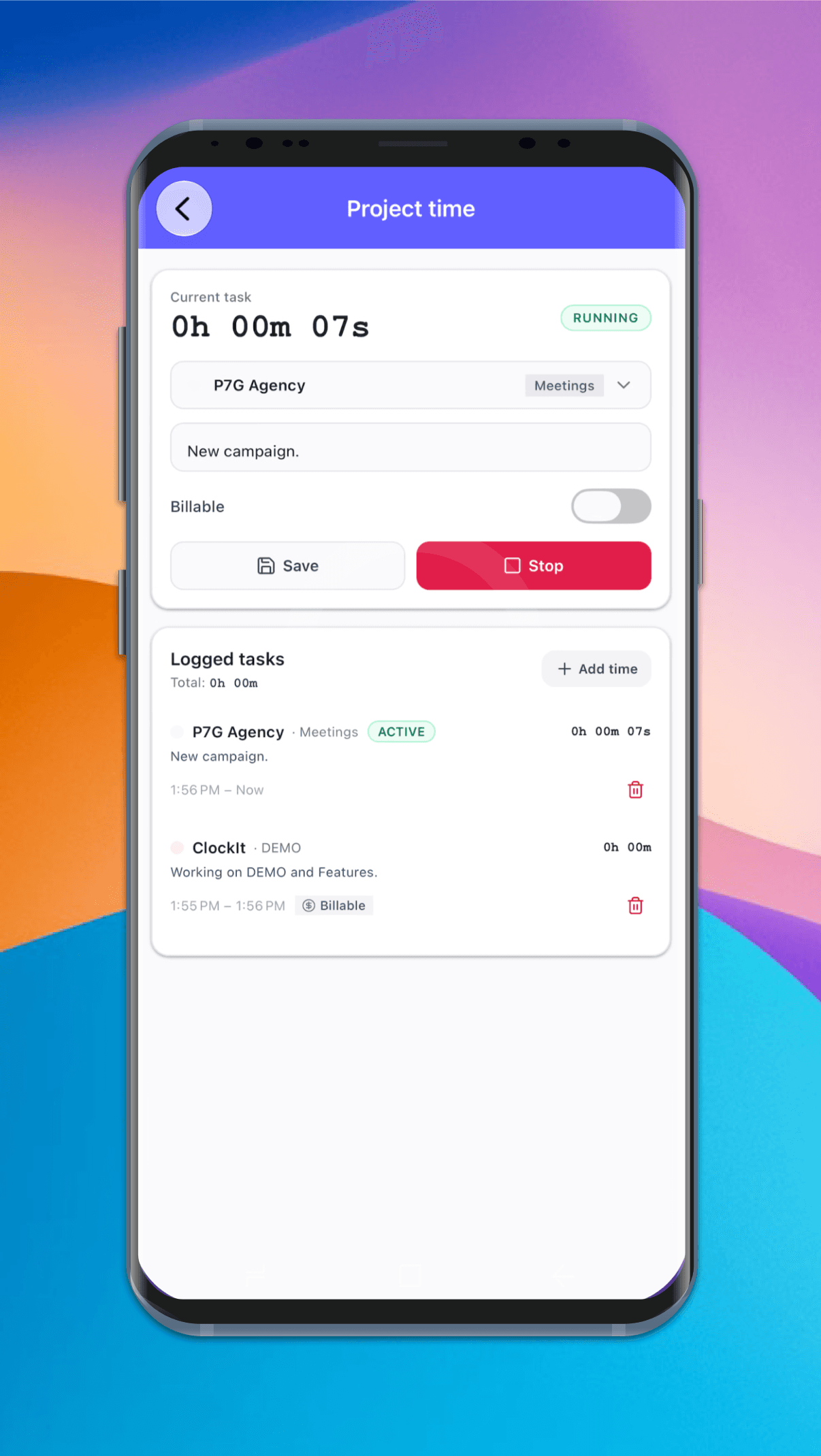
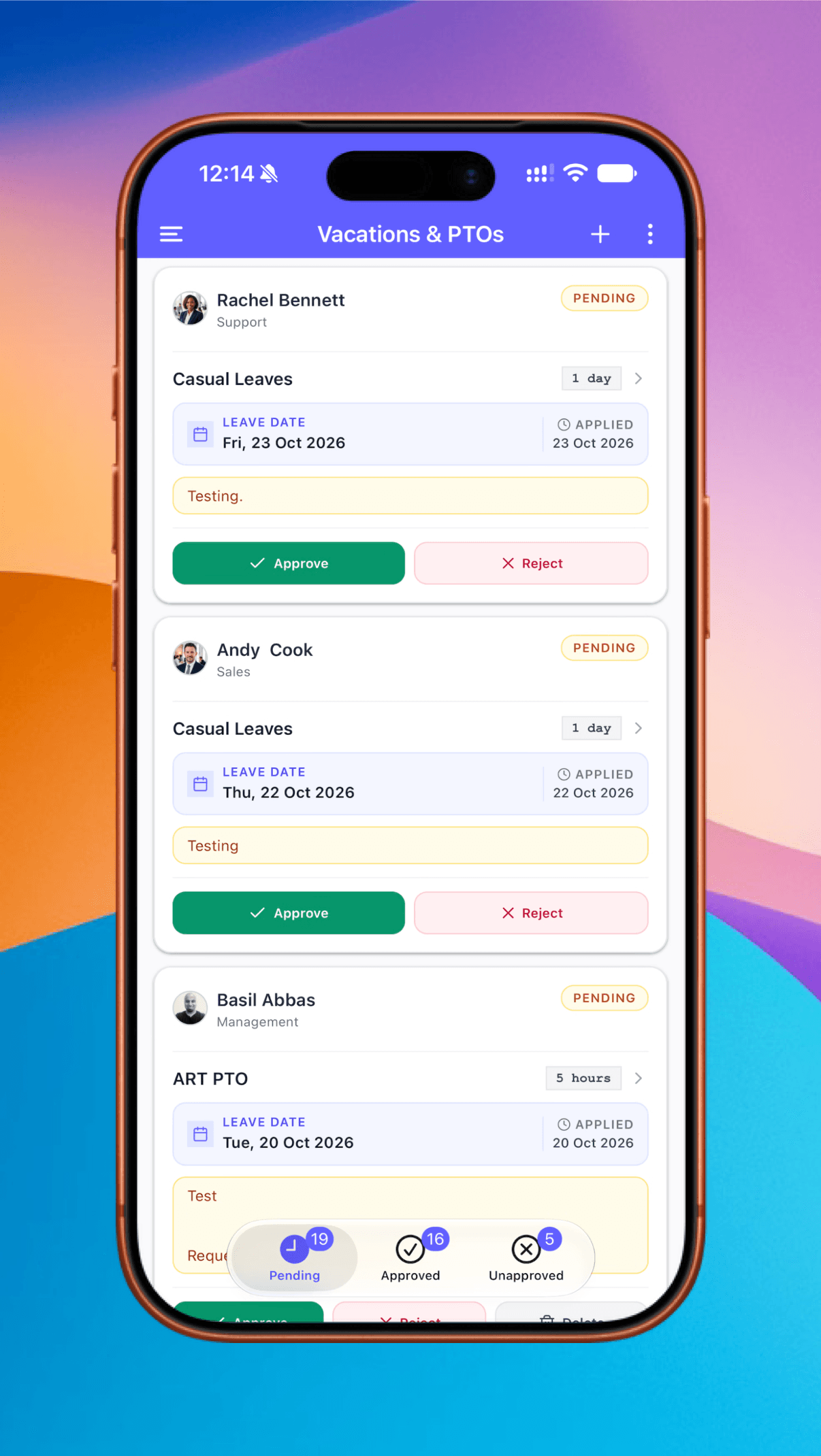
Approve time off without opening a laptop
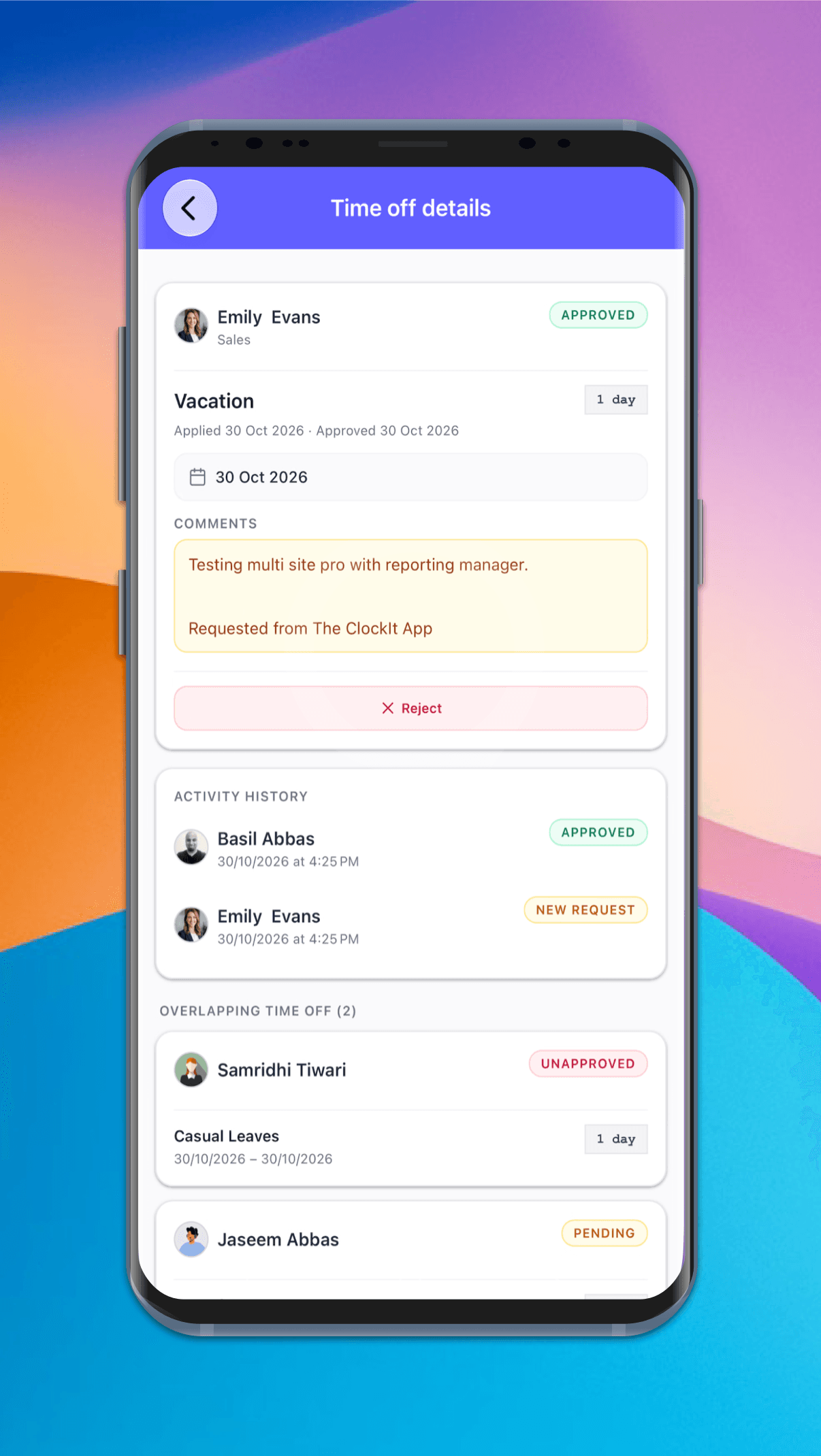
Managers see their team's requests in one list, with Pending, Approved and Unapproved tabs. Open a request to see its history and who else is off on those days, then decide with a tap.
One-tap decisions
Approve or reject from the request card.
Overlapping time off
Who else asked for those dates, with status.
Activity history
Who requested or approved it, and when.
Self, team or everyone
The list follows each person's role.
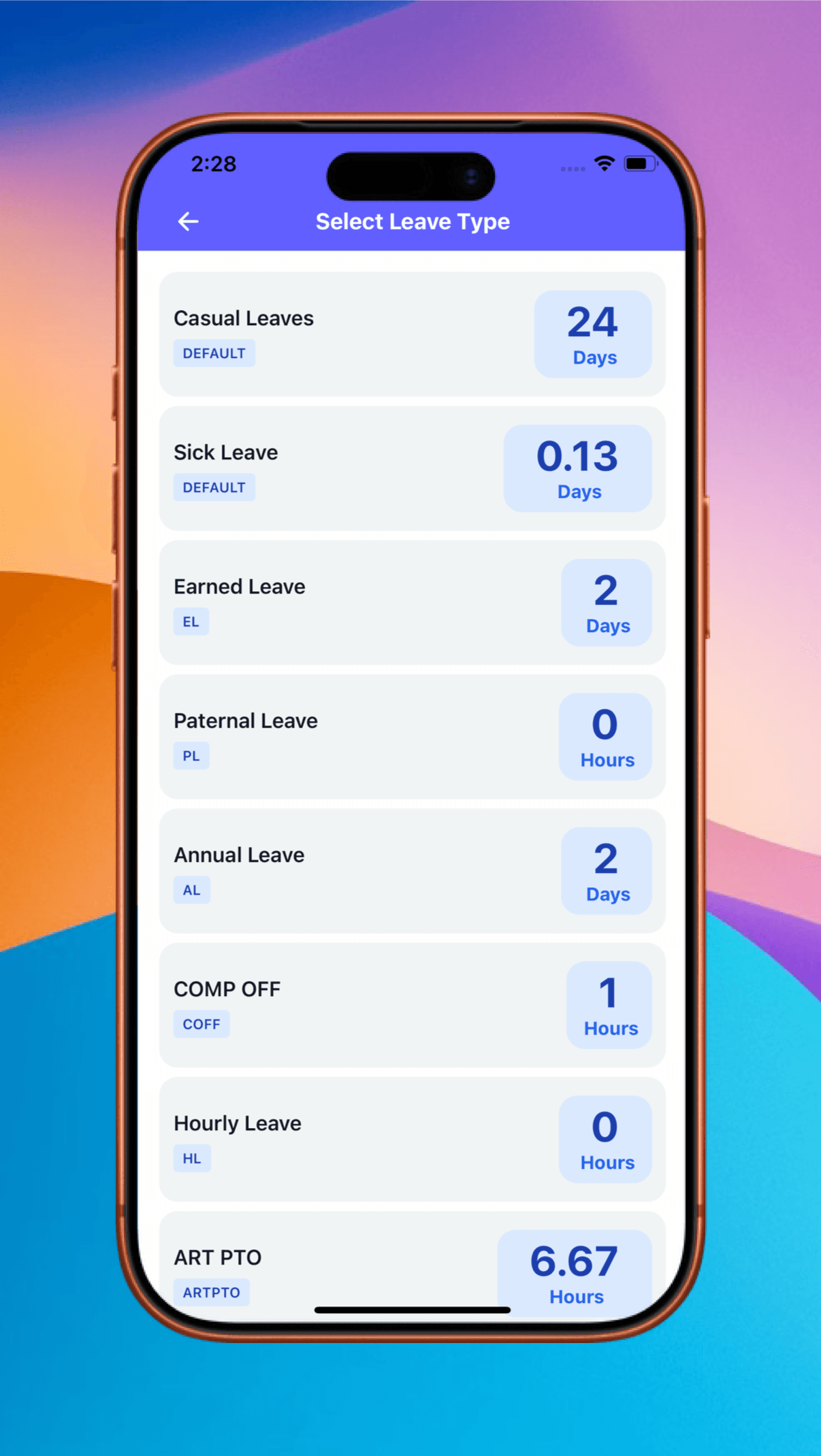
Employees can check their balance before they ask
Every leave type shows what's left, in days or hours. Employees pick one and send their request from the app, so fewer questions land on HR.
Every leave type
Casual, sick, annual, comp off and your own.
Days or hours
Each balance in the unit it's tracked in.
Request from the balance
Choose the leave type and send it.
Track the status
Pending, approved or rejected, in the app.
Fix missed punches before they reach payroll
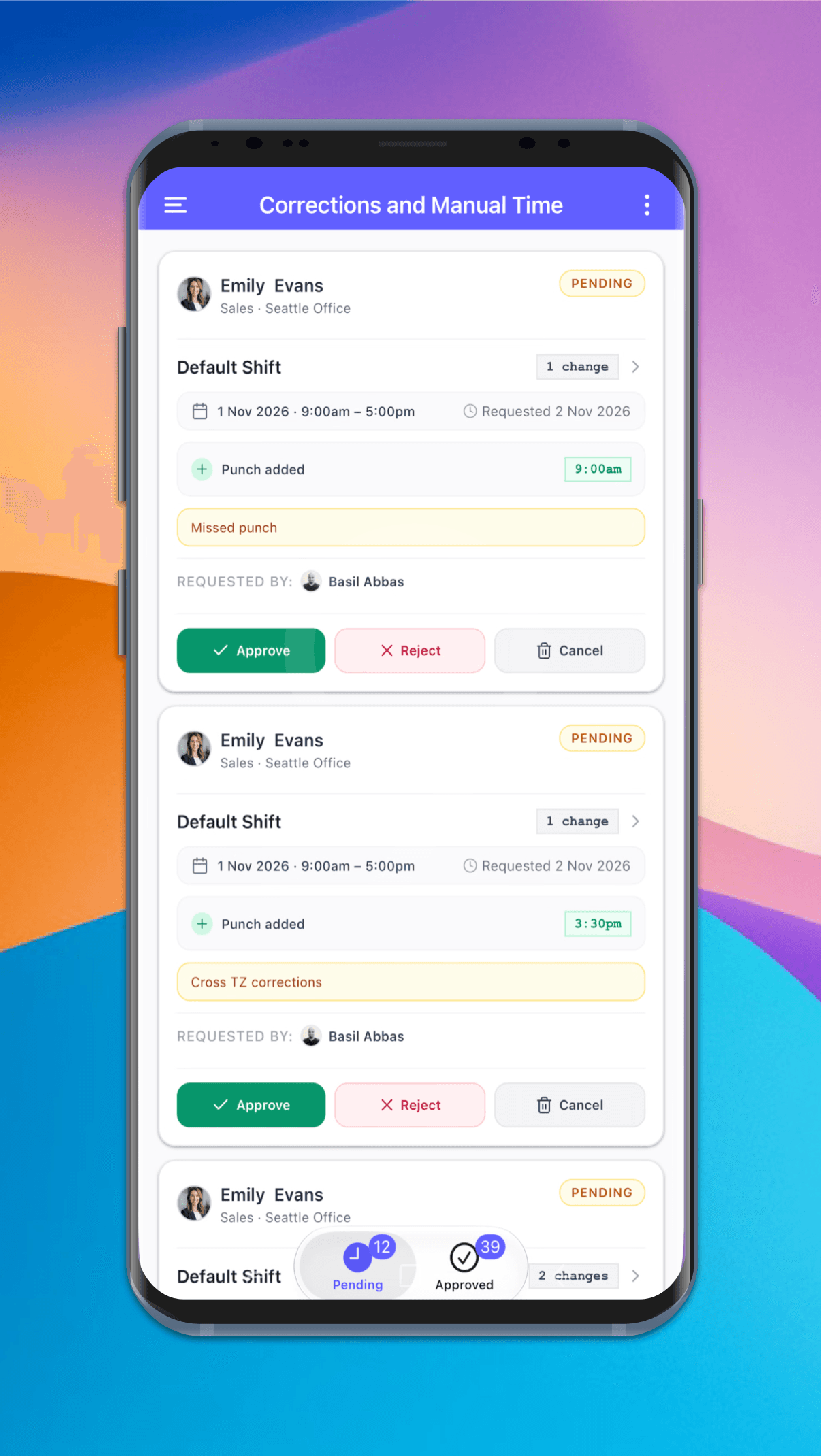
Forgotten punches and wrong times come to one dashboard. Each request shows the shift, what would change and why, so a manager can approve it from wherever they are.
Pending and approved
Two tabs, with a count on each.
Exact changes
Punches added or removed, with their times.
The reason
A note such as "Missed punch" on each request.
Approve, reject or cancel
Decide from the request card.
The mobile app time clock has revolutionized how we manage our remote team. It's intuitive, accurate, and has saved us countless hours in payroll processing. The GPS feature ensures accountability without being intrusive. It's a game-changer for businesses with a mobile workforce.
Frequently asked questions
Have a different question or can't find the answer you're looking for? Reach out to us on the chat support on the bottom right.
Yes. The ClockIt mobile time clock app is available for iOS and Android. Employees sign in with their ClockIt account and can clock in and out of their shifts from their phone.
Yes, mobile clock-ins are included in the Free plan for unlimited users. PTO, project and job code tracking, GPS and geofencing, break rules and IP restrictions are part of the Pro plan at $2.99 per user per month. Every signup starts with a 14-day Pro trial.
Yes. You can optionally restrict a shift's clock-ins to geofenced locations or allowed IP addresses, and you set the radius and required GPS accuracy for each location. If an employee is outside the allowed area, the app shows the restriction, how far away they are and their GPS accuracy.
Yes, on the Pro plan. ClockIt records location at clock-in and clock-out, and also offers continuous tracking in the background, with a notification when an employee leaves the location. GPS accuracy reaches about 5 meters, depending on the device and signal.
No. ClockIt doesn't offer offline tracking, so employees need an internet connection to clock in and out. If someone can't punch, they can request a correction afterwards for a manager to approve.
Yes. You can create multiple breaks, such as lunch and coffee. Employees tap to start and end each one, a timer runs while they're on break, and the break is saved to the shift.
Employees see their own shifts, timesheets and time off. Managers also see their team, and admins can see everyone in the company. Team views show who is clocked in, who has missed a punch and who is off.
Employees open the shift and tap Request Correction. The request goes to the Corrections and Manual Time dashboard, where a manager can see the change and the reason, then approve or reject it. The shift keeps a record of the request and who approved it.
Yes, on the Pro plan. Employees can check their balance in every leave type and send a request from the app. Managers can see overlapping time off on the request and approve or reject it with a tap.
Yes, on the Pro plan. Employees pick a project and job code, run a timer inside their clocked-in shift, mark the entry as billable or not, and can add time manually.
Yes. ClockIt can send clock-in and clock-out reminders as mobile push notifications a set number of minutes before and after the scheduled time. Managers can also get alerts for late arrivals, absences and requests from their team.
Clock in clock out app use cases
See how teams use ClockIt's time clock apps day to day.
Clock In Clock Out App for Teams
Free mobile, web, and kiosk time clock with GPS geofencing, photo/Face ID, reminders, and payroll-ready timesheets.
App for Time Clock that just works
Mobile, web, and kiosk clock-ins with GPS, Face ID, reminders, and payroll-ready timesheets.
Time clock applications for every team
Choose mobile, web, or kiosk—GPS, Face ID, reminders, and fast payroll exports included.
Time clock software app for employees
Accurate clock‑ins with GPS, Face ID, reminders, and one‑click payroll exports.
App to clock in and out—fast and accurate
Let employees clock in from mobile, web, or a shared kiosk with GPS and Face ID.
Punch clock app for modern teams
Replace paper punch cards with an accurate, secure, and free time clock app.