35+ NotificationsNever Miss a Clock-In,Late Arrival or Time-Off Request
35+ notifications for clock-ins, clock-outs, reminders, absences and PTO approvals, sent by email, mobile push, browser, Slack, Microsoft Teams or Google Chat to exactly the people who need them.
- 35+ Notification Types
- Email, Push & Chat Apps
- Approve From the Email
- • Setup within 5 minutes
- • No credit card required
- • 14-day full trial


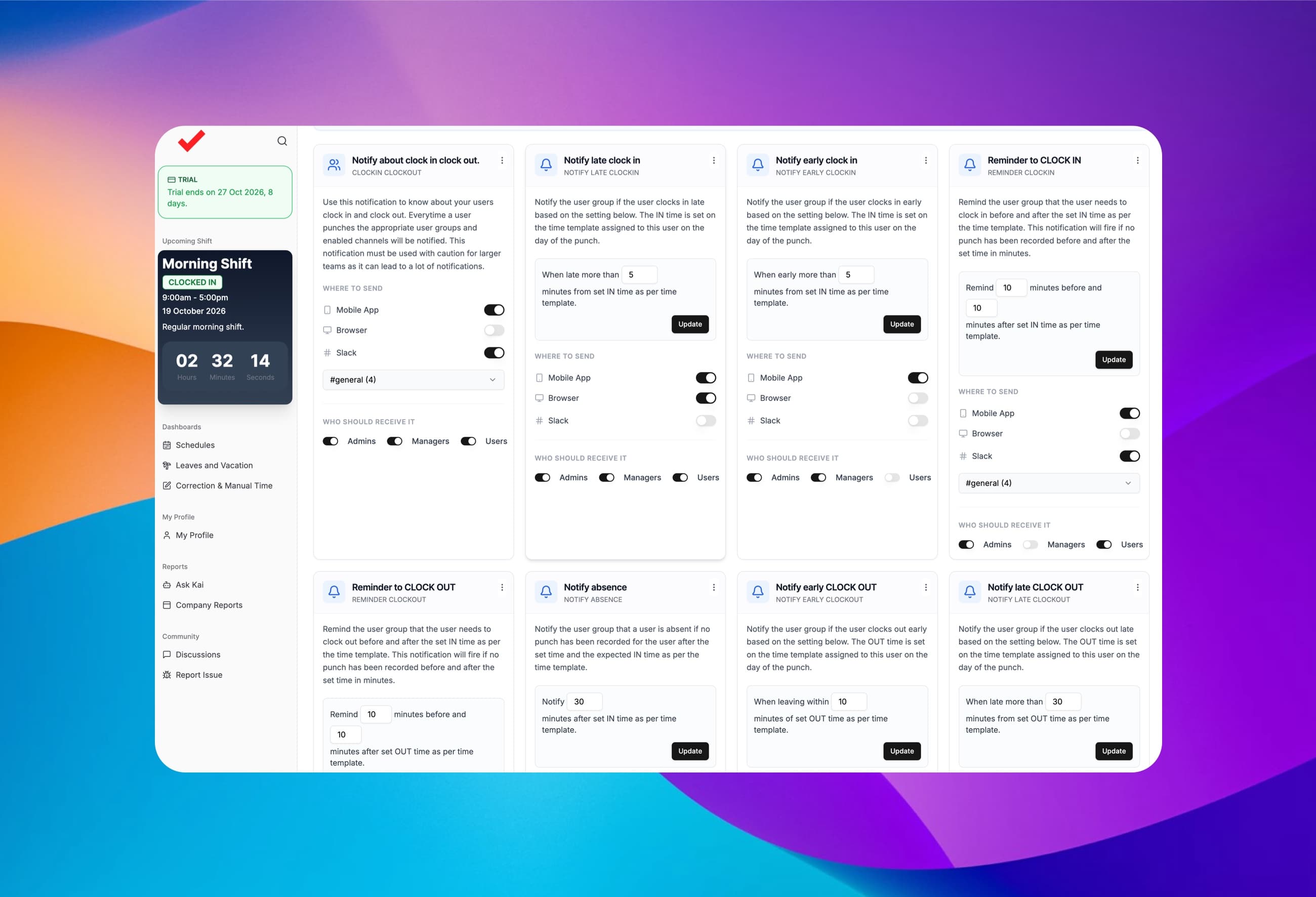
35+ Notification Types
Every attendance and time-off event, covered
Missed punches and unanswered leave requests turn into payroll fixes and staffing gaps. ClockIt tells the right person as soon as something happens, so it gets handled the same day.
Clock-ins & clock-outs
- Know the moment someone on your team clocks in or out.
Clock-in & clock-out reminders
- Nudge employees before and after their shift is due to start or end.
Late & early punches
- Alerts when someone clocks in or out outside the tolerance you set.
Absences & missed punches
- Flag anyone who still hasn't clocked in a set time after their shift starts.
Time off requests
- New PTO requests, approvals, rejections and cancellations.
Corrections & overtime
- Timesheet correction requests and employees running into overtime.
Approve or reject time off straight from the email
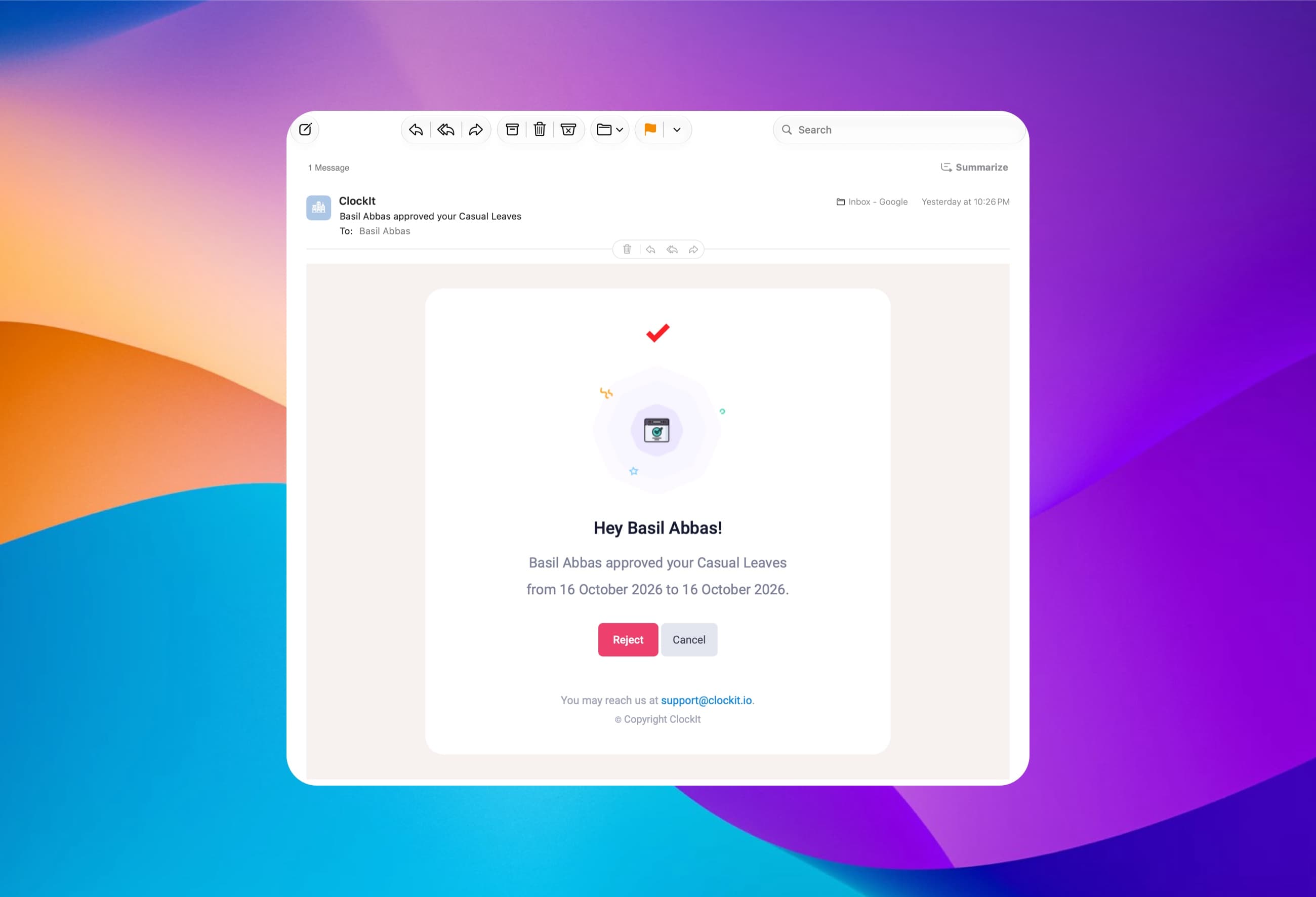
When an employee requests time off, their manager gets an email with the dates, the leave type and the employee's note, plus Approve and Reject buttons. One click handles it.
Approve or reject in one click
Buttons right inside the notification email.
Full request details
Leave type, dates and the employee's comment.
Cancellations & rejections too
Employees hear back the moment a decision is made.
Same alert in Slack and the app
Managers see it wherever they look first.
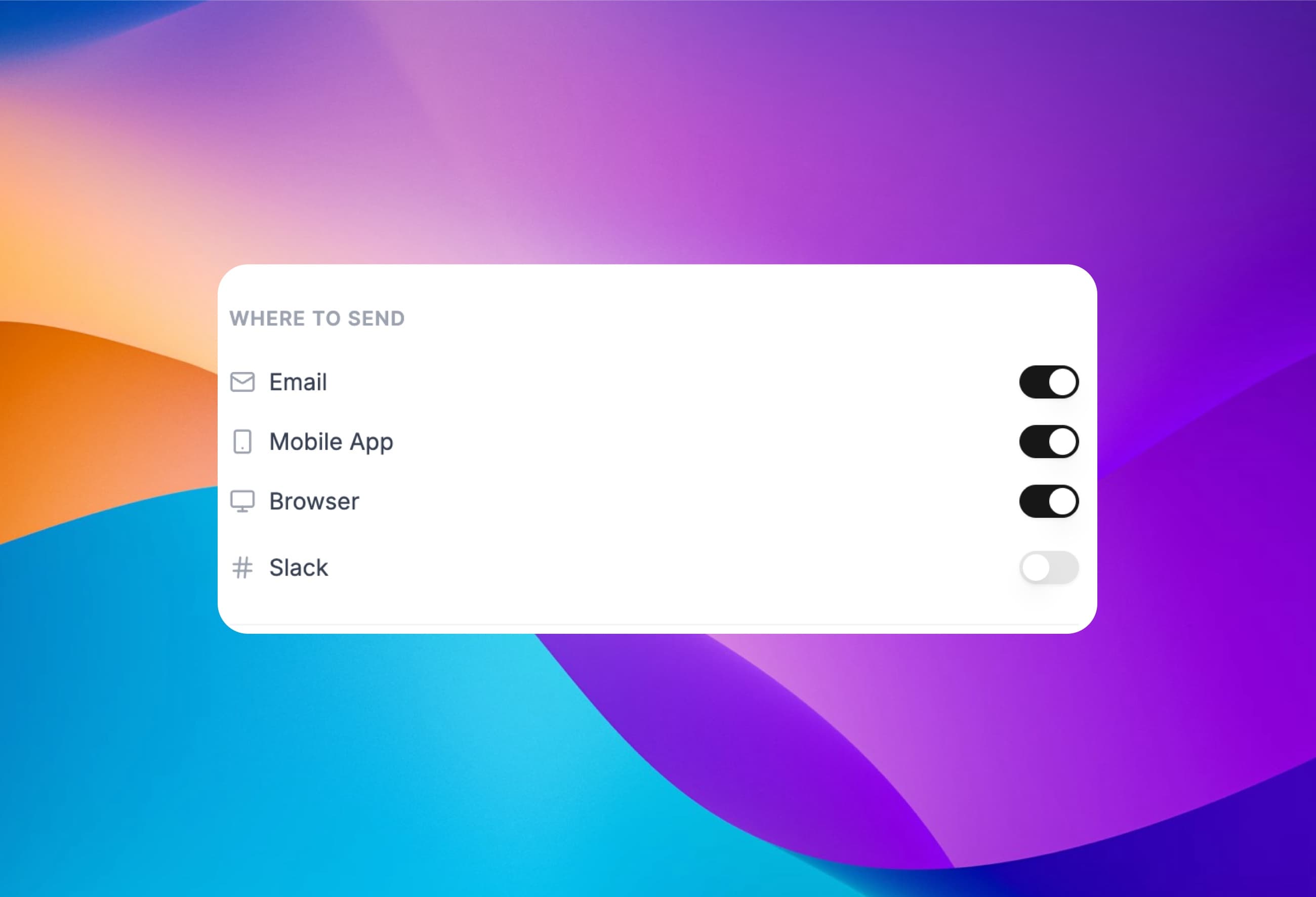
Send every alert where your team already works
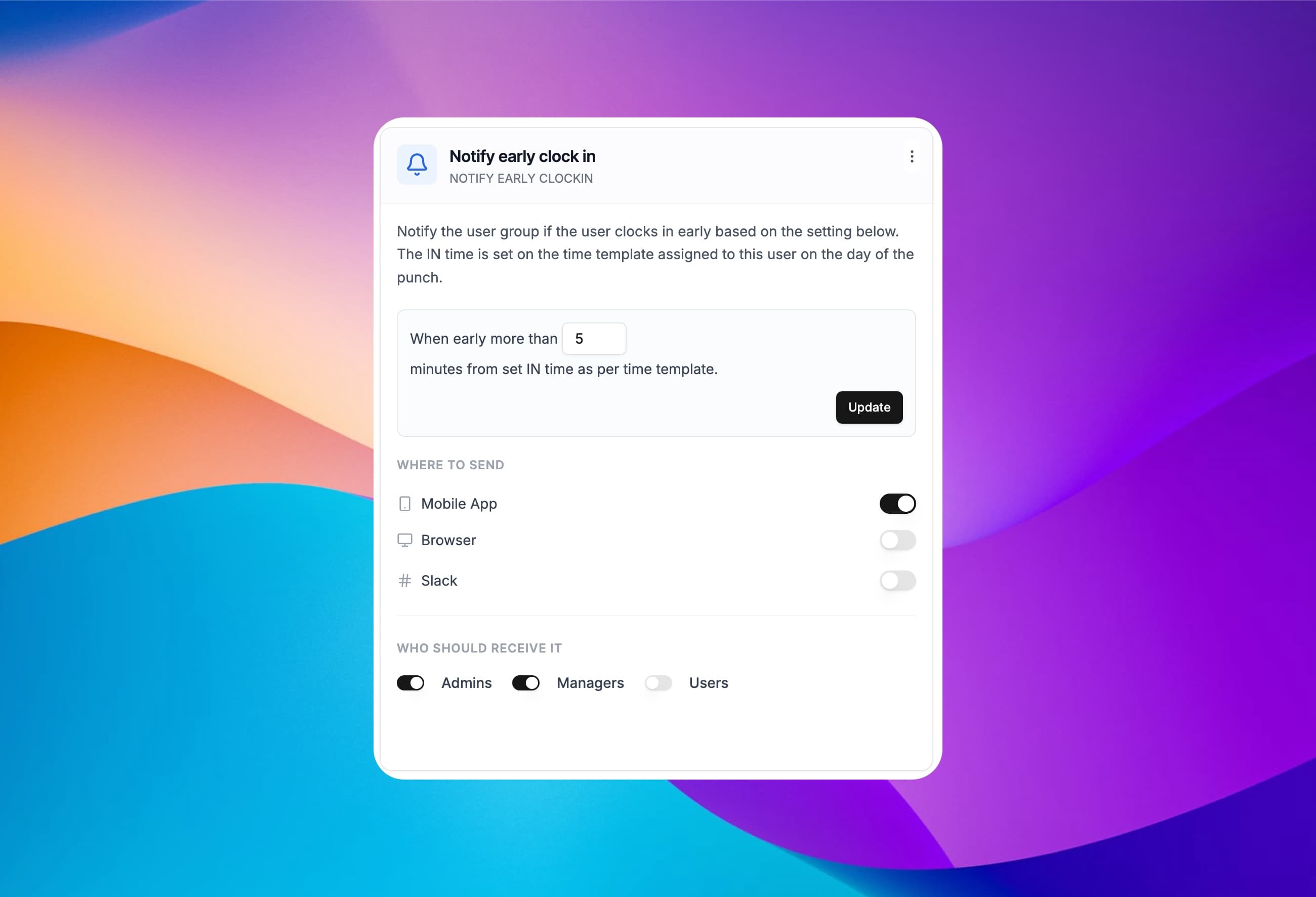
Turn each channel on or off per notification. Urgent alerts like absences can go to the mobile app and Slack at once, while routine updates stay in email.
Email
With approve and reject buttons for requests.
Mobile push
On the ClockIt iOS and Android apps.
Browser
Desktop notifications from the ClockIt web portal.
Slack, Teams & Google Chat
Post alerts to the chat tools your team lives in.
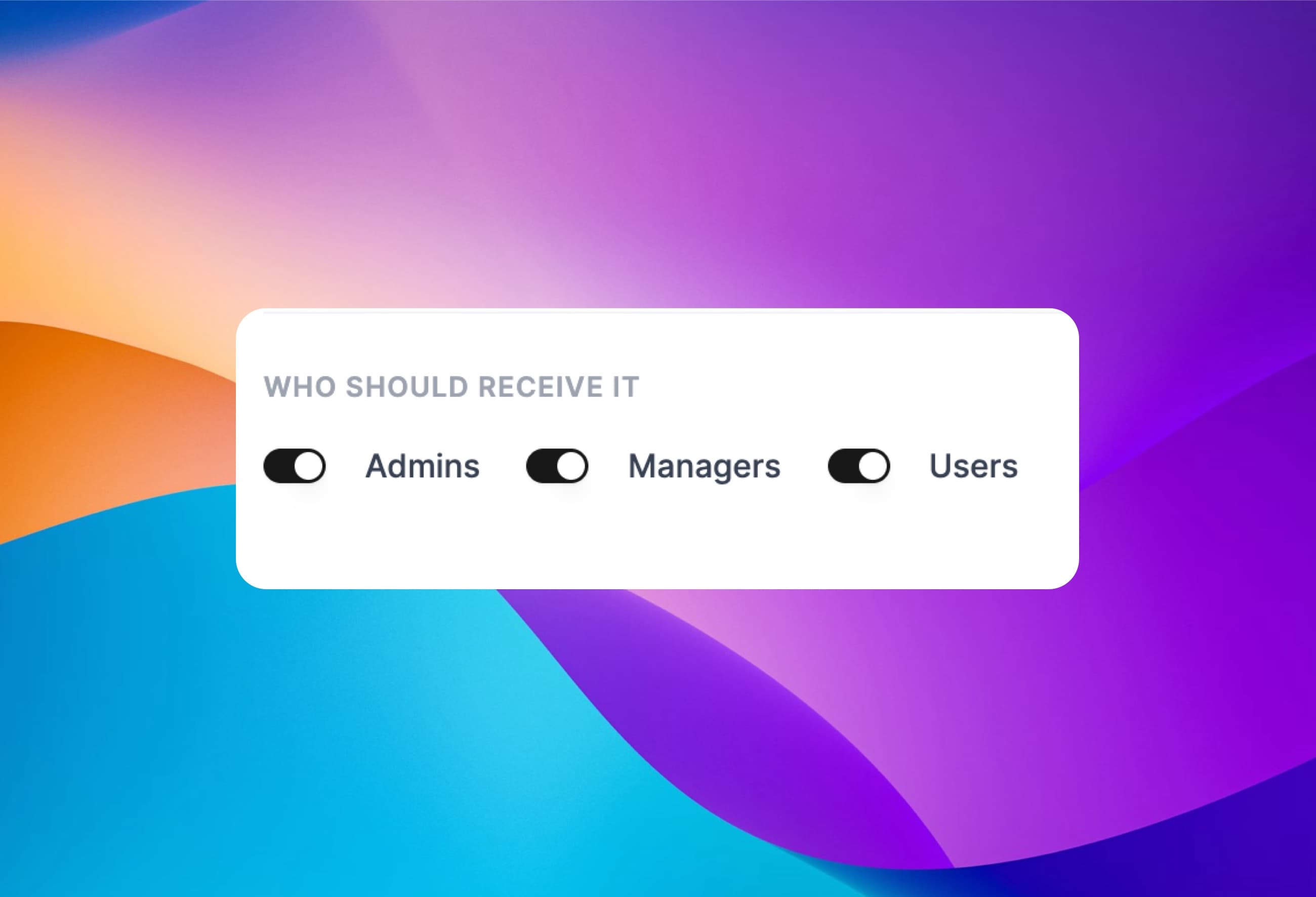
Choose who hears about what
Every notification has its own recipients. Send absences to managers, reminders to employees and policy alerts to admins, so nobody drowns in alerts that aren't theirs.
Admins
Company-wide visibility across every team.
Managers
Only alerts about the people on their own team.
Employees
Reminders and updates about their own time.
Mix per notification
A different audience for each of the 35+ types.
Set the thresholds that match your policy
Decide what counts as late, early or absent. Thresholds are measured in minutes against the time template assigned to each employee that day, so night shifts and split shifts are judged by their own start times.
Late & early tolerance
e.g. alert when more than 5 minutes late.
Reminder timing
Remind 10 minutes before and after the shift starts.
Absence window
Flag no-shows 30 minutes after the expected start.
Per employee schedule
Based on each person's own time template.
Preview every notification before you switch it on
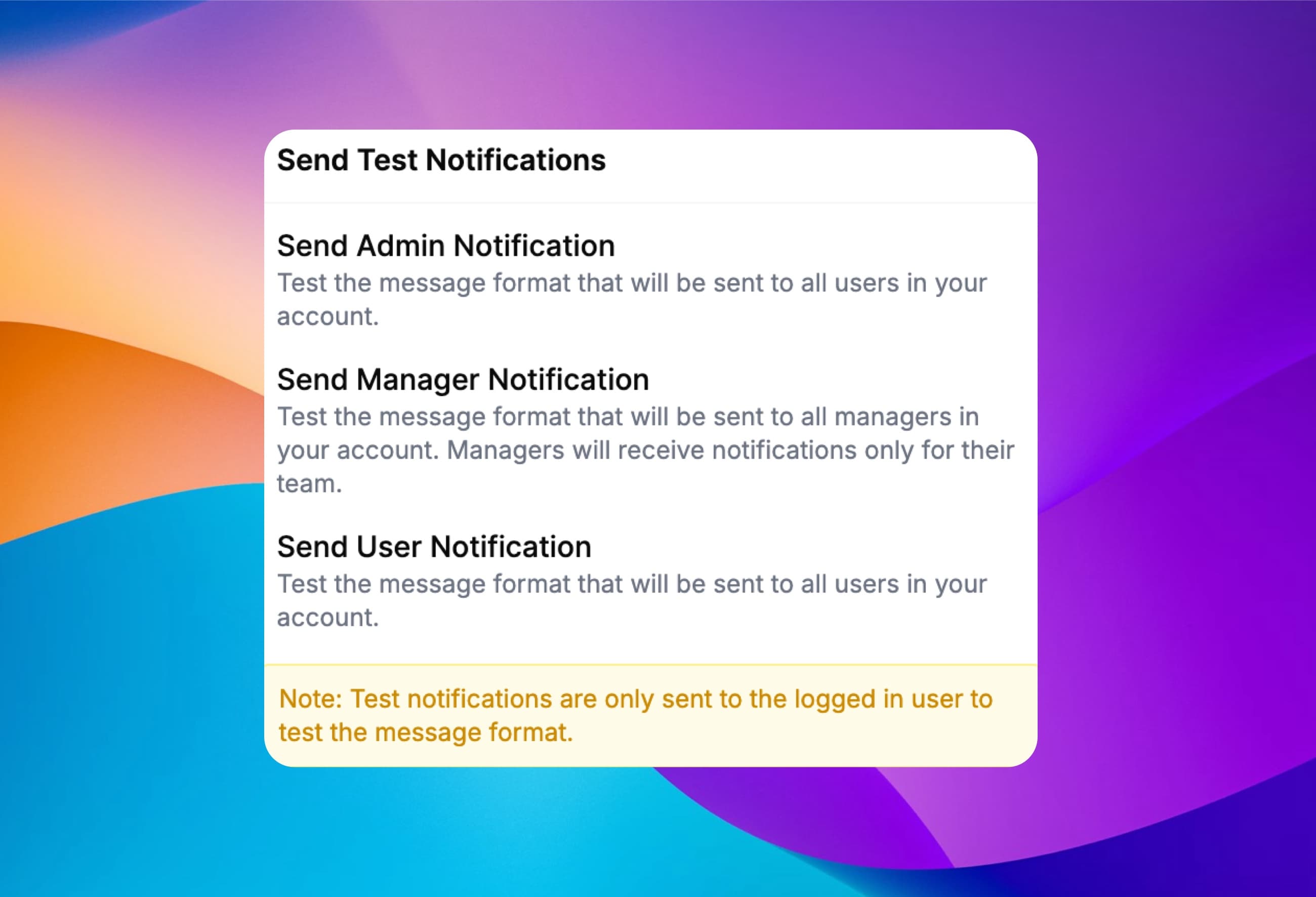
Send yourself a test of the admin, manager or employee version of a notification and see exactly how it will look. Test sends only go to you, never to your team.
Admin format
See what admins will receive.
Manager format
Managers only ever get their own team's alerts.
Employee format
Check the wording your staff will see.
Safe to try
Tests go to the logged-in user only.
As a small business owner, I was skeptical about implementing a new time tracking system. But this mobile app has exceeded all my expectations. It's user-friendly, reliable, and the reporting features have given me invaluable insights into our productivity.
Frequently asked questions
Have a different question or can't find the answer you're looking for? Reach out to us on the chat support on the bottom right.
ClockIt has 35+ notification types covering clock-ins and clock-outs, clock-in and clock-out reminders, late and early clock-ins and clock-outs, absences, timesheet corrections, overtime, and time off requests, approvals, rejections and cancellations. Each one can be switched on or off and sent to the channels and people you choose.
Yes. When an employee requests time off, ClockIt emails their manager the leave type, dates and the employee's comment with Approve and Reject buttons inside the email, so the request can be handled in one click. The employee is notified of the decision.
Yes. Besides email, mobile push and browser notifications, ClockIt can post notifications to Slack, Microsoft Teams and Google Chat. You choose the channels separately for each notification type, for example sending absences to Slack and the mobile app while leave approvals go by email.
Yes. ClockIt sends clock-in and clock-out reminders a set number of minutes before and after each employee's scheduled start and end time, based on the time template assigned to them that day. Reminders can go to the employee's phone, browser, email or chat app.
ClockIt flags an employee as absent when no punch has been recorded a set number of minutes after their expected start time, and alerts their manager. Separate notifications cover late and early clock-ins and clock-outs, so managers can act on the same day instead of fixing timesheets at payroll.
Yes. Every notification type has its own recipients: admins, managers, employees or any combination. Managers only receive notifications about the employees on their own team.
Yes. ClockIt can send you a test of the admin, manager or employee version of a notification so you can check the message format. Test notifications are only sent to the logged-in user, never to the rest of the team.
Yes. Employees who use the ClockIt mobile app for iOS or Android receive push notifications such as clock-in reminders and time off decisions, as long as the mobile app channel is enabled for that notification.
Stop chasing missed punches
Turn on the notifications you need in minutes and let ClockIt tell you when something needs your attention.