Kiosk Time Tracking App
Kiosk Time Clock AppTurn any tablet into a shared time clock for time tracking
Our kiosk time clock app transforms any iOS or Android tablet into a shared time clock for your team. With GPS tracking, geofencing, and photo capture, you can ensure accurate time tracking and accountability for all employees.
- Clock in/out from any shared tablet
- Works on iOS and Android Tablets
- Payroll‑ready timesheets, automatically
- Real‑time dashboards and reporting
- • Setup within 5 minutes
- • No credit card required
- • 14-day full trial


Tablet Time Clock
Turn any tablet into a time clock
Transform your iPad or Android tablet into a secure kiosk time clock. Perfect for offices, warehouses, and job sites where a shared device makes sense.
Photo Verification
Eliminate buddy punching by capturing a photo of the employee every time they clock in or out.
PIN & QR Code
Quick and secure login for employees using a unique 4-digit PIN or by scanning a QR code.
Offline Mode
Keep tracking time even when the internet goes down. Data syncs automatically when online.
GPS & Geofencing
Ensure the kiosk tablet is located at the correct job site before allowing employees to clock in.
Shift Scheduling
Employees can view their upcoming shifts and schedules directly from the shared kiosk tablet.
Secure Data
All time logs, photos, and records are encrypted and securely stored in the cloud.
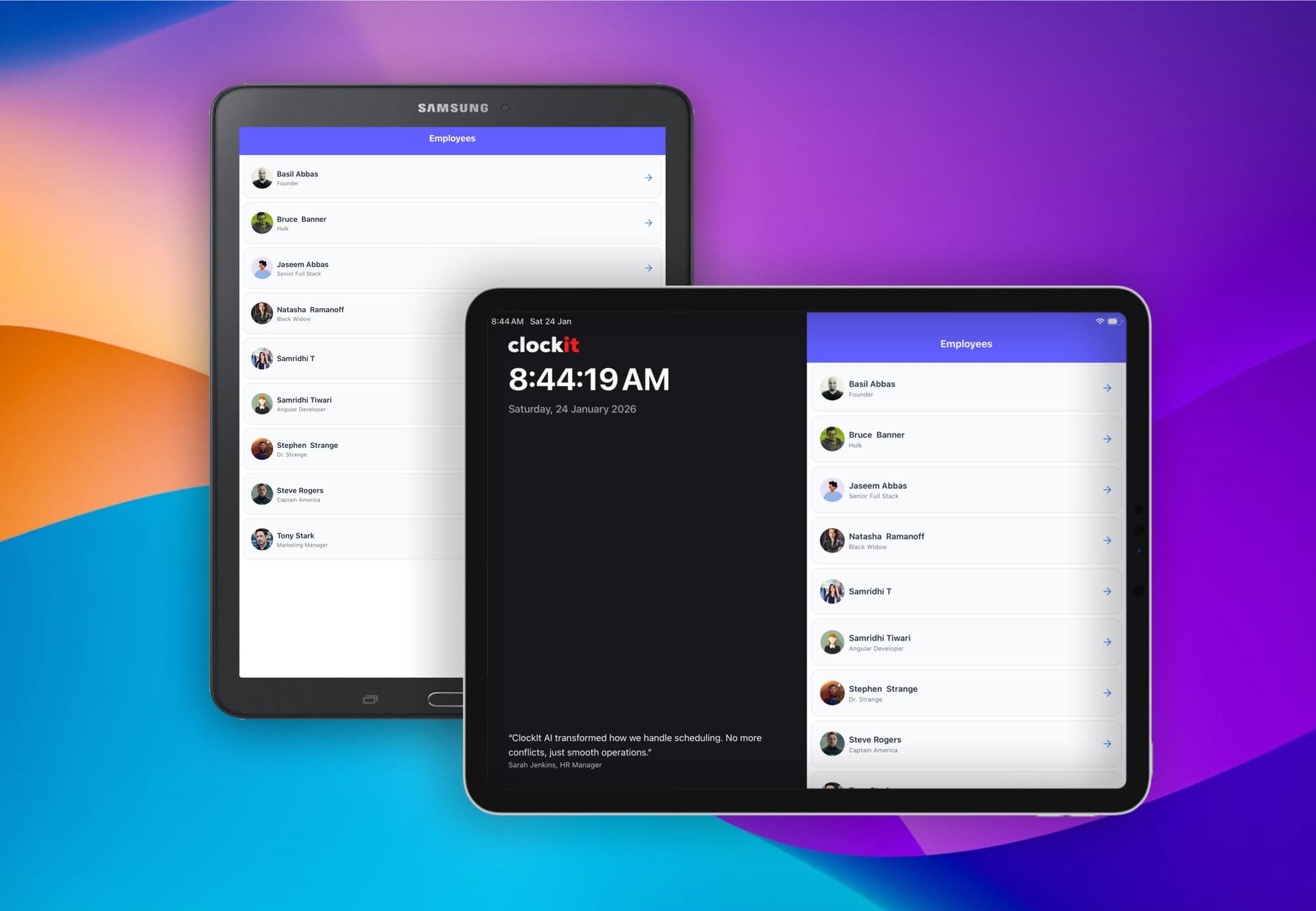
Get the ClockIt Kiosk Apps
Download our Kiosk app now and experience effortless time management.


A centralized time clock for your entire team
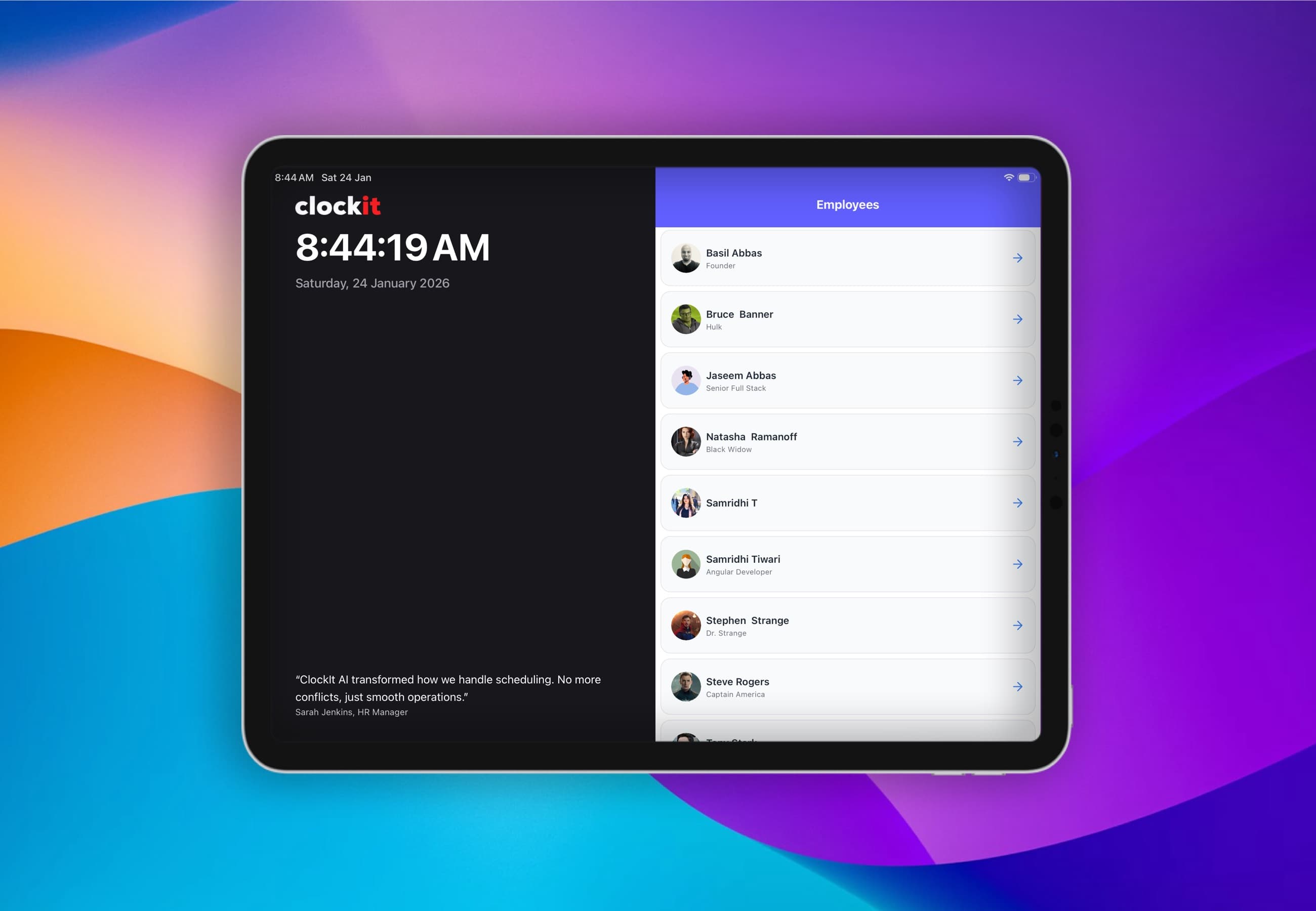
Set up a centralized time clock station using any iPad or Android tablet. Employees can easily clock in and out using a PIN or QR code, all from a single shared device.
Centralized Scheduling View
Employees can check their upcoming shifts and schedule directly on the kiosk.
Secure PIN & QR Login
Individual login methods (PIN, QR Code, Face ID) ensure security on the shared device.
Photo Audit
Automatically snap a photo of the employee on every clock in and out to prevent buddy punching.
Manager Mode
Managers can access admin features on the kiosk to approve time off or manage shifts.
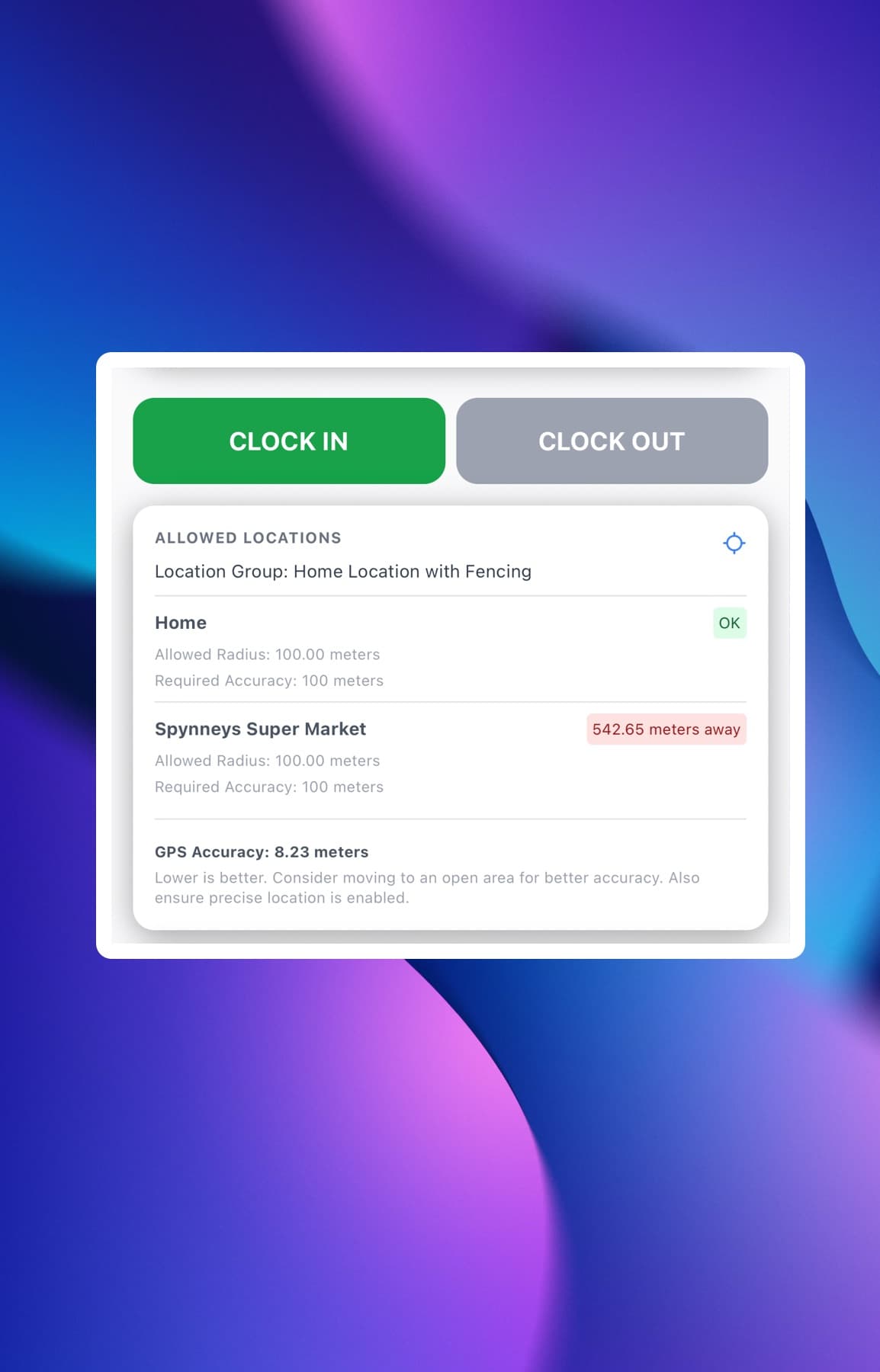
Ensure the Kiosk stays where it belongs
Our kiosk app uses GPS technology to ensure the tablet is located at the authorized job site. With geofencing, you can lock the kiosk to a specific location, preventing it from being used off-site.
Job Site Geofences
Link the kiosk to a specific job site geofence to ensure valid clock-ins.
Site Lock
Restrict the kiosk from functioning if it leaves the designated geofenced area.
Location Notifications
Receive instant alerts if the kiosk tablet is moved from its assigned location.
Multiple Kiosks
Deploy multiple kiosks across different job sites, each with its own geofence.
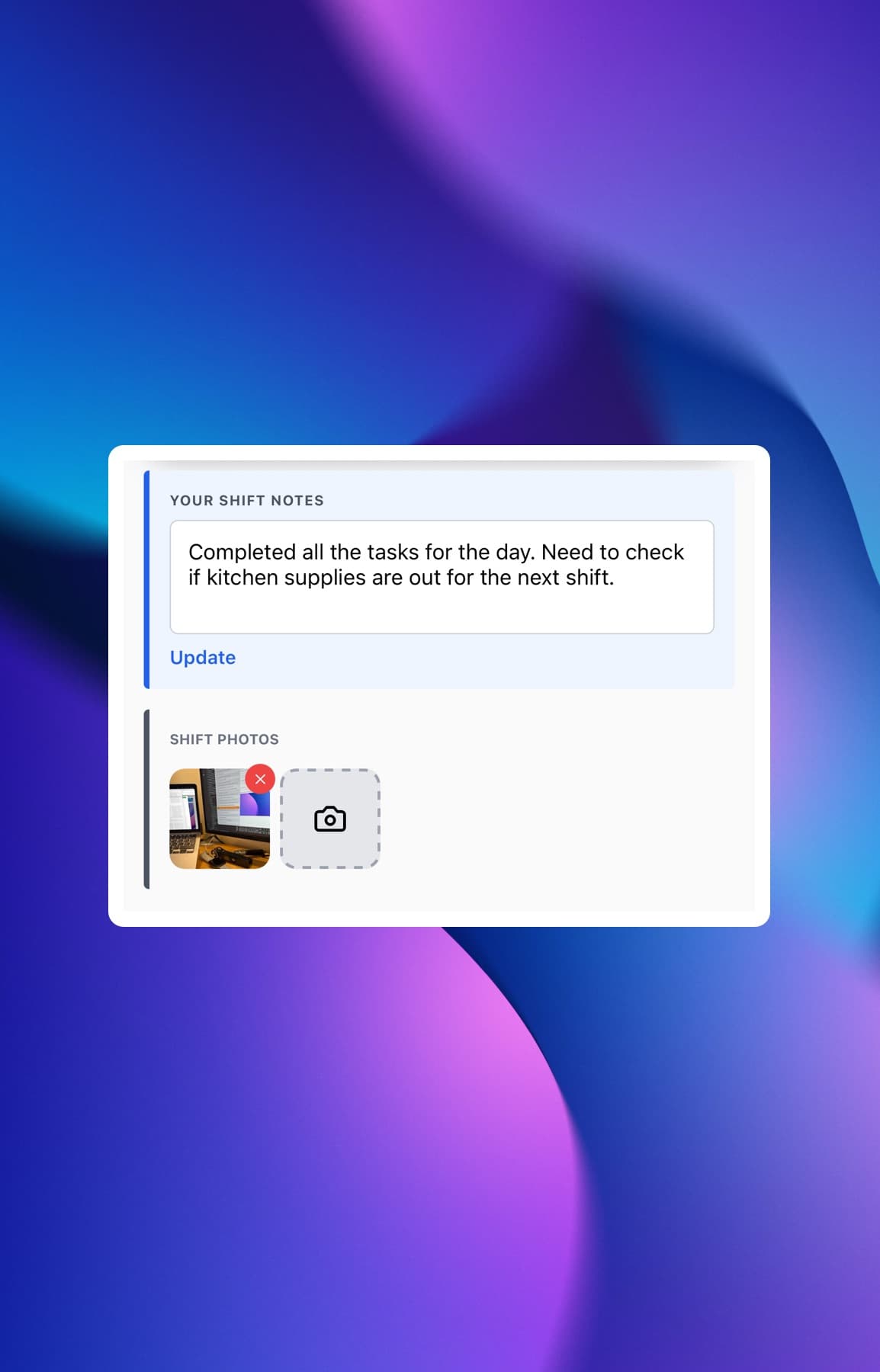
Eliminate buddy punching with Photo Capture
The ClockIt Kiosk app is designed to prevent time theft. By capturing a photo of the employee during every punch, you can eliminate buddy punching and ensure 100% attendance accuracy.
Photo Audit
Require a photo to be taken for every clock in and out event.
Shift Notes
Allow employees to add notes or comments about their shift when clocking out.
Project Tracking
Employees can select projects or jobs they worked on directly from the kiosk.
Manage breaks directly on the Kiosk
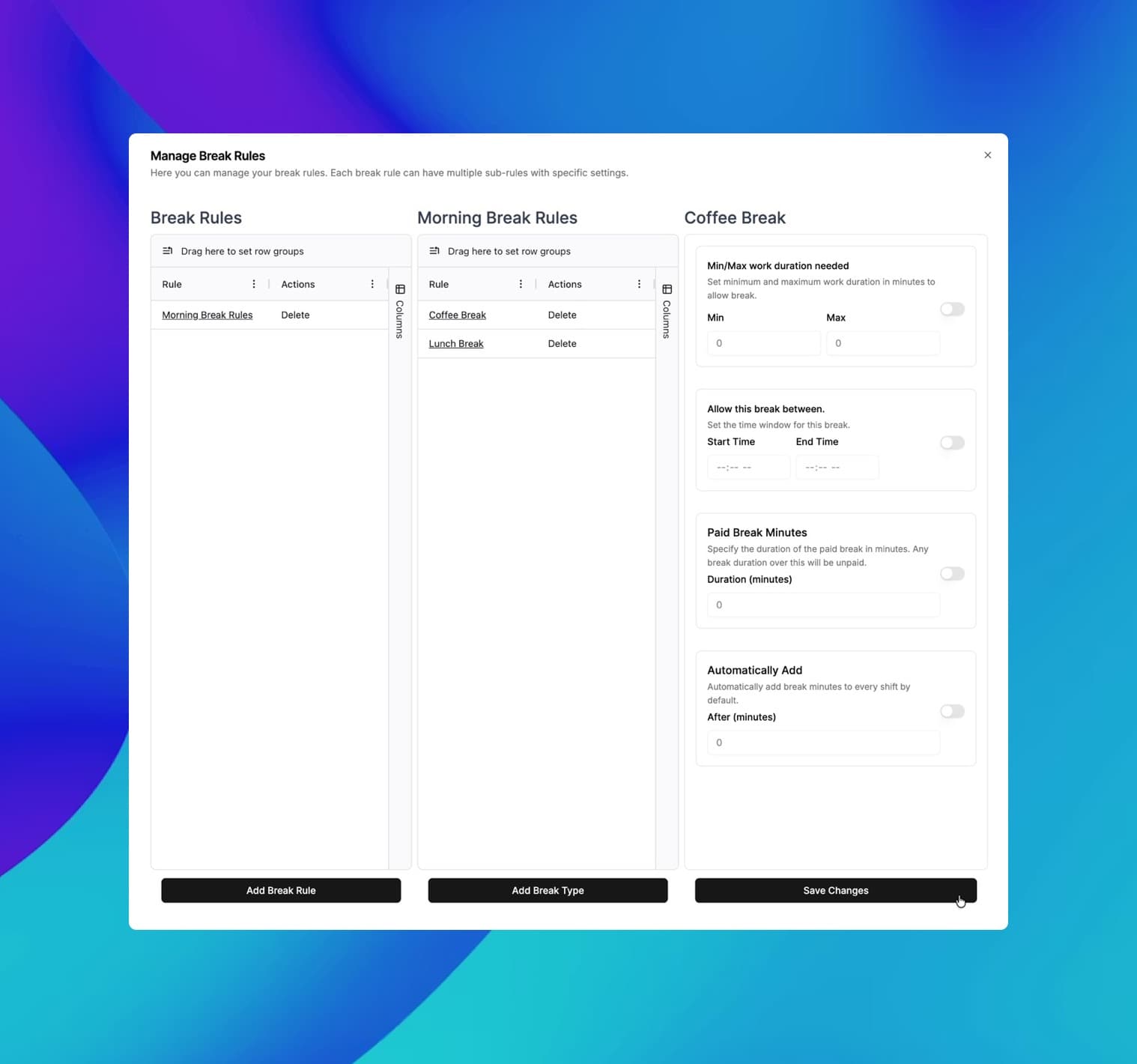
Employees can clock out for breaks and lunch directly on the shared kiosk. This ensures compliance with labor laws and provides accurate records for payroll processing.
Paid and Unpaid Breaks
Support for multiple break types, including paid rest breaks and unpaid meal breaks.
Break Enforcement
Prevent employees from ending their break too early based on your company policy.
Missed Break Alerts
Managers receive notifications if employees fail to take their scheduled breaks.
Compliance Reporting
Generate reports to verify that all required breaks were taken.
The mobile app time clock has revolutionized how we manage our remote team. It's intuitive, accurate, and has saved us countless hours in payroll processing. The GPS feature ensures accountability without being intrusive. It's a game-changer for businesses with a mobile workforce.
Frequently asked questions
Have a different question and can't find the answer you're looking for? Reach out to our support team by sending us an email and we'll get back to you as soon as we can.
A kiosk time clock is a shared device, usually a tablet (iPad or Android), placed in a central location where employees can clock in and out. It replaces traditional punch clocks with a modern, digital solution that tracks time, attendance, and location.
Our kiosk app uses Photo Audit features. When an employee clocks in or out, the tablet's camera automatically takes a photo, which is attached to the time record. This verifies that the person clocking in is who they say they are.
The kiosk app supports Offline Mode. Employees can continue to clock in and out even without an internet connection. All data is stored locally and securely synced to the cloud once the device reconnects.
Yes, ClockIt Kiosk runs on any standard iOS (iPad) or Android tablet. You can use existing hardware or purchase affordable tablets to set up your time clock stations.
Employees can log in using a secure 4-digit PIN, by scanning a QR code badge, or using facial recognition features where available. This ensures a quick and secure process for every user.
Yes, you can lock the kiosk to a specific geographic location using geofencing. If the tablet is moved away from the authorized job site, the app can prevent clock-ins or flag them as violations.
Absolutely. The kiosk app is designed for shared use. It does not store sensitive personal data openly on the device, and all communication with our servers is encrypted using bank-level security protocols.
Yes, the kiosk interface allows employees to view their upcoming shifts and weekly schedule directly on the device, helping them stay informed about their work hours.
Kiosk Time Clock Use Cases
See how our kiosk app fits perfectly in offices, warehouses, and retail stores.
Simplify Time Tracking on the Factory Floor
Replace punch cards with a shared Kiosk. Secure, photo-verified attendance for every shift.
Simplify Time Tracking for Healthcare Teams
Replace paper timesheets with a shared Kiosk. Secure, photo-verified attendance for every shift.
Simplify Time Tracking on Construction Sites
Replace paper timesheets with a shared Kiosk. Secure, photo-verified attendance for every crew member.
Simplify Time Tracking on Construction Sites
Replace paper timesheets with a shared Kiosk. Secure, photo-verified attendance for every crew member.
The Best Time Clock for Busy Restaurants
Speed up clock-ins for servers and chefs. Manage shifts, breaks, and labor costs from a single shared tablet.
Time Tracking Built for Warehousing
Keep your logistics moving. Fast clock-ins, shift management, and accurate payroll for your entire warehouse team.