PTO Tracking SoftwareVacation & LeaveTracking on Autopilot
Accruals, tenure, probation and carryover rules run themselves. Employees request time off from their phone, managers approve it in one click, and approved leave shows up on the schedule.
- Automatic PTO Accruals
- One-Click Approvals
- Leave on the Schedule
- • Setup within 5 minutes
- • No credit card required
- • 14-day full trial


Leave management without spreadsheets
Everything you need to track PTO in one place
Set your PTO policy once and ClockIt keeps every balance right: accruals, anniversaries, rollovers and approvals, alongside the time clock and schedule your team already uses.
- Every leave type
- Vacation, sick, annual, parental, comp time and your own categories, each tracked in days or hours.
- Automatic accruals
- Weekly, every 2 weeks, monthly, quarterly, annually or by hours worked, at the start or end of each period.
- Tenure-based PTO
- More PTO as people stay longer, with a cap on how much any employee can bank.
- One-click approvals
- Approve, reject or cancel with balances and overlapping requests on the same screen.
- Team leave calendar
- Month, week, day and list views of who is off, pending or rejected.
- Balance simulator
- Preview a year of accruals for any employee before you change a policy.
- Mobile requests
- Employees request time off and managers approve it in the iOS and Android apps.
- Leave notifications
- Requests, approvals, rejections and cancellations by email, push or Slack.
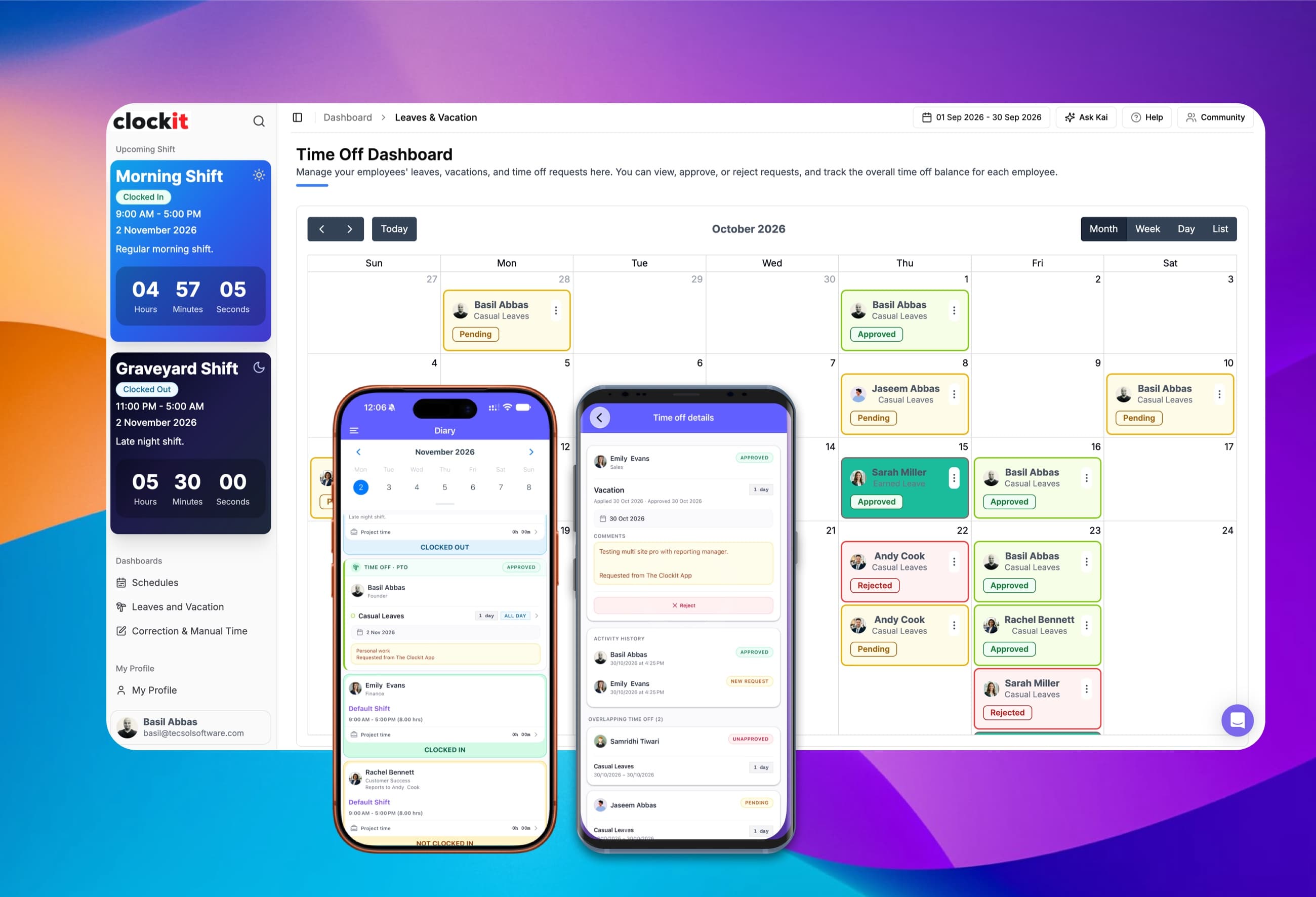
See every leave request on one calendar
The time off dashboard puts pending, approved and rejected leave for your whole company on a single calendar. Switch between month, week, day and list views, or pick any date range.
Month, week, day & list
Plan cover at whatever zoom you need.
Status at a glance
Pending, approved and rejected, color-coded.
Web and mobile
Requests and approvals in the ClockIt apps too.
Ask Kai
"Who is off next week?" answered in plain English.
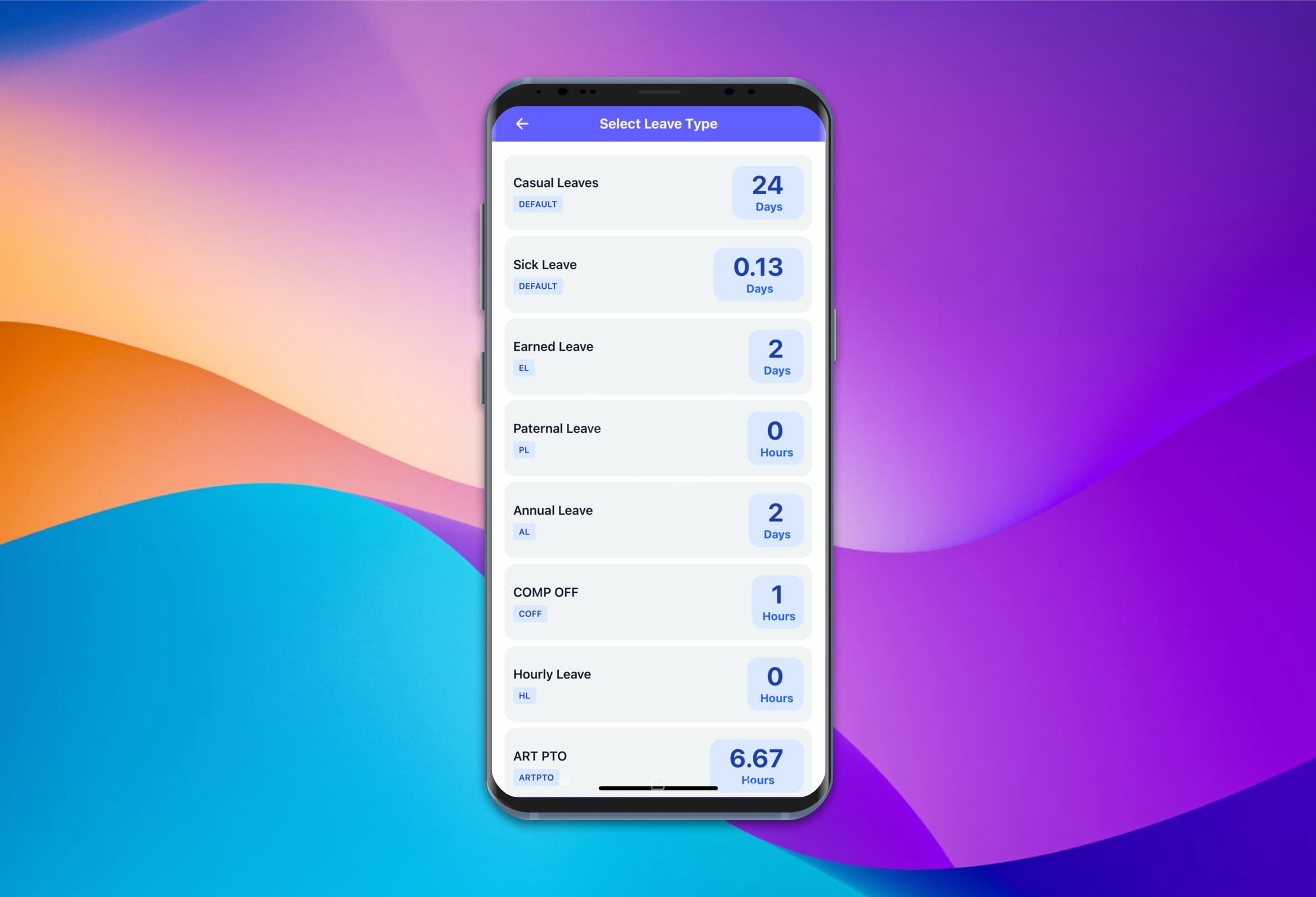
Employees check balances and request time off from their phone
In the ClockIt iOS and Android apps, employees see how much they have left in every leave type before they ask. They pick the leave type, choose the dates and send the request, with no email to HR and no spreadsheet to check.
Every balance up front
Vacation, sick, annual, comp time and more.
Days or hours
Each leave type shown in the unit it's tracked in.
Request in a few taps
Pick the type, the dates and add a note.
Track the status
Pending, approved or rejected, right in the app.
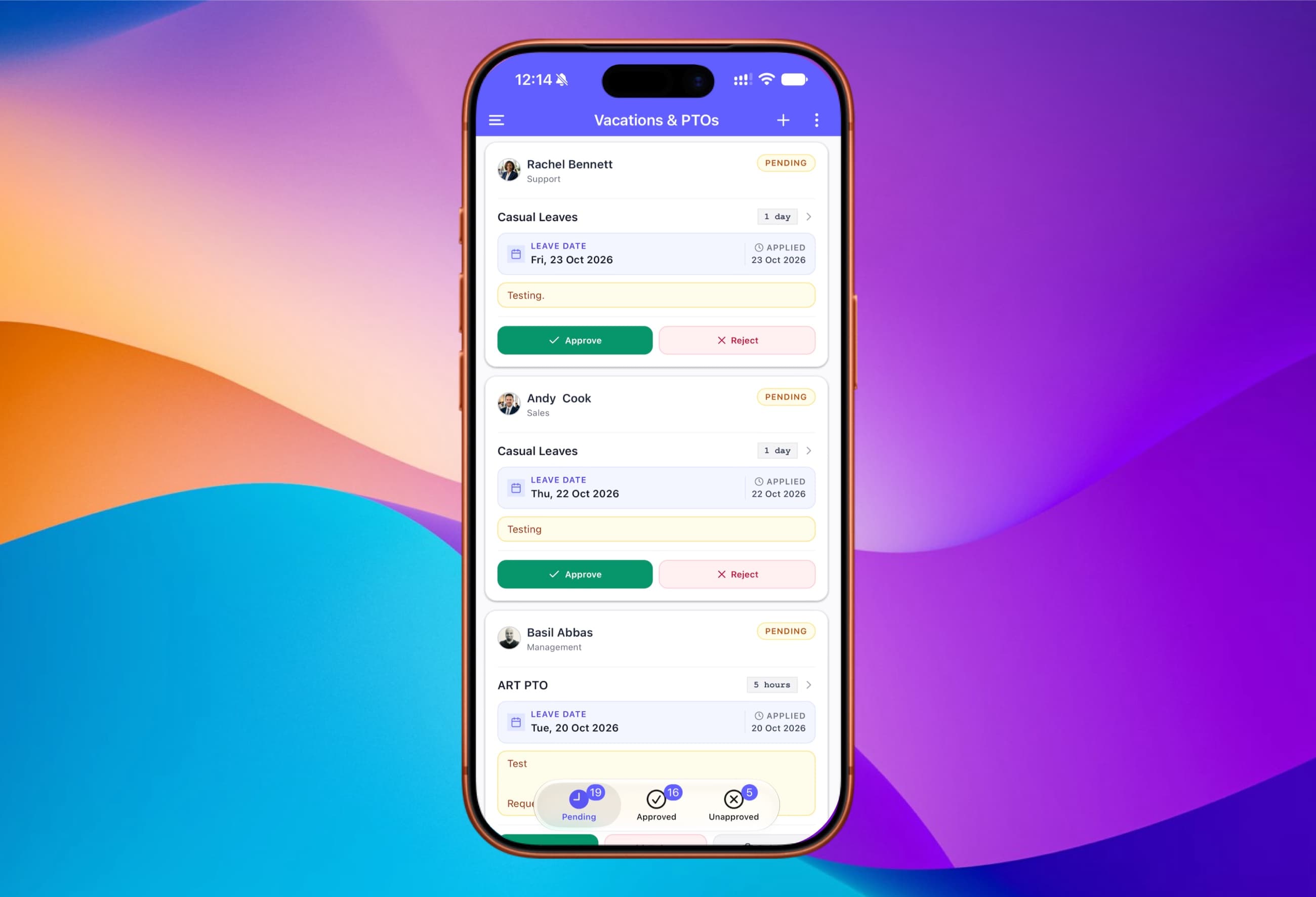
Approve your team's leave requests on the go
Managers get every request from their team in one list in the ClockIt mobile app, with the leave type, the dates, how long it's for and the employee's note. Approve or reject each one with a tap, wherever they are.
The whole team in one list
Every request from the people you manage.
Approve or reject in a tap
Right from the request card.
Pending, approved, unapproved
Filter by status, with a count on each tab.
All the details
Leave type, dates, duration and the employee's note.
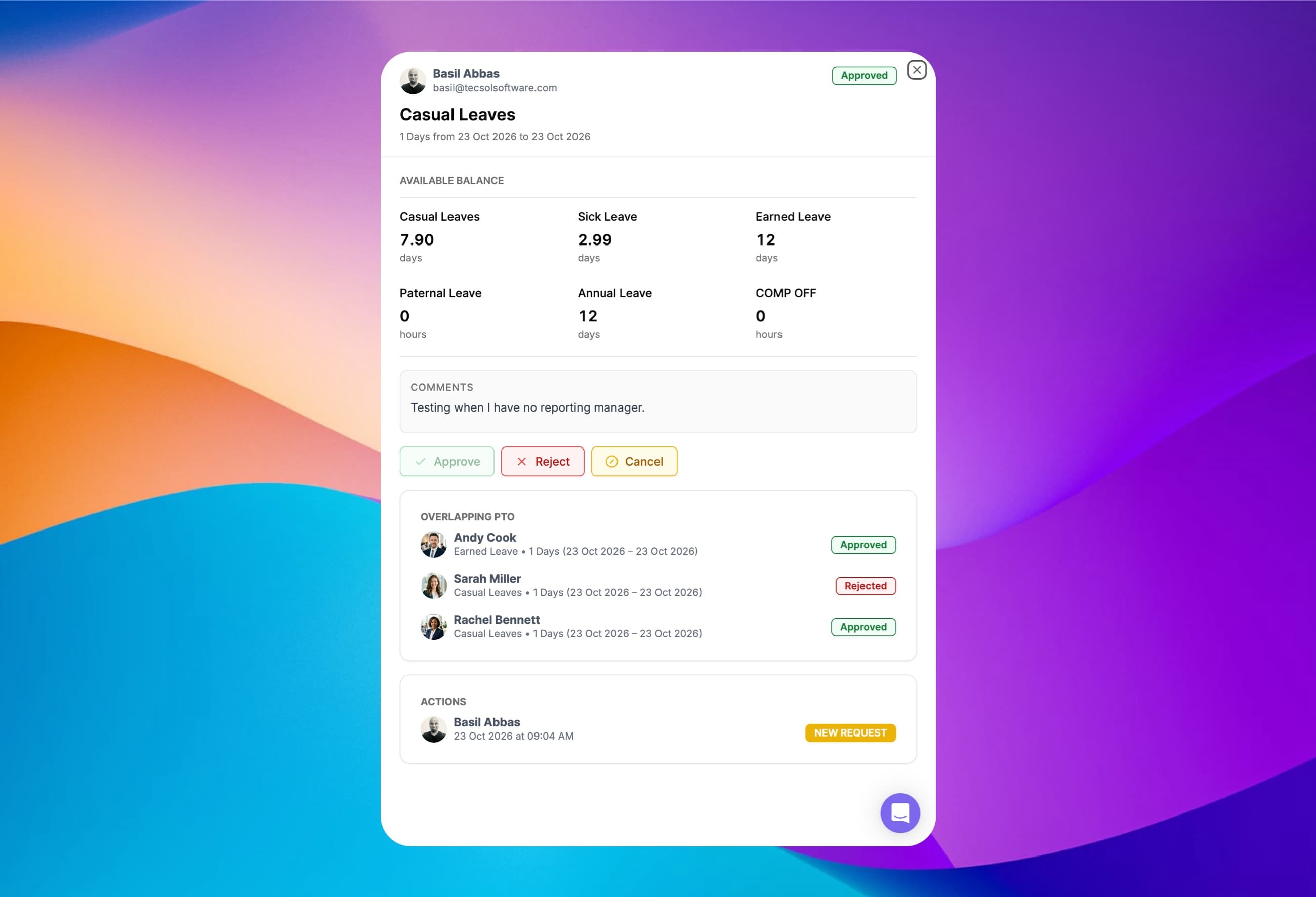
Approve time off with the full picture in front of you
Open any request to see the employee's balance in every leave type, their comment, and who else is off on the same days. Then approve, reject or cancel in one click.
Every balance on one card
Vacation, sick, annual, comp time and more.
Overlapping PTO
Teammates already off on those dates, with status.
Approve, reject or cancel
One click, and the employee is notified.
Action history
Who requested, approved or changed it, and when.
Everyone hears about time off the moment it happens
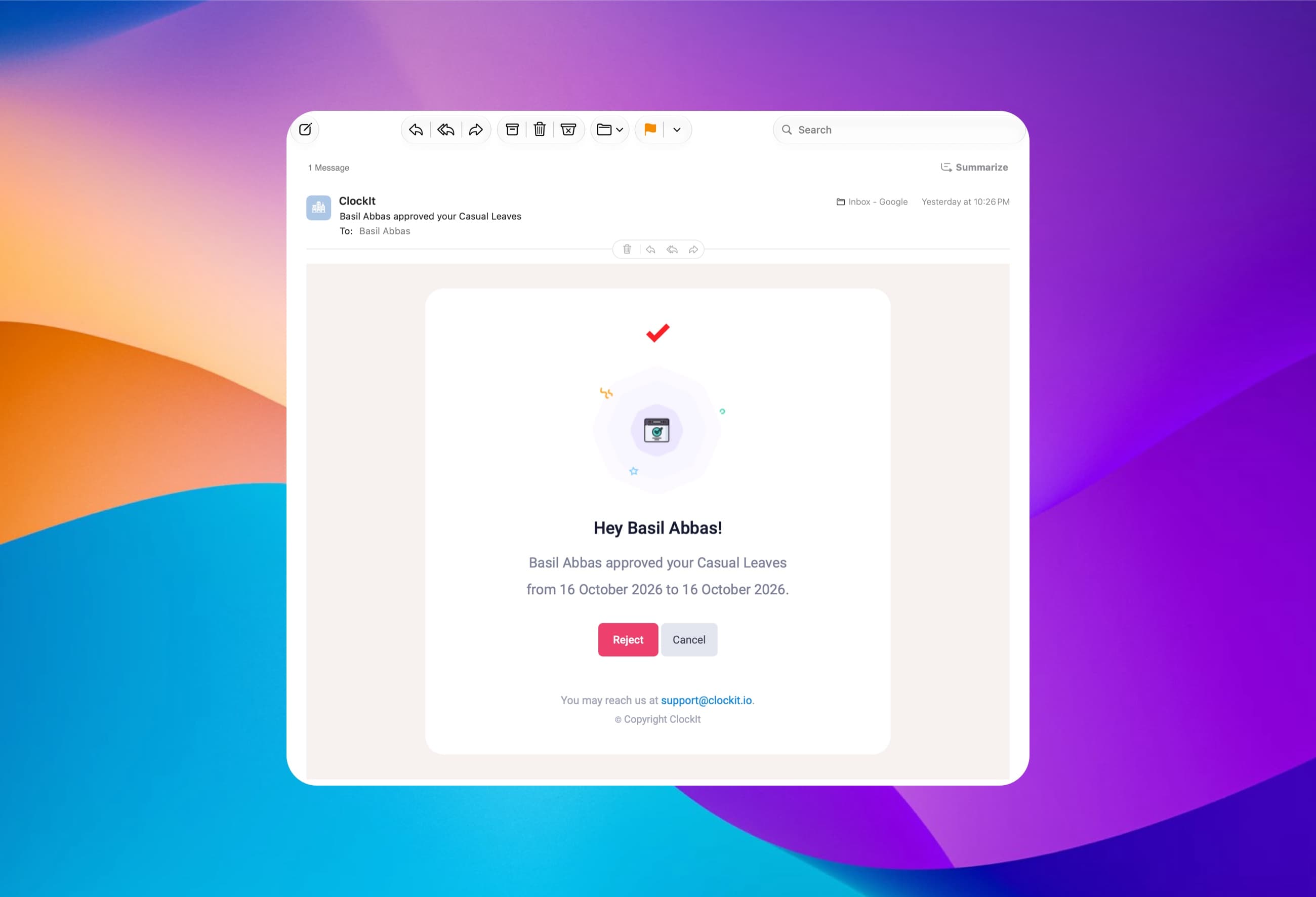
Managers are told when a request comes in, and employees are told as soon as it's approved, rejected or cancelled. Send each notification by email, in the ClockIt mobile apps or to Slack, so nobody has to log in to check a request.
Email
Approve or reject right from the email.
Mobile apps
Push notifications on iOS and Android.
Slack
Leave updates in the workspace your team uses.
Every step covered
Requests, approvals, rejections and cancellations.
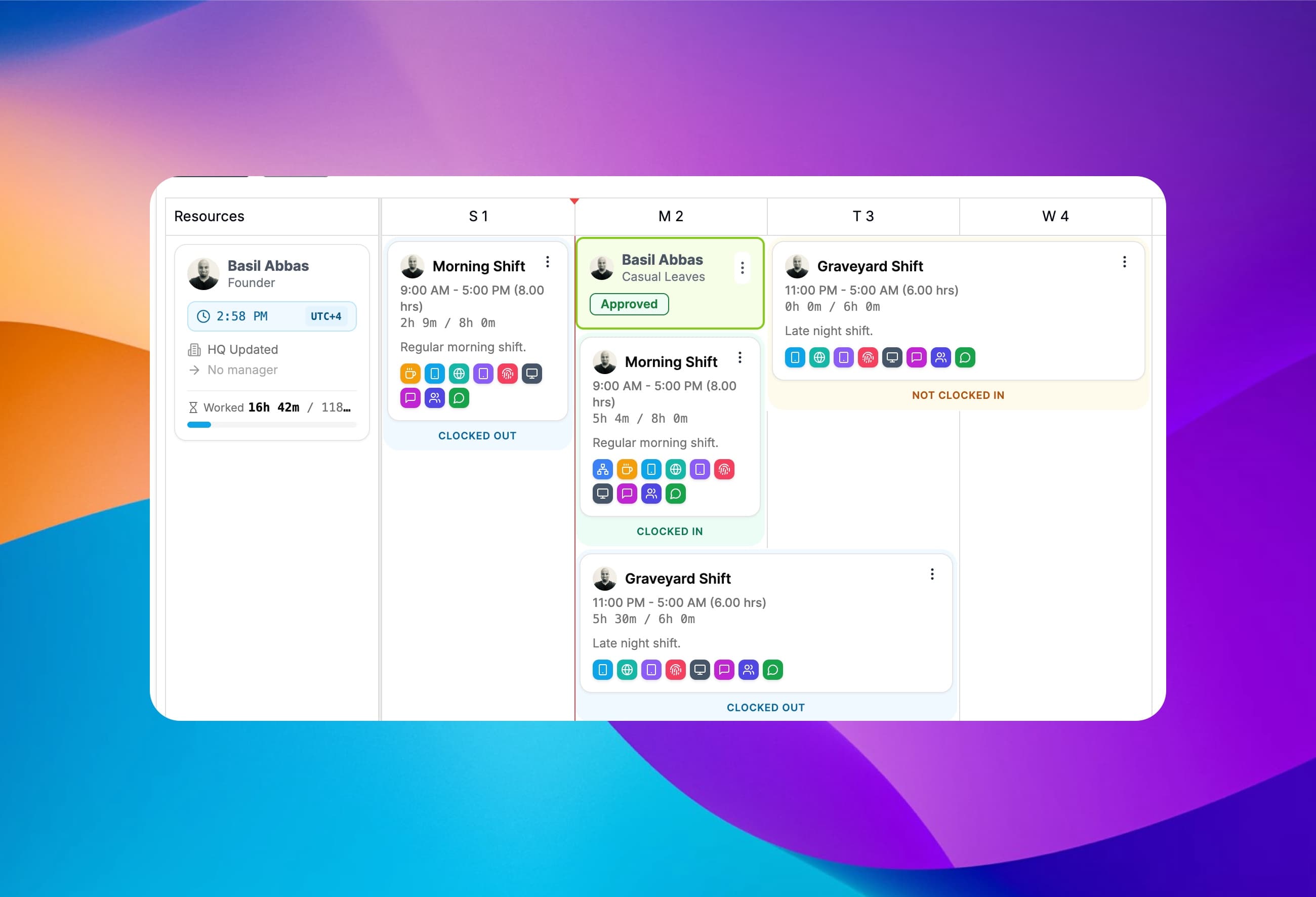
Time off and shifts in a single view
Approved leave appears on the scheduler next to everyone's shifts and live clock-in status, so you spot a gap in cover before you publish the rota, not on the day.
Leave beside shifts
No second calendar to cross-check.
Live clock status
Clocked in, clocked out or not clocked in.
Avoid double-booking
See who is off before assigning a shift.
Day and night shifts
Overnight shifts shown alongside leave.
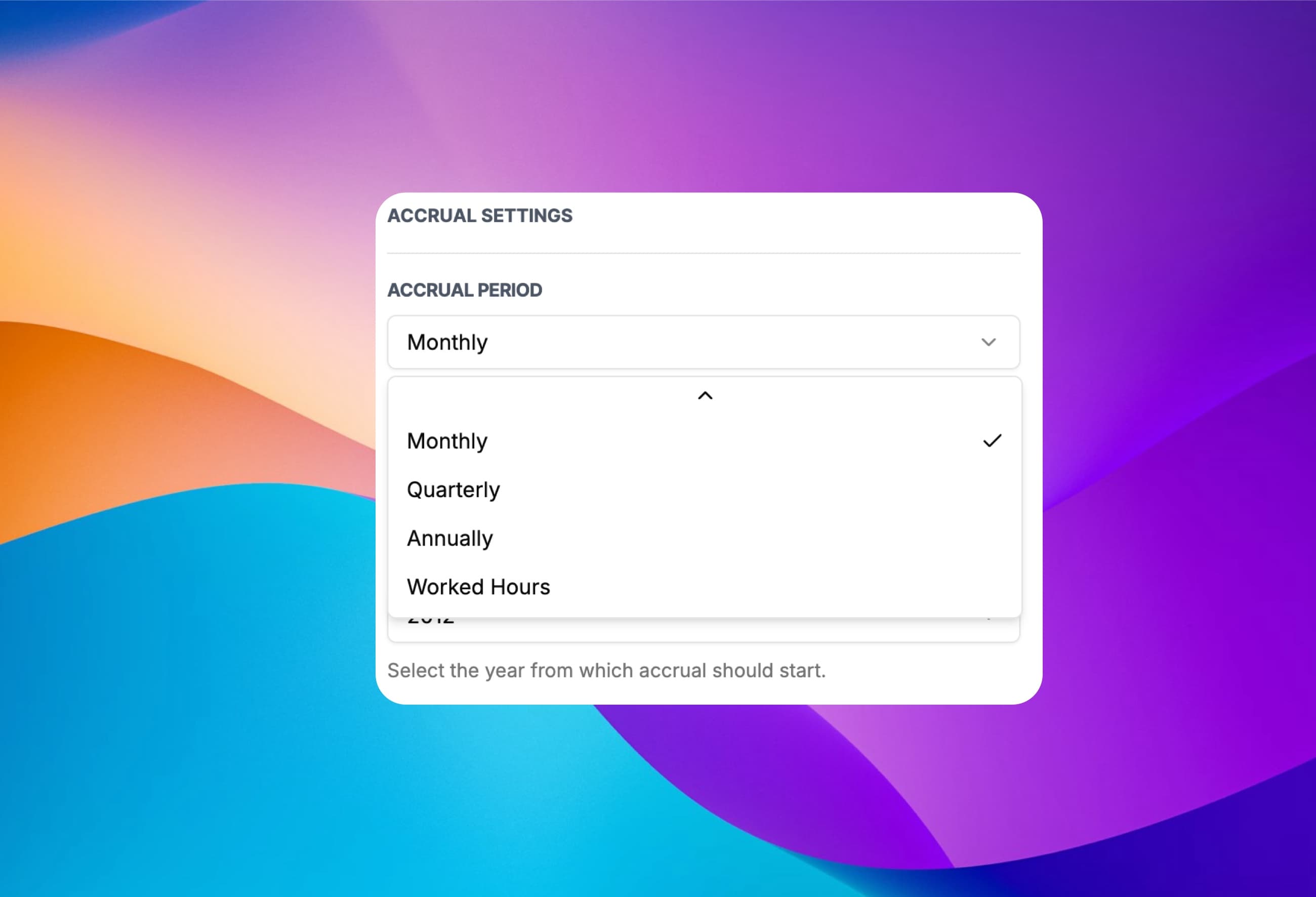
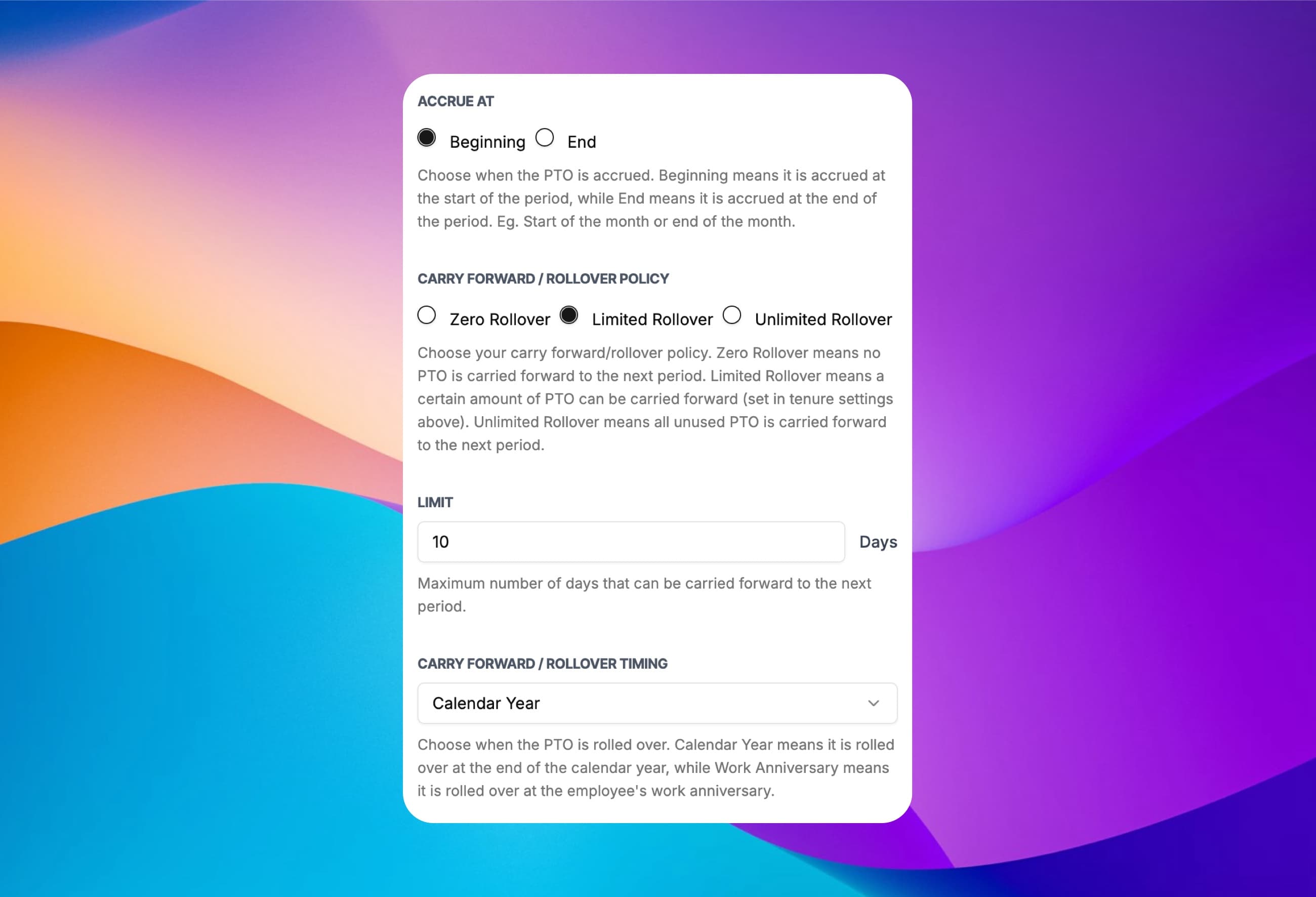
Accrue PTO the way your policy is written
Choose how each leave type builds up: weekly, every 2 weeks, monthly, quarterly, annually or by hours worked. Decide whether it lands at the start or the end of the period, and the year accrual starts from.
Weekly to quarterly
Weekly, every 2 weeks, monthly or quarterly.
Annually
The full allowance granted up front.
By hours worked
Ideal for hourly and part-time staff.
Beginning or end
Accrue at the start or close of each period.
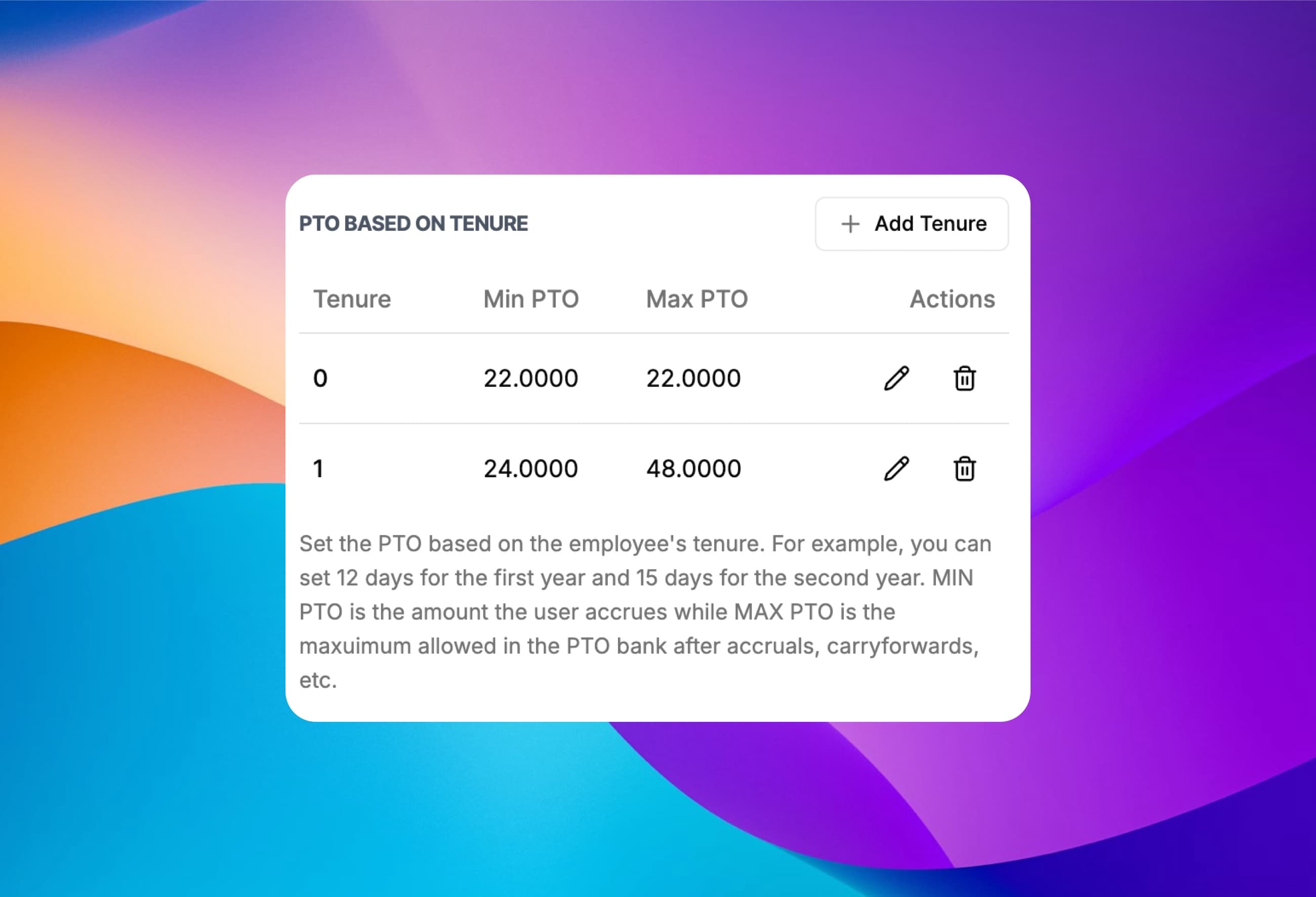
Reward loyalty with PTO that grows with tenure
Add tenure bands so employees earn more time off as they stay, for example 12 days in year one and 15 from year two. ClockIt applies the right band from each employee's years of service.
Unlimited tenure bands
Add as many years of service as you need.
Annual PTO per band
The amount an employee accrues each year.
Max PTO bank
Cap the balance after accruals and carryover.
Automatic by tenure
No manual updates when someone moves up a band.
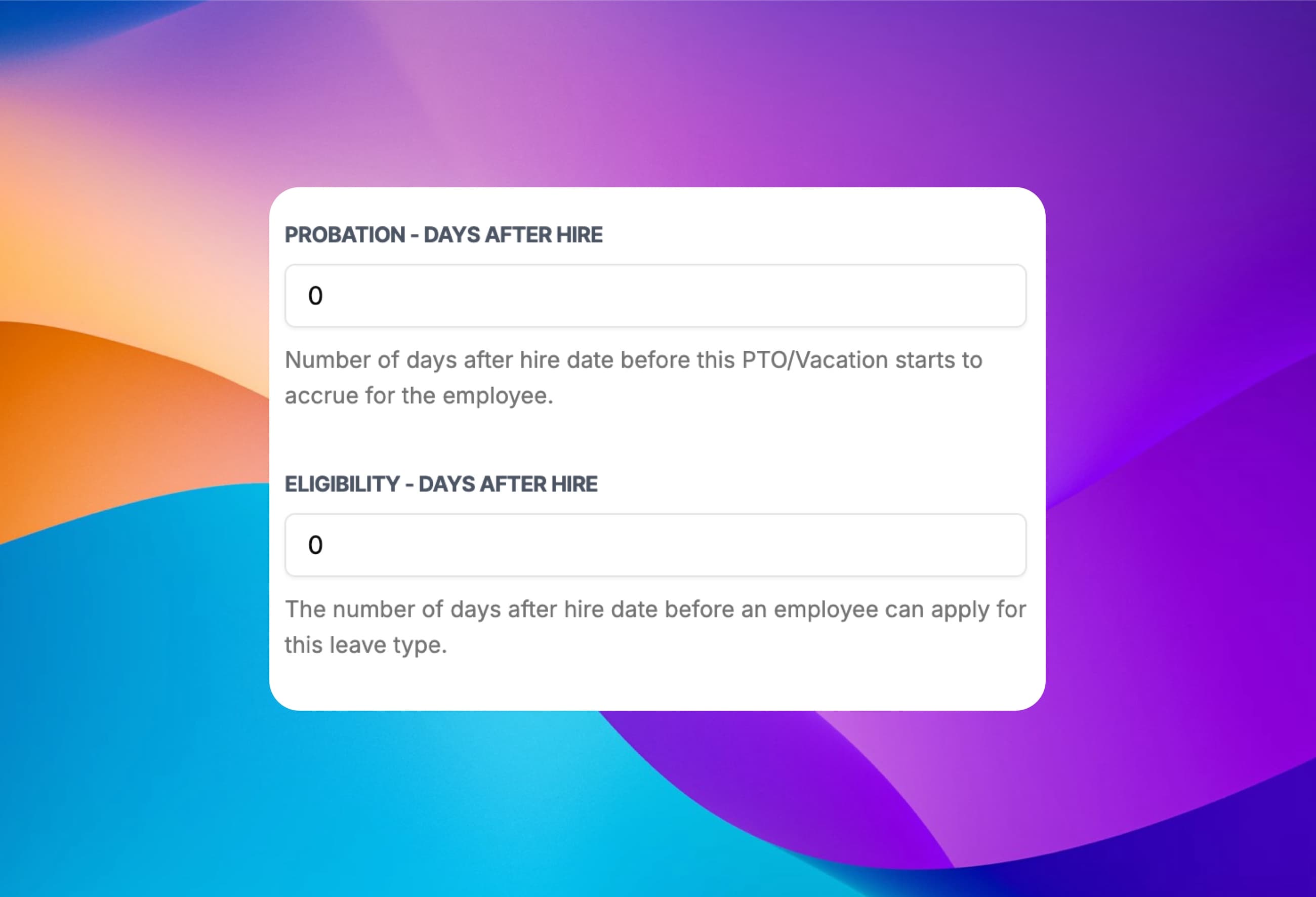
Set waiting periods for new hires
Control when a new employee starts earning a leave type and when they can first use it. Both are counted in days from the hire date, separately for each leave type.
Probation period
Days after hire before PTO starts to accrue.
Eligibility period
Days after hire before they can request it.
Per leave type
Sick leave from day one, vacation after 90 days.
Applied automatically
Based on each employee's hire date.
Use it or lose it, capped or unlimited carryover
Pick a rollover policy for each leave type and when it runs. Unused PTO can be dropped, carried over up to a limit, or carried over in full, at year end or on each employee's work anniversary.
Zero rollover
Use it or lose it at the end of the period.
Limited rollover
Carry over up to a set number of days.
Unlimited rollover
Every unused day moves to the next period.
Calendar year or anniversary
Choose when the rollover happens.
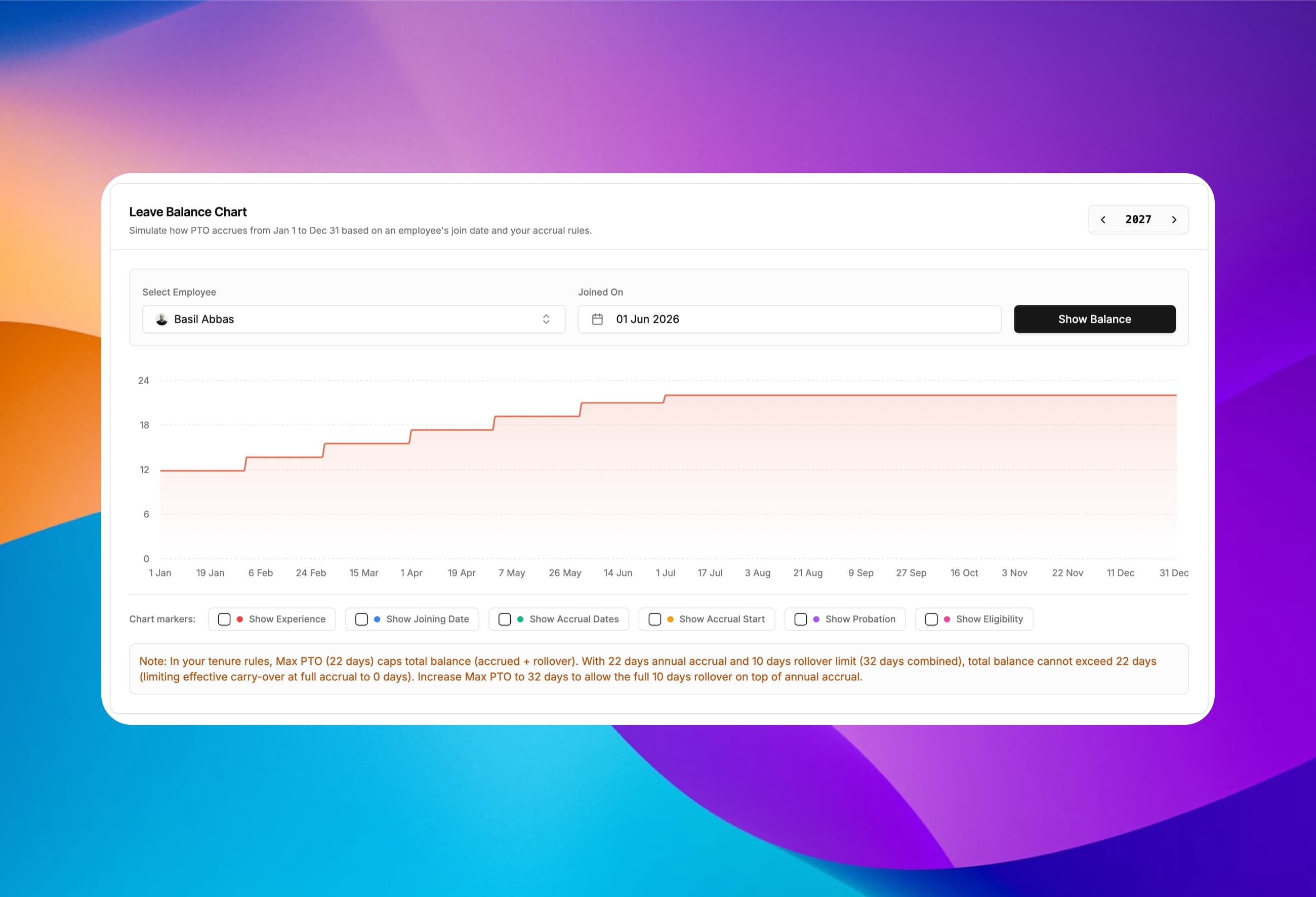
Preview a year of PTO before you change a policy
Pick an employee and a join date and ClockIt charts their leave balance from 1 January to 31 December under your current rules. It also flags settings that work against each other, like a max PTO cap that wipes out carryover.
Year-long balance chart
Every accrual step for any employee.
Policy conflict warnings
Catch caps and rollover limits that clash.
Chart markers
Joining date, accrual dates, probation, eligibility.
Any year
Check this year's rules or next year's.
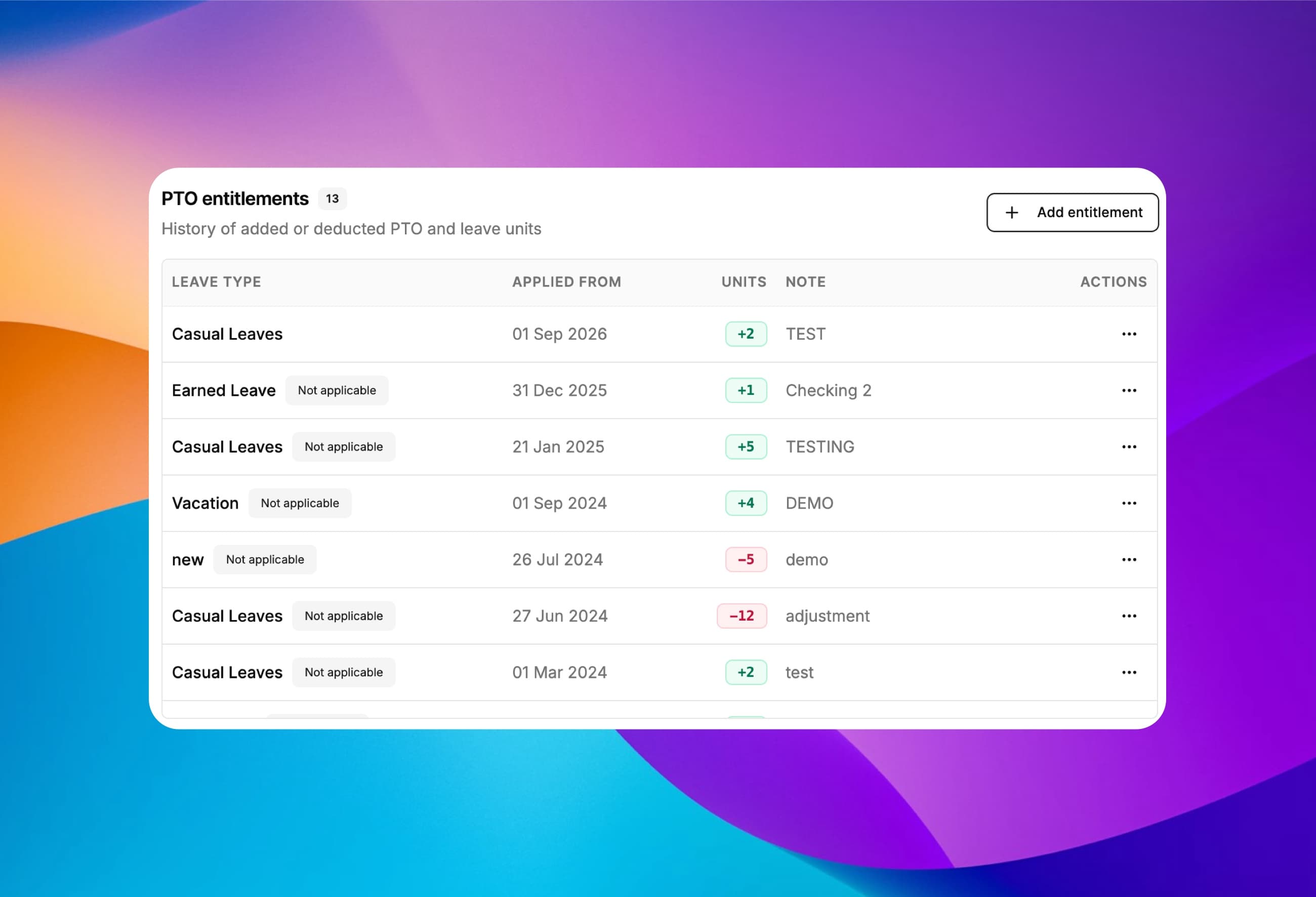
Bring over PTO balances from your old system
Moving from a spreadsheet or another HR tool? Add an entitlement to give each employee their opening balance, or deduct days to correct it. Every adjustment is dated, noted and kept in a history, so balances carry across without starting everyone from zero.
Add or deduct PTO
Positive or negative units for any leave type.
Opening balances
Carry over what people had in your old system.
Applied from a date
The adjustment counts from the date you choose.
Notes & full history
Every adjustment logged with the reason why.
Show employees exactly how their balance was calculated
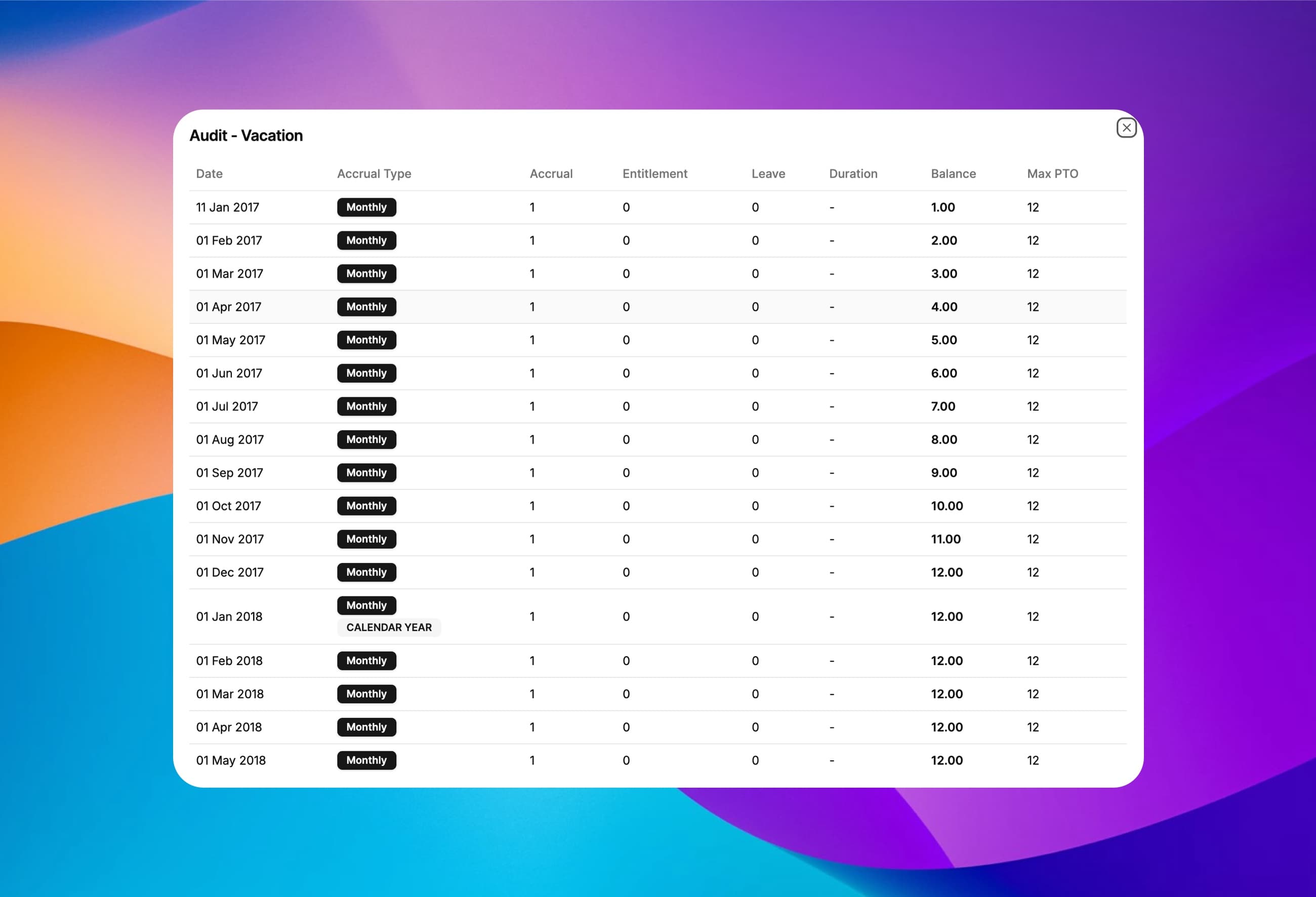
Every leave type keeps a dated ledger of accruals, leave taken and rollovers, with the running balance and the cap that applied. When someone asks why they have 7.9 days, the answer is one click away.
Dated ledger
Every accrual and rollover, line by line.
Running balance
The balance after each entry.
Leave taken
Approved time off deducted on the right date.
Cap applied
See when the max PTO limit kicked in.
Make leave status obvious on every calendar
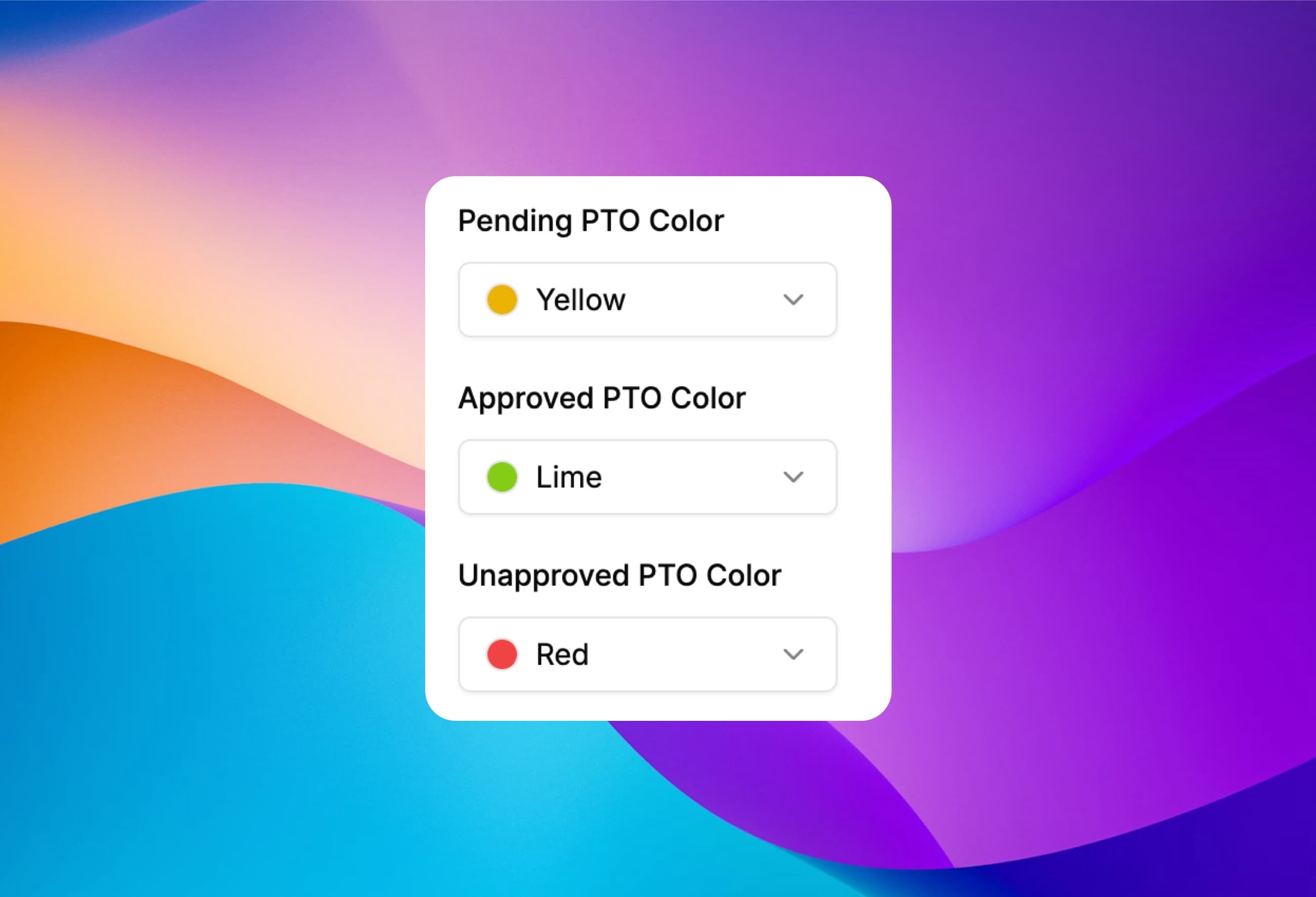
Choose the colors for pending, approved and unapproved time off so managers can read the calendar and the schedule at a glance.
Pending
Requests still waiting on a manager.
Approved
Confirmed time off.
Unapproved
Requests that were turned down.
Dashboard and scheduler
The same colors wherever leave appears.
As a small business owner, I was skeptical about implementing a new time tracking system. But this mobile app has exceeded all my expectations. It's user-friendly, reliable, and the reporting features have given me invaluable insights into our productivity.
Frequently asked questions
Have a different question or can't find the answer you're looking for? Reach out to us on the chat support on the bottom right.
PTO tracking software records how much paid time off each employee earns and uses, handles time off requests and approvals, and shows who is off on a shared calendar. ClockIt does this automatically: it accrues PTO from your policy, deducts approved leave, applies carryover at year end and keeps a dated audit of every balance change.
Each leave type has its own accrual settings. PTO can accrue weekly, every 2 weeks, monthly, quarterly, annually or by hours worked, and you choose whether it is added at the beginning or the end of each period. ClockIt calculates every balance automatically and keeps a dated accrual audit for each employee.
Yes. ClockIt supports tenure-based PTO: add tenure bands with the PTO an employee accrues each year (for example 12 days in year one and 15 days from year two) and a maximum PTO bank that caps the balance after accruals and carryover.
Choose a rollover policy per leave type: zero rollover (use it or lose it), limited rollover up to a set number of days, or unlimited rollover. Rollover can run at the end of the calendar year or on each employee's work anniversary, and ClockIt applies it automatically.
Yes. For each leave type you can set a probation period (days after hire before PTO starts to accrue) and an eligibility period (days after hire before the employee can request that leave). Both are applied automatically from the hire date.
Yes. PTO entitlements let you add or deduct leave units for any employee and leave type, applied from a date you choose and saved with a note. Use them to load opening balances from a spreadsheet or your previous HR system, or to correct a balance later. Every entitlement is kept in a history and shows up in the employee's accrual audit.
Yes. ClockIt's leave balance simulator charts an employee's balance from January 1 to December 31 based on their join date and your accrual rules, with markers for accrual dates, probation and eligibility. It also warns you when settings conflict, such as a max PTO cap that cancels out your rollover limit.
Any you need: vacation, sick leave, annual leave, parental leave, comp time and your own custom categories. Each leave type has its own accrual, tenure, probation and rollover rules, and balances can be tracked in days or hours.
Managers open a request and see the employee's balance in every leave type, their comment, and any teammates whose time off overlaps the same dates. They can approve, reject or cancel in one click from the web portal or the mobile app, and managers can also approve or reject straight from the notification email.
Yes. Approved leave appears on ClockIt's scheduler next to each employee's shifts and live clock-in status, so managers can spot gaps in cover before assigning shifts. There is also a time off dashboard with month, week, day and list views.
Yes. Employees request time off and check their balances in the ClockIt iOS and Android apps, and managers can review and act on requests from the app as well.
PTO tracking is part of the ClockIt Pro plan. Every new account starts with a 14-day Pro trial, no credit card required, so you can set up your leave policies and test them with your team before deciding.
ClockIt's payroll report includes paid time off, leave type and holiday time alongside worked hours for each employee and day, and can be exported as a CSV or PDF for your payroll provider.
PTO, Vacation and Time Off Use Cases
See how teams in your industry track PTO and leave with ClockIt.
PTO Tracking and Leave Management for Construction
Automated accruals, clear approvals, shared calendars, and mobile requests—built for crews and job sites.
PTO Tracking and Leave Management for Healthcare
Automated accruals, multi-level approvals, staffing-aware calendars, and mobile requests for 24/7 care teams.
PTO Tracking for Retail and Franchises
Accruals, approvals, blackout dates, and mobile requests for multi‑store teams.