



Unlock Remote Work Productivity: Top Tools for Employee Accountability
Learn how ClockIt.io's remote monitoring tools increase productivity and accountability in remote work environments.
Powerful Data Insights
Make data‑driven decisions with ClockIt dashboards. Track attendance patterns, monitor time tracking metrics, manage PTO requests, and analyze productivity — all in one place.
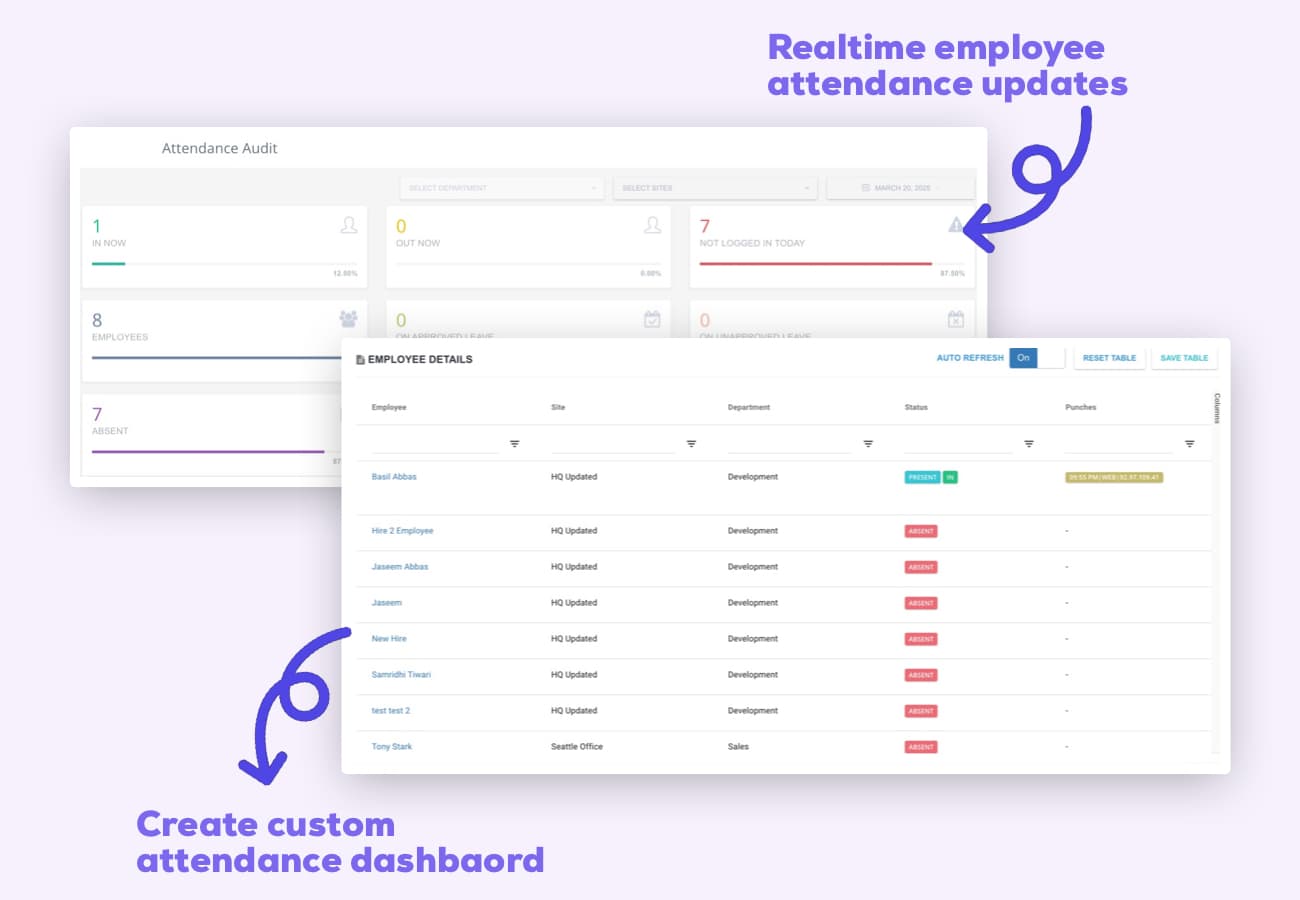
Stop flying blind with workforce management. ClockIt dashboards transform raw attendance data into actionable insights, helping managers identify patterns, optimize staffing, and make informed decisions backed by real-time analytics.
Monitor attendance trends, productivity metrics, and PTO usage with live data refreshed automatically.
Create and save personalized dashboard views with the exact metrics and KPIs that matter to your team.
Transform complex workforce data into intuitive charts and heatmaps for quick pattern recognition.
Access high-level dashboards designed for leadership to track key metrics across departments and teams.
Track your team's attendance in real-time with ClockIt's interactive dashboard. See exactly who's on-site, who's running late, and who's absent with instant status updates. The color-coded interface makes it easy to spot attendance patterns at a glance. Managers receive proactive notifications about late arrivals or unexpected absences, allowing for immediate staffing adjustments when needed.
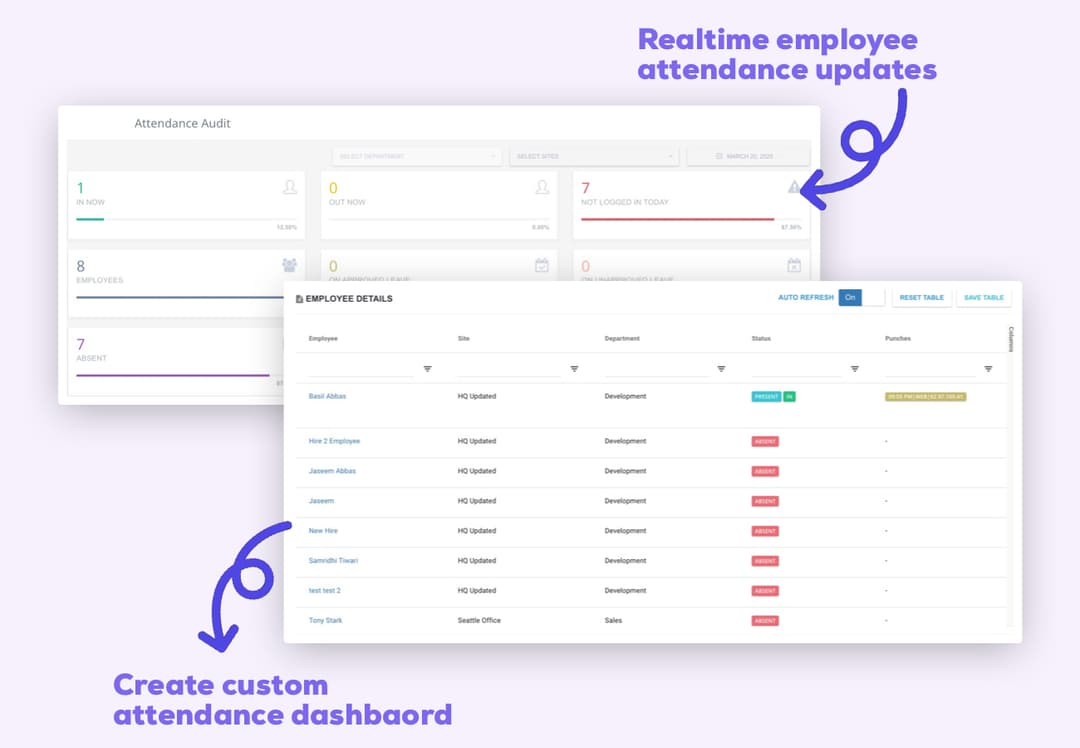
ClockIt dashboards streamline workforce operations by consolidating critical data into actionable insights. Reduce decision-making time with instant visibility into attendance trends, labor distribution, and time-off patterns. Identify bottlenecks, optimize staffing levels, and proactively address scheduling conflicts before they impact productivity. Our intelligent analytics highlight opportunities to improve workflows, helping businesses operate more efficiently while reducing administrative overhead.
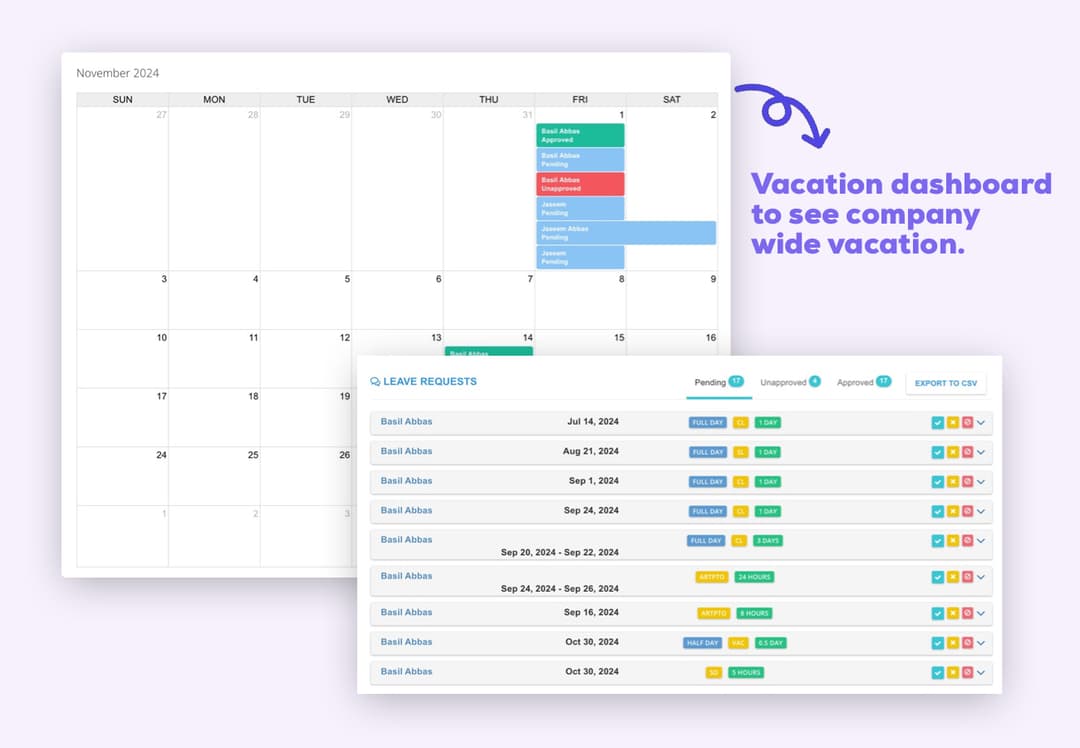
Gain complete visibility into who's away across your organization with ClockIt's specialized time off dashboards. Review, approve, and reject PTO requests directly within the dashboard interface without switching screens. Our flexible permission system allows you to control exactly who can access which dashboards, ensuring sensitive vacation data remains secure. Managers get team-specific views focused on their direct reports, while administrators can access company-wide data for broader scheduling and planning.
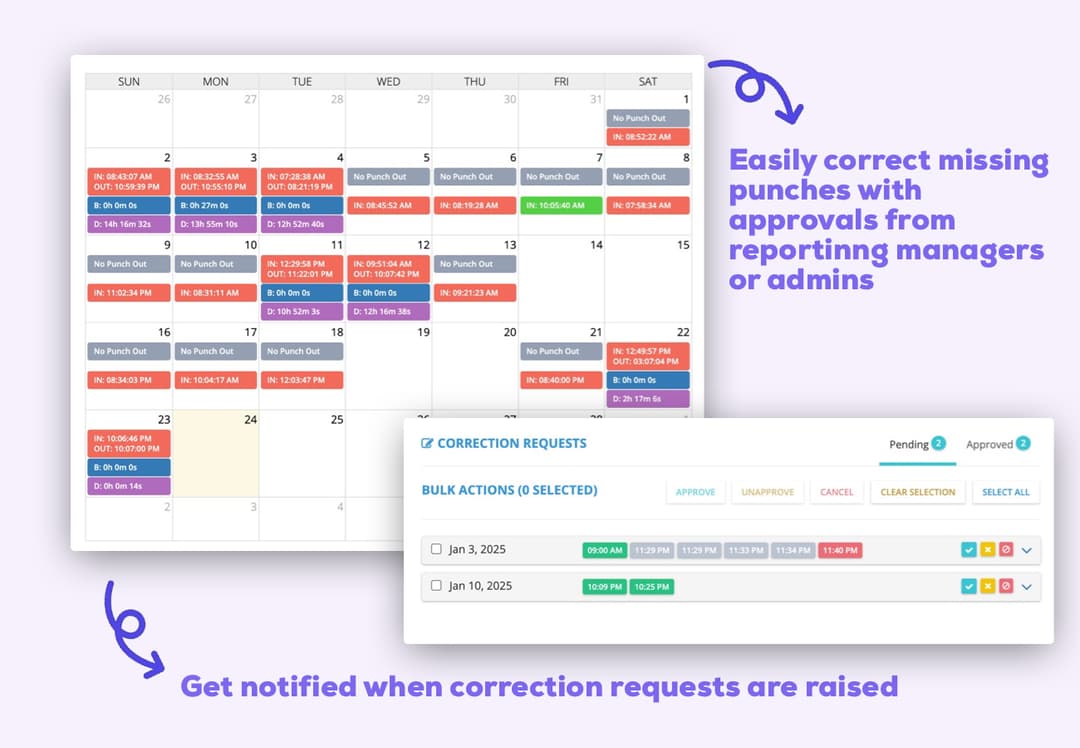
Maintain perfect timesheet accuracy with ClockIt's specialized correction dashboard. Review, approve, or reject time adjustment requests in seconds with our intuitive interface. Managers receive notifications when employees submit corrections for missed punches or time entry errors, allowing them to quickly verify and approve legitimate changes while preventing unauthorized modifications. With a complete audit trail of all adjustments, your payroll data stays accurate and compliant with every reporting cycle.
As a small business owner, I was skeptical about implementing a new time tracking system. But this mobile app has exceeded all my expectations. It's user-friendly, reliable, and the reporting features have given me invaluable insights into our productivity.
Learn how ClockIt.io's remote monitoring tools increase productivity and accountability in remote work environments.

Discover how AI technology is revolutionizing time tracking efficiency and accuracy for modern businesses.
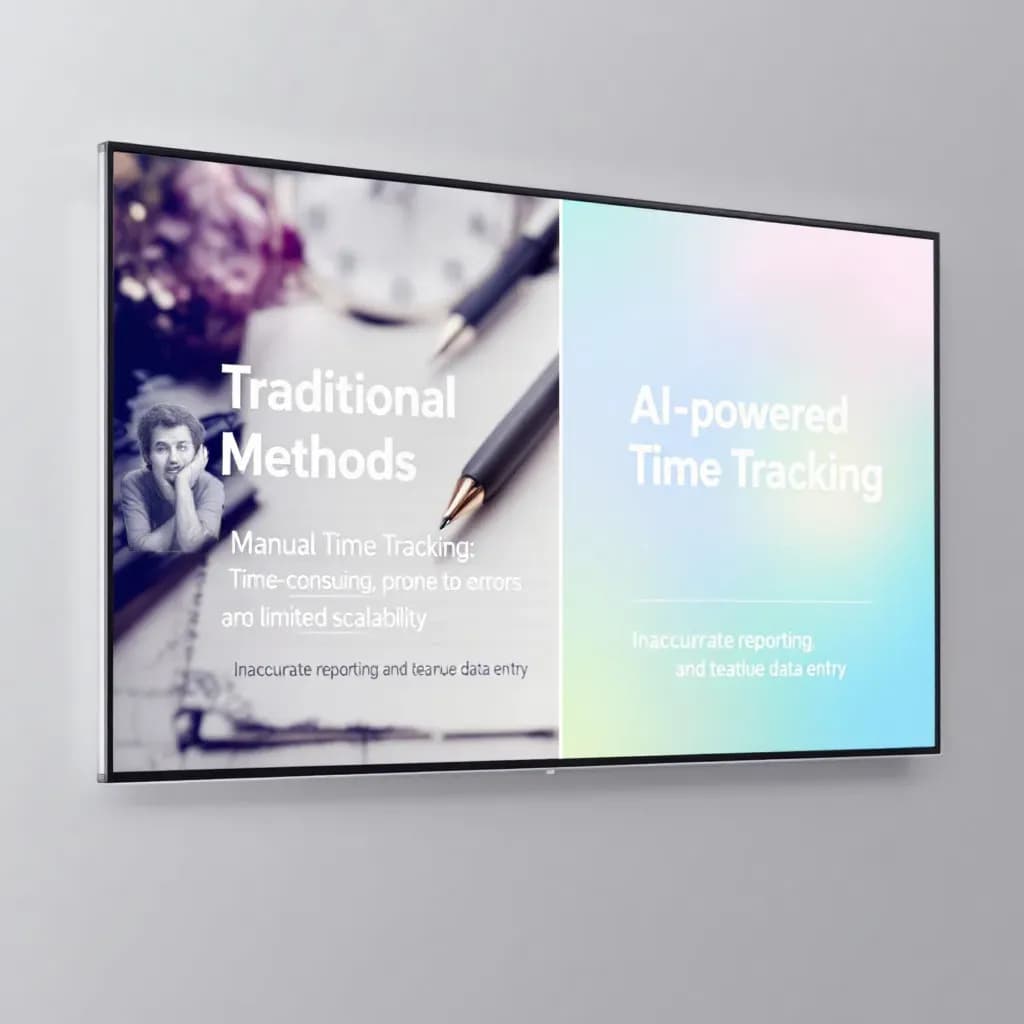
Discover how AI enhances time tracking accuracy, helping businesses optimize workforce management.
Have a different question and can't find the answer you're looking for? Reach out to our support team by sending us an email and we'll get back to you as soon as we can.
ClockIt is a time clock and time tracking system designed specifically for accurate timekeeping. Employees can clock in/out using the mobile time clock app, the online time clock (web), kiosk/punch clocks, or biometric devices. Breaks, jobs/projects, notes, and job costing are supported, and all attendance data syncs in real time to a central location.
Our time clock offers photo verification, GPS and geofencing, optional PIN, IP address restrictions for web clock, and biometric integrations to verify employees. These features help prevent buddy punching, reduce employee time theft, and keep total hours accurate for payroll and compliance.
Yes. The mobile time clock app works on iOS and Android so employees can clock in from job sites, the office, or while on the move. Offline mode lets users track time without internet and sync when back online. GPS and geofencing help ensure compliance and verify location.
Yes. The online time clock runs in any modern browser on desktop or tablet. You can allowlist IPs to limit where employees can clock in. All devices connect to the same account so data stays in sync across web, mobile, kiosk, and biometrics.
ClockIt is built for accurate timekeeping. We detect duplicate or conflicting punches, support approval workflows, and provide detailed audit logs to verify changes. Employees and managers can request and approve edits to fix errors without losing history.
Yes. Configure time and attendance rules such as daily/weekly overtime, paid/unpaid breaks, rounding, and schedules. The tracking system calculates total hours correctly and helps ensure compliance with your company policies.
Export clean attendance data (regular, overtime, breaks, job codes) to CSV or Excel, or connect to most major payroll systems and attendance software. Map pay codes and jobs to keep payroll accurate and efficient while reducing manual entry and errors.
Yes. A central dashboard shows real‑time status (who's in/out), location, devices used to clock, and total hours. Managers can approve timesheets, run reporting, verify punches, and track projects across teams and job sites from one place.
Employees can add notes to shifts, switch jobs/projects, and request edits to their time card. Managers can approve or deny changes based on your workflow, and all edits are logged for auditing and compliance.
Yes. ClockIt is a user‑friendly solution designed for small businesses and enterprises alike. Simple apps, clear workflows, and powerful features help teams track time, reduce cost, and connect attendance data to payroll without complexity.
Yes, you can assign codes to jobs, projects, or clients. Employees select the appropriate code when clocking in, allowing for detailed job costing and profitability analysis.
Yes, you can configure rounding rules (e.g., to the nearest 5, 10, or 15 minutes) to simplify payroll calculations and comply with company policies.